



As your security operations grow, so does the work behind them. More clients, more analysts, more investigations, and more things to manage every day.
Meet ANY.RUN Multi-Tenant Teamspace, a new way to manage security operations in ANY.RUN. It helps MSSPs and MSPs handle client work in separate spaces, while SOC teams get a better way to organize investigations and understand security activity.
From Teamwork to Teamspace: A Major Step Forward
Teamwork has long helped security teams work together in ANY.RUN. Now, we’re taking it further.
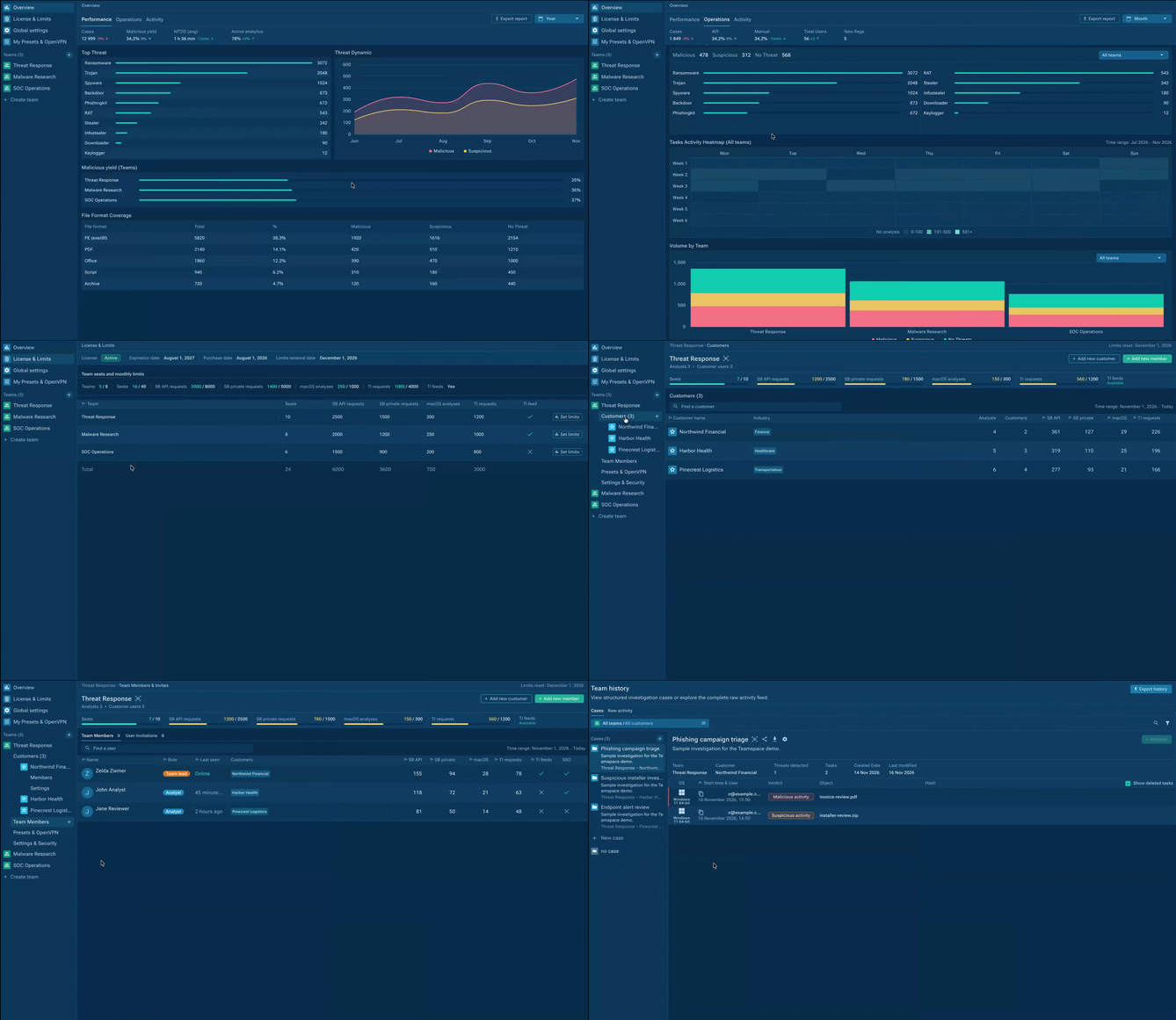
Multi-Tenant Teamspace builds on the existing Teamwork capabilities, adding new ways to manage customers, teams, resources, and security results.
Here’s what’s new:
- Multi-Tenancy: Separate client environments to keep customer data and investigations private.
- Customer View: Direct access for customers to follow their security work and see the results of your service.
- Multi-Team & Centralized Management: Independent security teams with clear roles, access control, and shared resources.
- Cases & Teamhistory: Related analyses in one case and shared investigation history to avoid repeated work and speed up triage & response.
- Team Performance Overview: Track team activity, investigation results, and key detection metrics to understand how your teams are performing.
- Threat Landscape Overview: See detected threats, trends, and analysis coverage across your organization, teams, or individual customers.
From managing customer work to reviewing detection results, these tasks now turn into one flow. You can request access to Teamspace for your SOC or MSSP by contacting ANY.RUN.
How It Works: One Connected Workflow for Stronger Security Operations
Let’s take a common MSSP scenario: a customer reports a suspicious file. What happens next, and how can the team handle the investigation from start to finish?
Here’s how Teamspace supports each step.
| Step | What Happens in Teamspace | How It Helps the Next Step |
|---|---|---|
| 1. Customer Alert | An analyst starts investigating a suspicious file or URL in the right customer workspace. | The investigation stays connected to the right customer. |
| 2. Threat Investigation | The analyst examines the threat in Interactive Sandbox and groups related analyses into a Case. | All related findings are available in one place. |
| 3. Team Handoff | Another analyst opens the Case and continues the investigation using previous findings. | The next shift can build on existing work instead of starting over. |
| 4. Customer Visibility | The customer gets controlled access to their security work and investigation results. | The MSSP can show what was investigated and what was found. |
| 5. Security Overview | Managers review team activity, detected threats, and investigation metrics. | They get the context needed to understand workloads and make decisions. |
Managers can control team access and redistribute available seats and limits as workloads change.
The result: One connected way to handle customer investigations, share findings, report results, and manage security operations.
Grow Your MSSP Business with Full Control over Every Client
For MSSPs, every new client brings new security work to manage. Different customers have their own data, investigations, and security needs. As your client base grows, keeping everything separate and organized becomes more important.
Keep Client Work Separate and Their Data Private
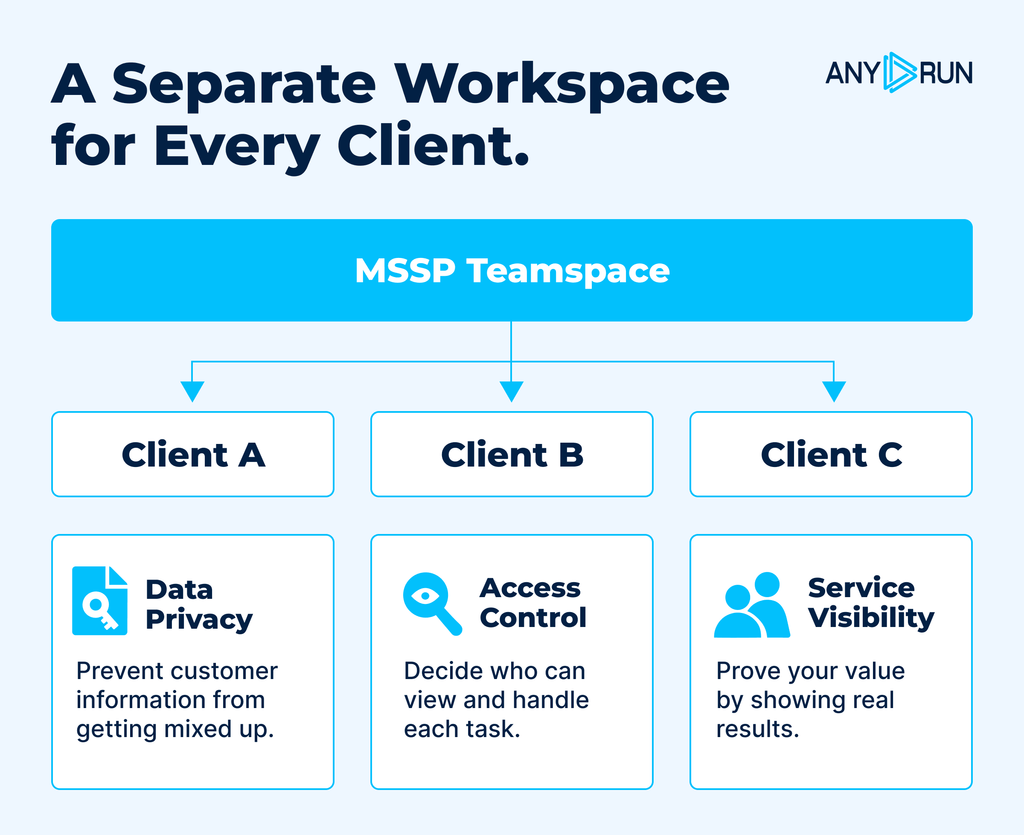
With Multi-Tenancy, MSSPs can manage multiple clients, with each customer’s tasks, analyses, and results kept separate.
Access is based on assigned roles and customers, so employees only see the work they are allowed to handle.
For example, a Tier 1 analyst investigating suspicious files for several companies can switch between client spaces without mixing data or losing track of which customer each analysis belongs to.
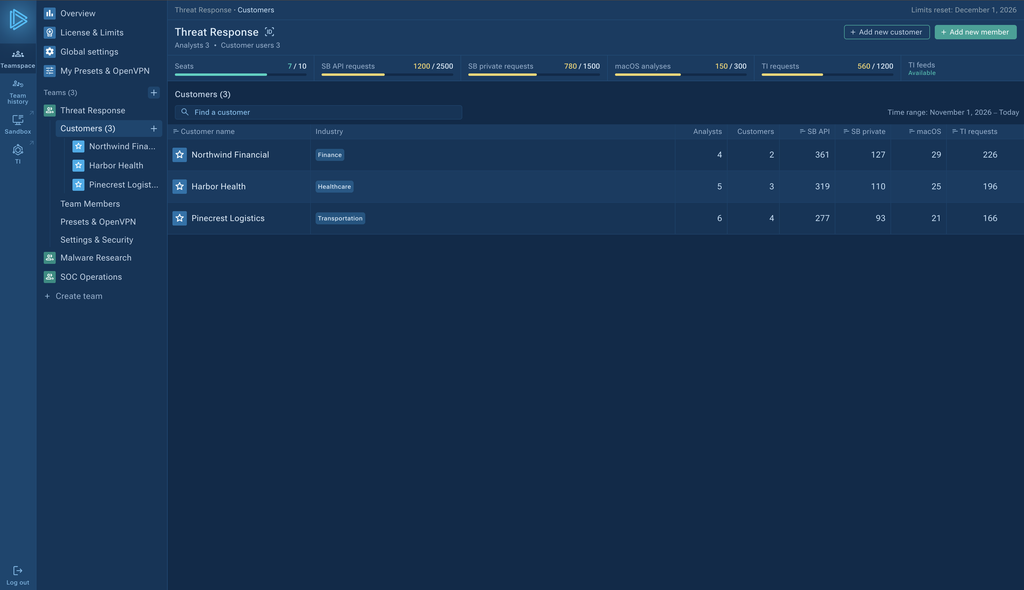
This gives MSSPs a clear way to organize client operations, reduce the risk of losing track of customer data, and handle more work without creating separate accounts or processes for each client.
Show Customers the Value Your Bring to Their Security
Companies want to understand what their security provider is doing to protect them. But when all they see is a final report, much of the investigation work stays hidden.
With the Customer capability, MSSPs can give clients access to their security work and results in ANY.RUN.
Customers can see the findings available to them, while the MSSP keeps control over what each customer can view.
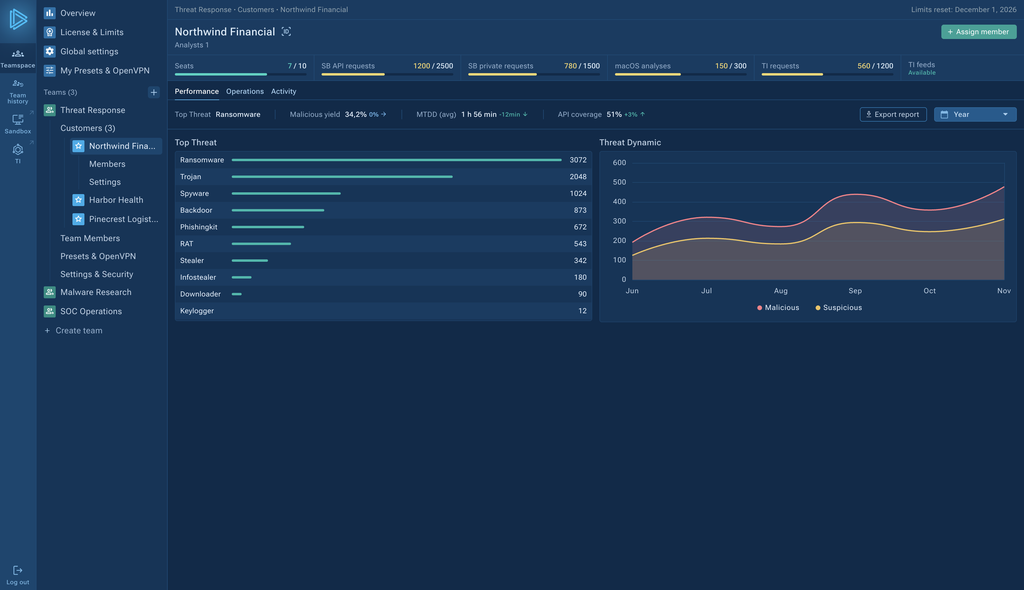
This makes your security service more transparent. Instead of relying only on reports, customers can get a clearer picture of the work your team has done for them.
For MSSPs, that means a better way to show the value of their service and build stronger customer relationships.
Improve SOC Operations with Shared Context and Better Threat Visibility
Security investigations rarely happen in one step. Analysts may need to check several suspicious files, follow different parts of an attack, or continue work that another team member started.
Without a shared way to organize this work, important findings can become hard to find. Analysts may spend time looking for previous results or repeat analyses that someone has already done.
Combine Investigations into Cases to Avoid Repeating Work
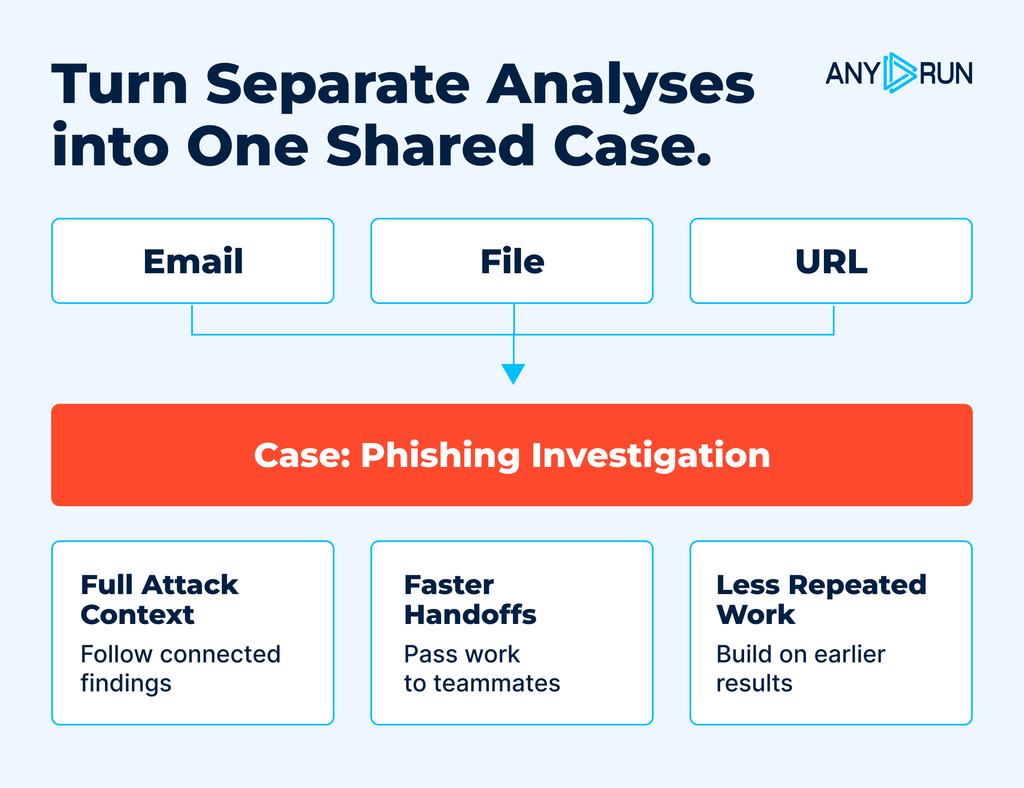
With Teamhistory, your SOC or MSSP can find past sandbox analyses and use earlier findings instead of starting from scratch.
There are two ways to work with this history:
- Raw Activity: Find previous analyses across your team, including sessions that are not part of a case.
- Cases: Bring related Interactive Sandbox analyses together to follow the full investigation.
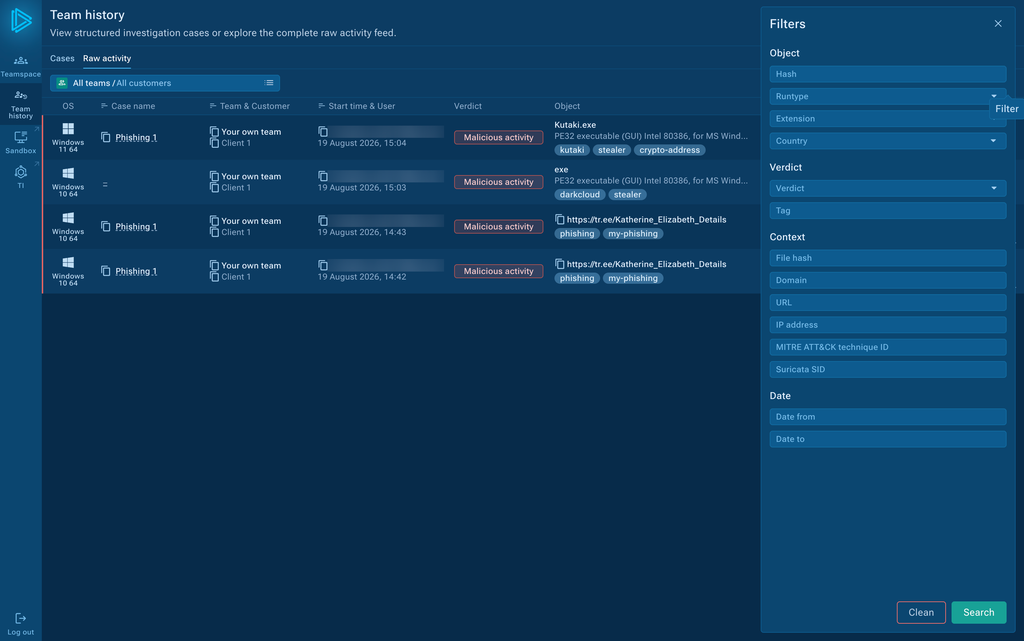
For example, an analyst may examine a suspicious email attachment, a downloaded file, and a related URL. These analyses can be grouped into one case to show how the attack connects.
Analysts can also share cases with teammates when an investigation needs more work or moves to another analyst.
This helps teams save time on repeated work, pass findings between analysts, and keep important results easy to find.
Understand Your Threat Landscape across Organization and Clients
With Overview, SOC and MSSP managers can see which threats are being detected and how threat activity changes over time.
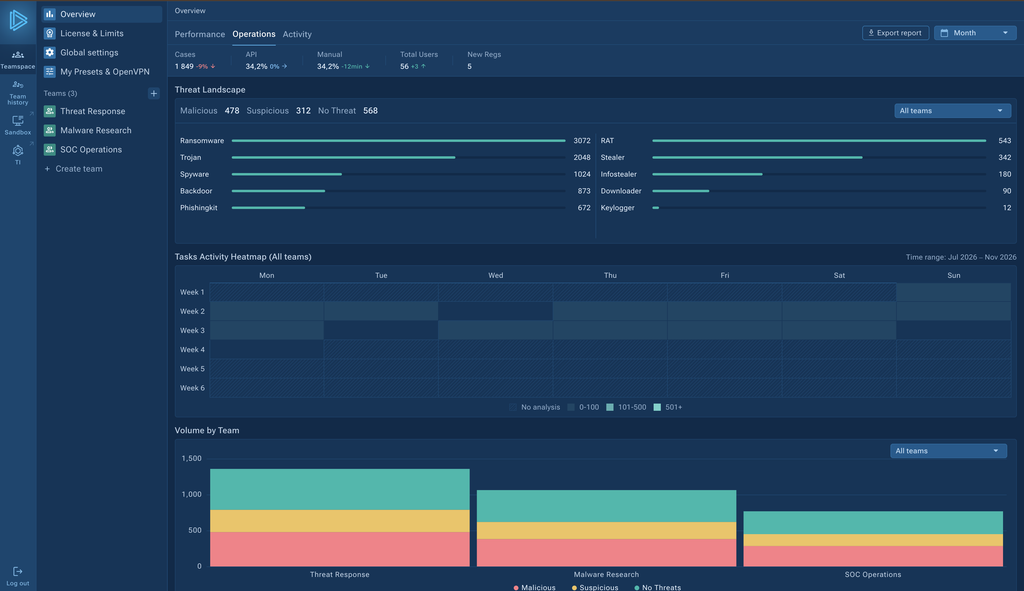
You can switch between views for your whole organization, a specific team, or an individual customer, and choose the time period you need.
Overview includes:
- Top Threats: Find out which malware families and threats are detected most often.
- Threat Dynamic: See how detected threat activity changes over time.
- Malicious Yield: Check the percentage of analyses with malicious results.
- File Format Coverage: See which file types are analyzed and their verdicts.
- MTTD: Track how quickly threats are detected.
For SOC managers, this means a clearer understanding of the threats their teams face and how detection results change over time.
For MSSPs, customer-level views make it easier to review detected threats, show customers the results of security work, and prepare reports without collecting data from separate analyses by hand.
Overview also shows team activity, helping managers follow their teams’ work and spot areas that may need attention.
With threat trends, activity, and results in one view, security leaders have the information they need to make better decisions.
Manage All Your Teams, Access, and Resources in One Place
Handling security teams gets harder as more people join, new roles appear, and teams take on different work.
Give Every Security Team the Space to Work Independently
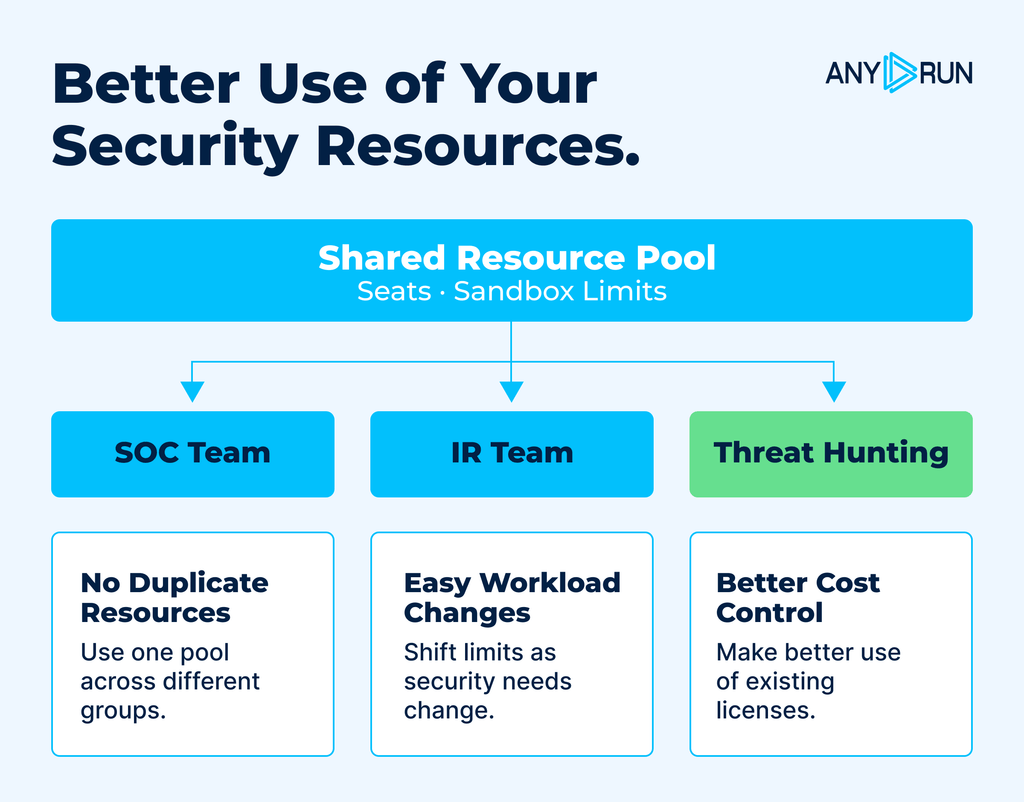
Multi-Tenant Teamspace helps you bring team management, access control, and resources into one place, so you can stay in control as your operations grow.
Now, you can organize separate teams inside ANY.RUN and give each one a space for its work.
For example:
- SOC analysts can focus on daily threat analysis and triage.
- Incident response teams can work on cases that need deeper investigation.
- Threat hunters can focus on finding suspicious activity and studying threats.
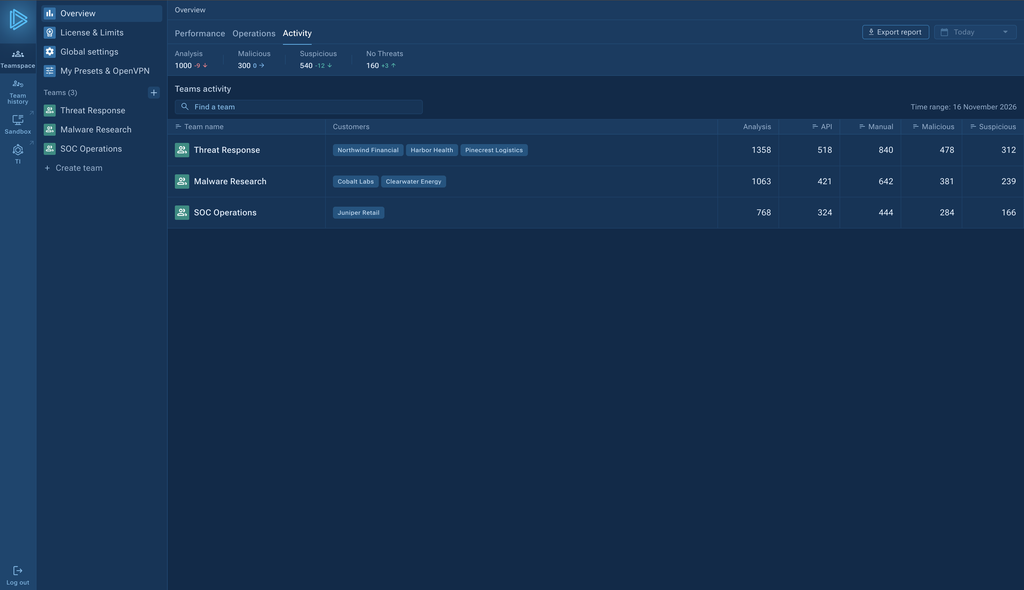
This gives each team a clearer way to work, while keeping them within the same managed environment.
For security leaders, it becomes easier to support different teams as their work grows.
Keep Access and Resources Under Control at All Times
You can also share available resources across teams and move limits where they are needed most. For example, if one customer needs more Interactive Sandbox analyses, you can give their team more resources from your existing pool.
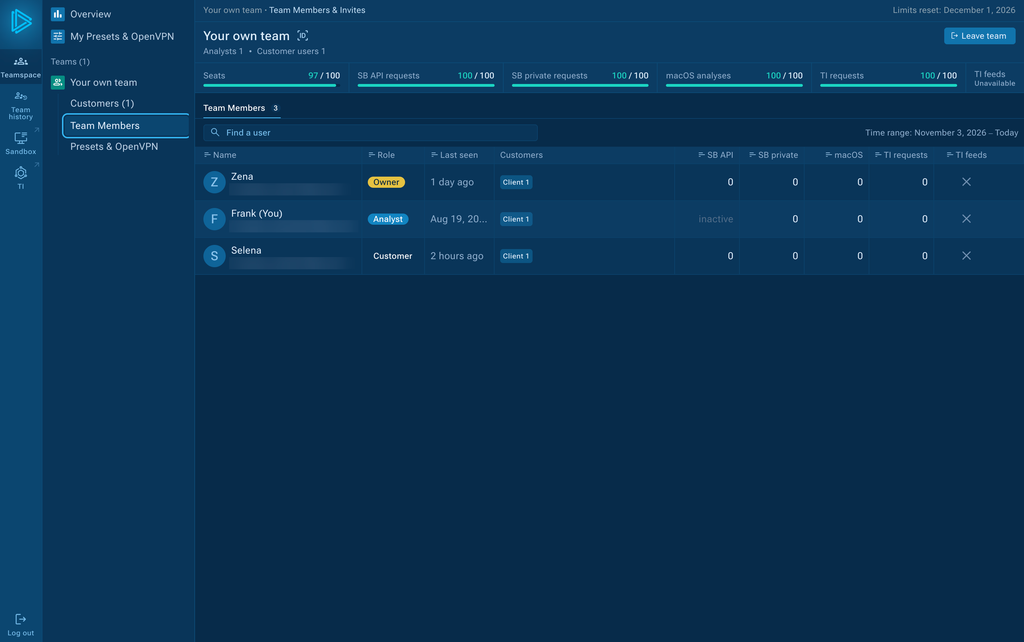
This helps your SOC or MSSP make better use of their licenses, avoid duplicating resources, and support changing workloads without extra management work.
Your Operations Are Growing. Teamspace Helps You Keep Up.
As your team expands, you need a simple way to manage clients, teams, and investigations without losing control.
ANY.RUN Multi-Tenant Teamspace brings these parts of your security work together:
- For MSSPs and MSPs: Keep customer work separate, give clients access to their results, and make better use of team resources.
- For SOC teams: Share investigation findings, reuse past analyses, and understand threats across your security work.
- For security managers: Control teams and access, track activity, and see the results of their work.
With Teamspace, you can spend less time managing separate parts of your operations and more time protecting your customers and organization.
Multi-Tenant Teamspace is available to eligible Enterprise and Enterprise Suite customers. Contact our team to learn more about access.
About ANY.RUN
ANY.RUN helps SOC and MSSP teams improve their daily security operations with Interactive Sandbox and Threat Intelligence solutions like TI Lookup and TI Feeds.
Our products support key security processes, from threat detection and triage to incident response and threat hunting. They help teams investigate threats faster, share findings, and use fresh threat intelligence to strengthen their security workflows.
Today, ANY.RUN brings together more than 700,000 security professionals from over 16,000 organizations, helping security teams work more effectively, reduce manual effort, and respond to threats with greater confidence.
FAQ
Multi-Tenant Teamspace brings client management, team resources, and shared investigations into ANY.RUN. It helps MSSPs and SOC teams run their daily security operations with clear access rules, organized workflows, and better visibility into results.
MSSPs can handle multiple customers within one ANY.RUN account while keeping their data and investigations separate. They can also share resources between teams, control permissions, and make their security services more transparent.
Yes. SOC, incident response, and threat hunting teams can work in their own spaces. Managers can assign roles, set permissions, and distribute available licenses and limits based on each team’s needs.
Cases bring related Sandbox analyses into one investigation. Teamhistory makes previous work easy to find, helping teams reuse findings, avoid repeated analyses, and pass investigations between colleagues.
SOC managers can track team activity, investigation results, and detection metrics, including MTTD and Malicious Yield. They can also review top detected threats, threat trends, and analysis coverage across teams or the whole organization.
This helps them understand what their teams are working on, which threats they face, and where more attention may be needed.
MSSP customers can get controlled access to their own security tasks, analyses, and investigation results. They can follow the work done for them without getting access to other customers’ information.
This gives customers a clearer view of the security service they receive, without having to wait for the next report.
Yes. Multi-Tenant Teamspace lets MSSPs manage a shared pool of licenses, seats, and usage limits. Managers can move available resources between teams as workloads change.
This helps MSSPs make better use of existing licenses without setting up separate resources for every customer.
Yes. Analysts can belong to several teams and have different roles in each one. They can work on investigations for different customers while keeping each customer’s tasks and results separate.
Access is based on assigned roles and customers, helping MSSPs protect customer privacy and avoid mixing security work.
Multi-Tenant Teamspace is the next step in the evolution of ANY.RUN’s existing Teamwork capabilities. It adds separate customer environments, multiple teams, centralized resource management, Cases, and Overview for better visibility into security operations.
Existing Teamwork users can request an upgrade to Multi-Tenant Teamspace. The transition is not automatic.


0 comments