Tykit
- 189
- Global rank
- 196
- Month rank
- 191
- Week rank
Tykit is a sophisticated phishing-as-a-service (PhaaS) kit that emerged in May 2025, designed to steal Microsoft 365 corporate credentials through an innovative attack vector: malicious SVG files.
- Phishingkit
- Type
- Unknown
- Origin
- 1 April, 2025
- First seen
- 4 May, 2026
- Last seen
How to analyze Tykit with ANY.RUN
IOCs
IP addresses
- 104.18.22.222
- 142.251.20.95
- 188.114.96.3
- 150.171.109.193
- 74.178.76.128
- 20.73.194.208
- 91.81.129.181
- 150.171.27.11
- 151.101.66.137
- 35.190.80.1
- 48.192.1.65
- 88.221.169.152
- 150.171.109.101
- 150.171.28.11
- 51.124.78.146
- 2.16.241.214
- 142.250.154.132
- 172.211.123.250
- 142.250.154.101
- 3.124.33.45
Hashes
- f4a93cf3834c5f3bbbab2ba619425fb1415050a847f5bc12cd6b0bab5e68074e
- 8232c450f967d7f2f22c54582f0667f4c033ae62e6d450ff8a35c47486249443
- 0cf098dfe5bbb46fc0132b3cf0c54b06b4d2c8390d847ee2a65d20f9b7480f4c
- 9b32c491d0bfebdca1455f73c3c6f71796d433a39818c06c353da588de650f81
- 2824cf97513dc3ecc261f378bfd595ae95a5997e9d1c63f5731a58b1f8cd54f9
- f51a7acfffec56d6751561966d947d3fd199b74528c07dabdcf5fcb33d5b2e85
- 64e01bc292ba2ea1699576fcc445367047520ee895e290ccee20c24c9336d8ef
- 7852fce59c67ddf1d6b8b997eaa1adfac004a9f3a91c37295de9223674011fba
- f9d31b278e215eb0d0e9cd709edfa037e828f36214ab7906f612160fead4b2b4
- 2445cad863be47bb1c15b57a4960b7b0d01864e63cdfde6395f3b2689dc1444b
- ff702ca753a7e3b75f9d9850cc9343e28e8d60f8005a2c955c8ac2105532b2c9
- af889c1deb6f9248961c2f8ba4307a8206d7163616a5b7455d17cead00068317
- 728d8cbd71263680a4e41399db65b3f2b8175d50ca630afd30643ced9ffe831f
- 22bc37b47ce8a832f39701641dc358357676e9be187a93a4c5d4b016e29238ae
- cc3e9077fcc9bd0dfc5dd3924c6c48b8345f32cee24fccc508c279f45b2abe61
- 14895bf43ce9b76c0ff4f9aef93dbe8bb6ca496894870cf0c007b189e0cef00e
- 7ccc7b17bfe01c3c7dd33eff8f80d0b57fc9b175815e766c9c1c1e893725e20f
- 6c69ce0fe6fab14f1990a320d704fee362c175c00eb6c9224aa6f41108918ca6
- 5f4229d18e5606330146ee13bdf726e10c1e06cbb15368c47f1ae68abe9ce4ba
- ec78ddd4ccf32b5d76ec701a20167c3fbd146d79a505e4fb0421fc1e5cf4aa63
Domains
- edge.microsoft.com
- xpaywalletcdn.azureedge.net
- shrisuryadevelopers.com
- edge-mobile-static.azureedge.net
- code.jquery.com
- www.bing.com
- self.events.data.microsoft.com
- www.microsoft.com
- api.edgeoffer.microsoft.com
- crl.microsoft.com
- slscr.update.microsoft.com
- clients2.googleusercontent.com
- static.edge.microsoftapp.net
- globalmuscolightingoreckcorporation.alertalarmxuucompany.vu
- www.googleapis.com
- go.microsoft.com
- linklock.titanhq.com
- fonts.gstatic.com
- config.edge.skype.com
- msedge.b.tlu.dl.delivery.mp.microsoft.com
URLs
- http://edge.microsoft.com/browsernetworktime/time/1/current?cup2key=2:vrjxnj12ixvbtyg0ilu25hpqxqhr0azxptlhfnkltxc&cup2hreq=e3b0c44298fc1c149afbf4c8996fb92427ae41e4649b934ca495991b7852b855
- https://edge.microsoft.com/serviceexperimentation/v3/?osname=win&channel=stable&osver=10.0.19045&devicefamily=desktop&installdate=1661339457&clientversion=133.0.3065.92&experimentationmode=2&scpguard=0&scpfull=0&scpver=0
- https://config.edge.skype.com/config/v1/edge/133.0.3065.92?clientid=4489578223053569932&agents=edge%2cedgeconfig%2cedgeservices%2cedgefirstrun%2cedgefirstrunconfig&osname=win&client=edge&channel=stable&scpfre=0&osarch=x86_64&osver=10.0.19045&wu=1&devicefamily=desktop&uma=0&sessionid=67&mngd=0&installdate=1661339457&edu=0&soobedate=1504771245&bphint=2&fg=1&lbfgdate=1777883728&lafgdate=0
- https://linklock.titanhq.com/analyse?url=https%3a%2f%2furl-shield.securence.com%2f%3fp%3d1.1%26r%3doramirez%2540ymflawllp.com%26sid%3d1776715204226-090-00147315%26s%3drmwvrhr6%26n%3dbtwwhvc4e%26ms%3d3.6%252c3.6%252c0.0%252c0.0%26u%3dhttps%253a%252f%252fshrisuryadevelopers.com%252fdocx%252findex.html&data=ejxlke1ugzaqhu9ddibjgyelfqhrvknbxodyk9qqf-gyqujpo05udvfpndnp75m1z2qq4tjvreyz7pv6oadna0yimv5t-khu9ac_7k-nr_c4juotyuma1iq2palogdjwejbpywpeytcqno53sv6_sw5mwezuilhgz6ovxzmmbaerbgpfcaoymf1xngtxqqu64bjpizh5i_bd8lzhu7-6axnuftiywz3hrpouhlogc1myiyszq5to1g1gcec_3dcgjblixpztmzfvagmffvgr1fkx38kq9jflsstzft7mbg3oqc0z-owv90nddvycadpzlpj0vpfhyooge2uw734a5knywq%%
- https://copilot.microsoft.com/c/api/user/eligibility
- https://api.edgeoffer.microsoft.com/edgeoffer/pb/experiments?appid=edge-extensions&country=us
- https://config.edge.skype.com/config/v1/edge/133.0.3065.92?clientid=4489578223053569932&agents=edgeruntime%2cedgeruntimeconfig%2cedgedomainactions&osname=win&client=edge&channel=stable&scpfre=0&osarch=x86_64&osver=10.0.19045&wu=1&devicefamily=desktop&uma=0&sessionid=67&mngd=0&installdate=1661339457&edu=0&soobedate=1504771245&bphint=2&fg=1&lbfgdate=1777883728&lafgdate=0
- https://url-shield.securence.com/?p=1.1&r=oramirez%40ymflawllp.com&sid=1776715204226-090-00147315&s=rmwvrhr6&n=btwwhvc4e&ms=3.6%2c3.6%2c0.0%2c0.0&u=https%3a%2f%2fshrisuryadevelopers.com%2fdocx%2findex.html
- https://shrisuryadevelopers.com/docx/index.html
- https://globalmuscolightingoreckcorporation.alertalarmxuucompany.vu/$philipf@truenorthloghomes.com
- https://www.bing.com/bloomfilterfiles/expandeddomainsfilterglobal.json
- https://globalmuscolightingoreckcorporation.alertalarmxuucompany.vu/$philipf@truenorthloghomes.com?email_from_url=philipf%40truenorthloghomes.com&id=a9aff&sid=acf9597dab7ed82240ffdd2813e8e3e7&r=9f45e4e29a5d8f48&t=1777883731&g=d1&vrs=3.9.1&token=cc2651ff6bf5b8c56fd8605532e5e068
- https://globalmuscolightingoreckcorporation.alertalarmxuucompany.vu/67489438847395431111566850?t=eyjpcci6ijnjmmmwodg0zgu4ngixmjeymjblnjg0ytbiy2zjytdmmjk0mmy0oge5nza1ywy0odu2mda4ogrmywi1mzfmztkilcj1ysi6imi5mmmwmgniywu3nzy2mzllyji0mtc3nta4zdk3ytflytljzjfiztfjyjbkymfiognhmwnjowqwzwi2n2fmyjmilcjlehaioje3nzc4odqwmzisimltzyi6m30.62c8266b40a58e12d218d6691e83ed28d0bae94658daeaf7e1e5887149bdc6e9
- https://globalmuscolightingoreckcorporation.alertalarmxuucompany.vu/favicon.ico
- https://fonts.googleapis.com/css2?family=inter:wght@300;400;500;600;700&display=swap
- https://fonts.gstatic.com/s/inter/v20/ucc73fwrk3iltehus_nvmrmxcp50sjia1zl7.woff2
- https://xpaywalletcdn.azureedge.net/mswallet/expresscheckout/v1/getglobalconfig?edgechannel=stable&edgeversion=133.0.3065.92&configversion=0
- https://a.nel.cloudflare.com/report/v4?s=qcu5bf%2blotm8lozoh2sai7tzthkw64cnhg%2fbagc%2fgym62qmhbqrzc888o%2f%2brd%2bgh%2fosn0tusfjucsrxruwzkjm6ig8ktj8byusjragp%2bizw9hckjbgvwosxddry%3d
- http://crl.microsoft.com/pki/crl/products/microoceraut2011_2011_03_22.crl
- http://www.microsoft.com/pkiops/crl/micsecserca2011_2011-10-18.crl
Last seen at
Tykit Unmasked: How the SVG Phishing Kit Hijacks Microsoft 365 Logins
Key Takeaways
- Tykit is a phishing kit (not a binary malware) that abuses SVG attachments to stealthily redirect victims to fake Microsoft 365 login pages.
- It uses multi-stage redirection, obfuscated JavaScript, and Cloudflare Turnstile CAPTCHA to evade detection.
- The principal threat is credential theft, which can lead to serious downstream compromise (email, data, lateral movement).
- Known IOCs include hashes and “segy” domains used in exfiltration logic.
Use ANY.RUN’s Threat Intelligence Lookup to search by domain patterns, explore Tykit samples, gather additional IOCs for detection.
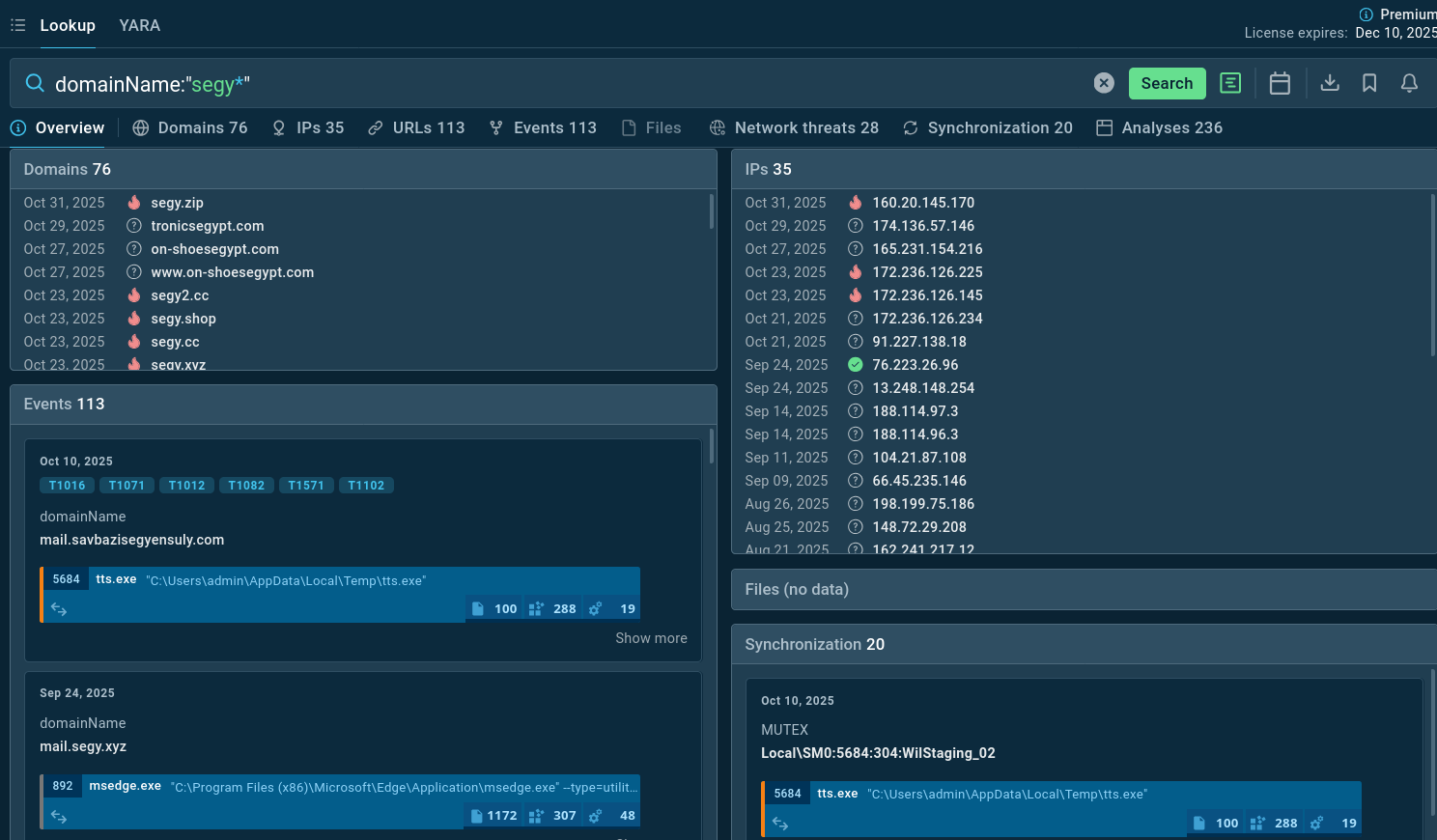
- Detection requires combining email/attachment filtering, network monitoring, behavioral telemetry, and threat intelligence.
- Prevention hinges on enforcing strong MFA / zero trust, limiting privileges, and sanitizing risky attachments.
- Use TI Lookup to pivot from one Tykit artifact to hundreds of related connection points, and use ANY.RUN’s Interactive Sandbox to visualize its redirection chain and extract behavioral indicators.
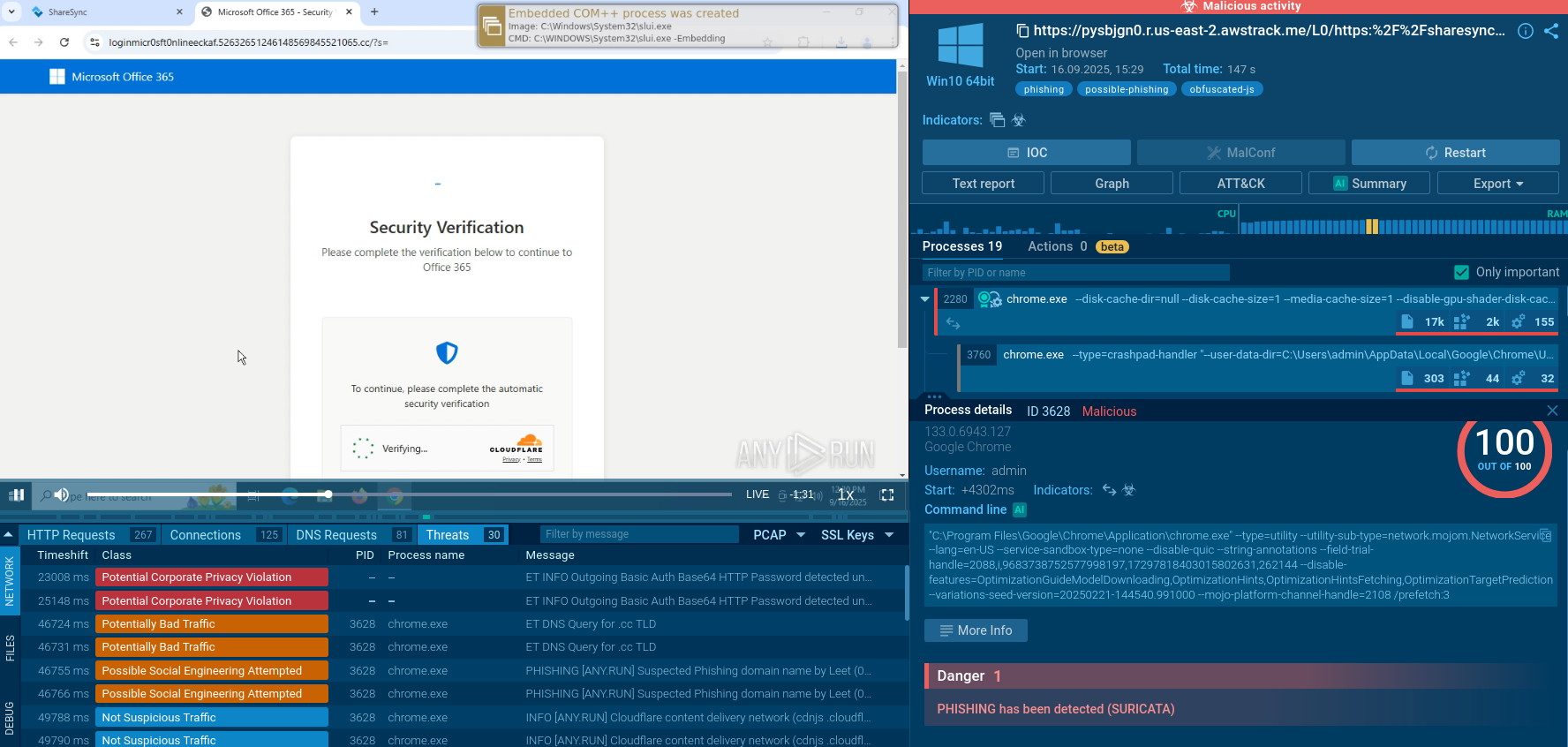
View a Tykit analysis session in the sandbox:
What is Tykit Malware?
Tykit emerges in 2025 as a phishing kit that departs from simpler credential-stealers by embedding JavaScript inside SVG image files. These SVGs act as stealthy “redirectors” or “trampolines” rather than being seen as overt phishing HTML pages.
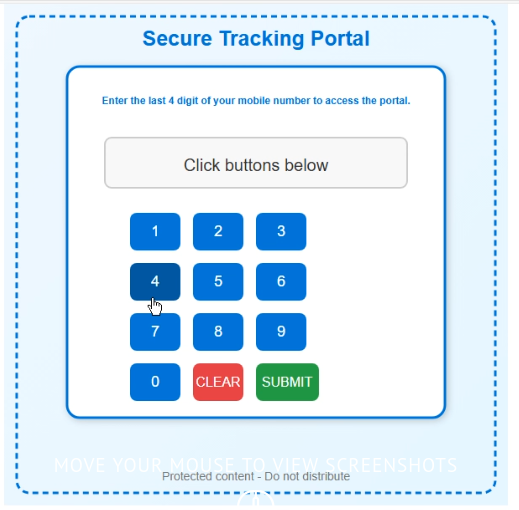
Once the victim interacts (for example, being prompted to “enter the last 4 digits of your phone number” within the SVG), the flow proceeds through a trampoline script or intermediate redirect, then to a phishing page (often imitating Microsoft 365).
The phishing landing page typically contains a Cloudflare Turnstile anti-bot / CAPTCHA widget to block automated scanners or bots, then shows a fake Microsoft login portal. After credential submission, JSON-style API calls are made to attacker-controlled domains (often containing “segy” strings) to validate or exfiltrate data.
Researchers have observed that many samples share nearly identical code structure, obfuscation, domain naming patterns, redirect logic, and C2 endpoints. This suggests a templated (or service) model rather than one-off bespoke campaigns.
The first recorded sightings in ANY.RUN’s sandbox traces date to May 2025, with campaign activity peaking in September – October 2025. Tykit has been identified targeting organizations across various sectors globally (US, Canada, EMEA, Southeast Asia) and particularly in industries that rely heavily on Microsoft 365 and corporate email: finance, government, IT, construction, professional services, telecommunications, real estate, education, etc.
Because the core mechanism is phishing / credential capture (rather than remote code execution, file encryption, etc.), it is often classified in reports as a phishing kit rather than a “malware” in the classic sense. But its sophistication, multi-stage execution, use of obfuscation and anti-detection controls, and templated reuse give it traits worth analyzing like malware
Tykit Malware Victimology
Tykit primarily preys on corporate users in sectors handling sensitive data, with finance and construction leading the pack due to their reliance on Microsoft 365 for financial transactions and project management.
Other targeted industries include IT, professional services, government, and telecommunications, where quick access to cloud resources is critical.
Geographically, North American companies, particularly in the US and Canada, face the brunt, followed by European entities in the EMEA region and Southeast Asian firms.
Victims are often mid-to-large organizations with distributed workforces, making them vulnerable to phishing via email attachments disguised as invoices or diagrams—common lures in construction and finance.
The kit's global reach shows no favoritism toward small businesses; instead, it exploits the ubiquity of Microsoft 365, affecting over 15,000 organizations tracked in related threat reports.
How Tykit Functions
Tykit employs a multi-stage attack architecture designed to evade detection while maximizing credential harvesting efficiency.
Stage 1: Initial Delivery via SVG
The attack begins with an SVG file, typically delivered through phishing emails as an attachment or embedded link. SVG files are XML-based vector image formats that can contain embedded scripts. Tykit exploits this by hiding JavaScript code within the SVG structure.
The malicious code uses XOR encoding and reconstruction techniques to rebuild the payload, which then executes via the dangerous eval() function. This approach bypasses many email security gateways that don't deeply inspect SVG contents, treating them as simple image files.
Stage 2: Trampoline Redirection
When the victim opens the SVG file in their browser, the embedded JavaScript executes automatically, redirecting them to a "trampoline" page (an intermediate server that performs additional checks and forwards the victim to the main phishing infrastructure).
The trampoline typically includes a fake verification step, such as prompting victims to "enter the last 4 digits of your phone number" (though any input is accepted). This creates a false sense of security and legitimacy while collecting additional targeting data.
The victim's email address is encoded in Base64 and passed as a URL parameter (e.g., ?s=[base64-encoded-email]), allowing the phishing page to personalize the attack.
Stage 3: Anti-Bot Protection
The victim is then presented with a Cloudflare Turnstile CAPTCHA, which serves dual purposes:
- Blocks automated analysis tools and security crawlers
- Adds perceived legitimacy to the attack
The phishing page also implements basic anti-debugging techniques:
- Blocking browser developer tools (F12, Ctrl+Shift+I)
- Disabling right-click context menus -Detecting and blocking common analysis tools
Stage 4: Phishing Page Presentation
After passing the CAPTCHA, victims reach a convincing Microsoft 365 login page that closely mimics the legitimate interface, including:
- Authentic-looking Microsoft branding and logos
- Proper color schemes and layouts
- Real-time email validation
- Progressive authentication flows matching genuine Microsoft login experiences
Stage 5: Credential Exfiltration via API Calls
When victims enter their credentials, obfuscated JavaScript captures the data and transmits it through a series of API calls to the attacker's C2 servers:
POST to /api/validate: Validates the submitted email address and determines next steps
POST to /api/login: Exfiltrates credentials, including email addresses, passwords, expired JWT tokens (for authenticity), session data.
POST to /x.php: Secondary logging endpoint for debugging or additional data collection.
The server response dictates the victim's experience:
- Success: Displays benign HTML to mask the theft, often redirecting to legitimate Microsoft pages
- Error: Shows "incorrect password" messages, encouraging re-entry
- Info status: Triggers additional logging
This multi-request architecture allows attackers to validate credentials in real-time, immediately identifying high-value accounts and potentially bypassing MFA through AitM techniques.
Evasion / anti-detection measures observed:
- Obfuscation and dynamic reconstruction of JavaScript (XOR, string splitting) to hinder static detection.
- Use of SVG as a vector (less commonly flagged) rather than pure HTML or script attachments.
- Use of Cloudflare Turnstile as anti-bot mechanism to block automated crawling or security scanners.
- Reuse of common templates / code means defenders can cluster via pivoting and identify variants.
To sum up: Tykit’s functionality is not a binary dropper or red team tool, but a cleverly engineered front-end phishing kit with multiple stages, obfuscation, anti-bot measures, and template reuse.
Analysis of a Typical Tykit Phishing Attack Flow
SOC teams can quickly identify Tykit attacks using ANY.RUN’s Interactive Sandbox, which provides a fast, safe, virtual environment for hands-on analysis of malware and phishing.
Check out sandbox analysis of Tykit
Initial Delivery: Common Vectors
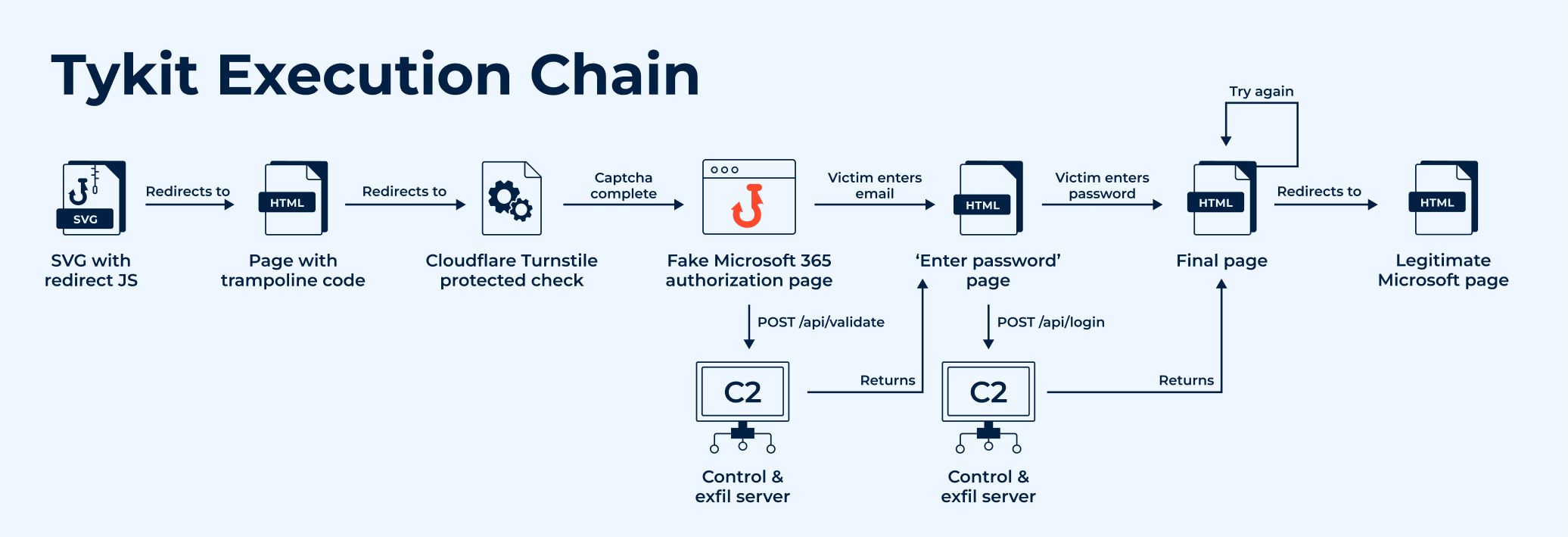
Tykit phishing attacks tend to start with SVG images that redirect the browser to a fraudulent page. These files typically feature deceptive prompts, such as a "check stub" asking users to input seemingly harmless information, like the last four digits of a phone number, though any input is usually accepted to proceed.
Trampoline and CAPTCHA Stage
After the initial interaction, the page redirects to a trampoline script, which then forwards the victim to the main phishing site. The URL often includes encoded parameters, such as the victim’s email in Base64 format.
The next step usually involves a CAPTCHA page, often using Cloudflare Turnstile or similar anti bot protections. These pages may also incorporate basic anti debugging techniques, like blocking DevTools access or disabling the context menu, to hinder analysis.
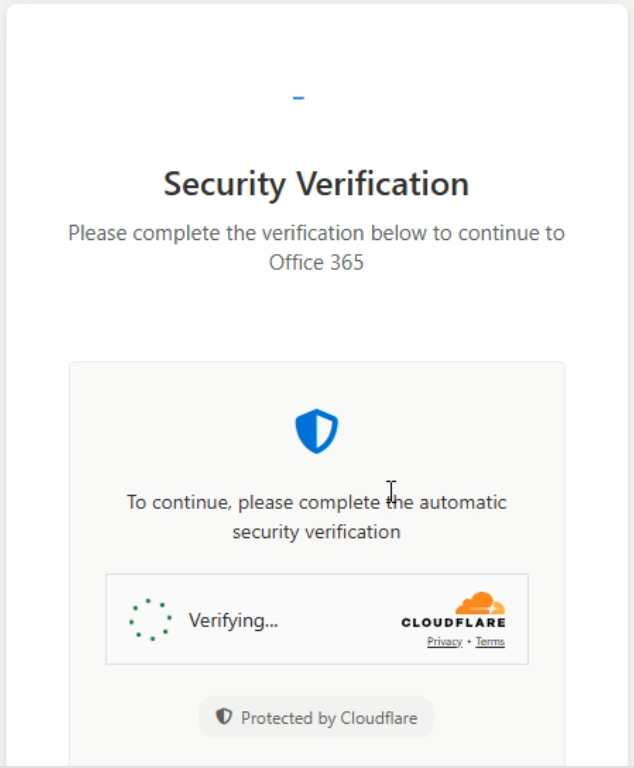
Credential Capture and C2 Communication
Once the CAPTCHA is bypassed, victims encounter a spoofed login page, commonly mimicking trusted services like Microsoft 365. Simultaneously, a background request is sent to the command and control (C2) server, typically at an endpoint like /api/validate. This request includes a session or license key, a redirect URL, and the victim’s decoded email. The C2 server responds with instructions for the next stage, often embedded in HTML, along with a status update.
Password Exfiltration and Final Actions
The final stage usually presents a password entry form. Obfuscated JavaScript embedded in the page handles the exfiltration of stolen credentials to the C2 server, often via a POST request to an endpoint like /api/login. This request typically includes the victim’s email, password, an authorization token (sometimes expired), and other metadata.
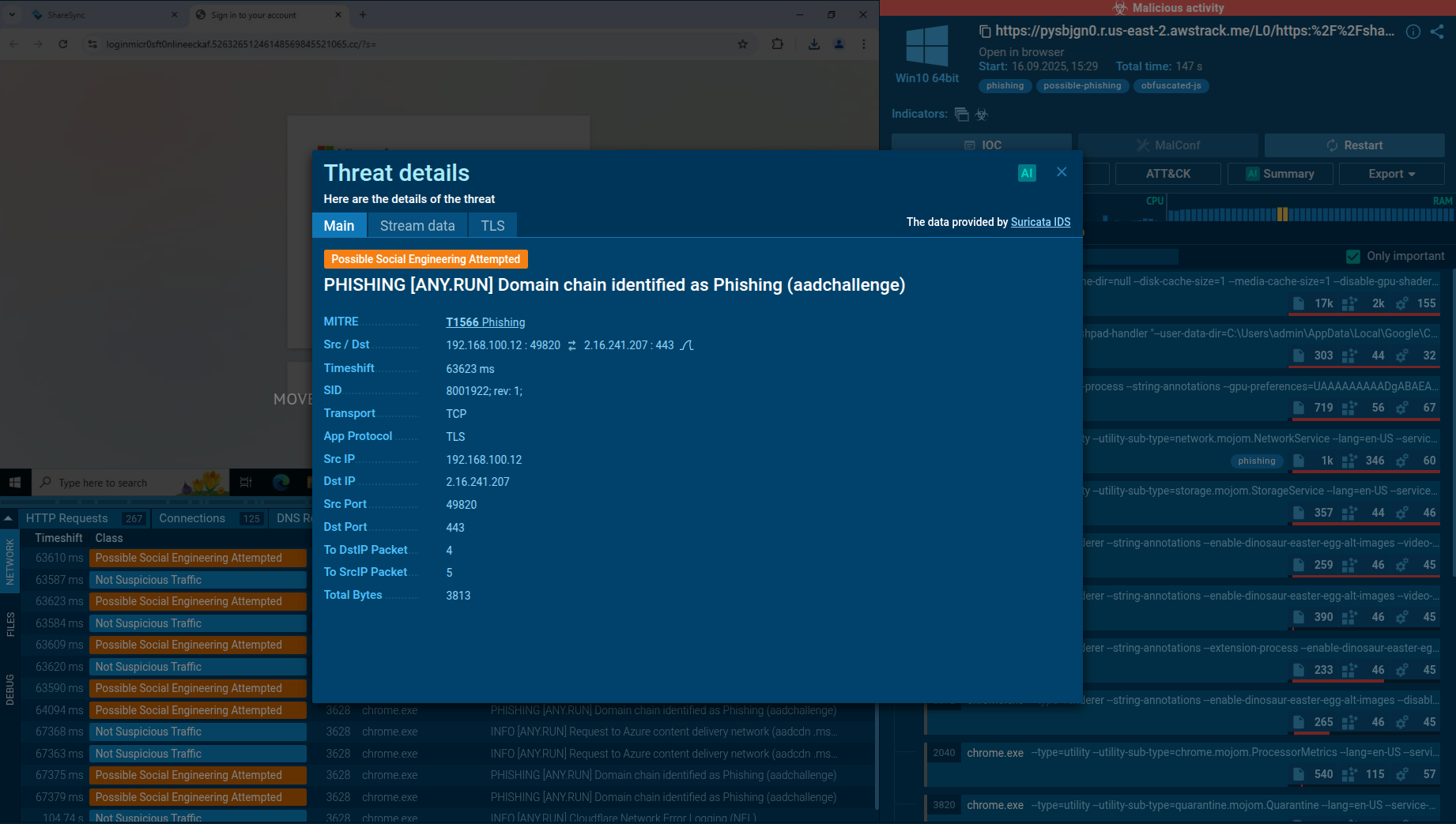
The server’s response dictates subsequent actions, such as rendering additional HTML, triggering debugging processes, or displaying fake error messages to maintain the illusion of legitimacy.
How Tykit malware threatens businesses and organizations
Although the toolkit itself is not destructive, its threat to organizations is serious because:
Credential compromise leads to further attacks
- Once attackers gain valid credentials, they can access email, OneDrive, SharePoint, Teams, and other Microsoft 365 services — exposing sensitive data, internal communications, intellectual property, and business information.
- Attackers can use compromised accounts to send phishing emails internally (“business email compromise” / BEC), impersonate executives, or pivot to other accounts.
- Attackers may use credentialed access to escalate privileges, move laterally, access endpoint management tools, perform privilege escalation, or deploy ransomware / malware later.
- The credential compromise could cause regulatory exposure (e.g. GDPR in Europe), reputational damage, financial loss from fraud, and erosion of trust.
Evasion and persistence
- Because the phishing kit uses multi-layer redirections and anti-bot (Turnstile) logic, it may evade automated defenses and static detection.
- Shared “segy” infrastructure means that once one campaign is known, many related ones can be identified — but until that pivoting is done, many go undetected.
Scale and reuse
- As a phishing-as-a-service template, Tykit can be reused by multiple threat actors, increasing the number of campaigns and victim exposures.
- The modular nature allows attackers to customize landing pages, redirect logic, and domain naming to evade blocking.
Indirect risks
- Exfiltrated credentials can be sold or traded on underground forums.
- The malicious infrastructure and overlapping campaign infrastructure may help attackers orchestrate broader phishing or even inject malware.
- Trust in the organization’s security posture can be undermined.
Thus, Tykit's danger is its role as a stepping stone: the initial breach vector that enables far more serious intrusions.
Gathering Threat Intelligence on Tykit Malware
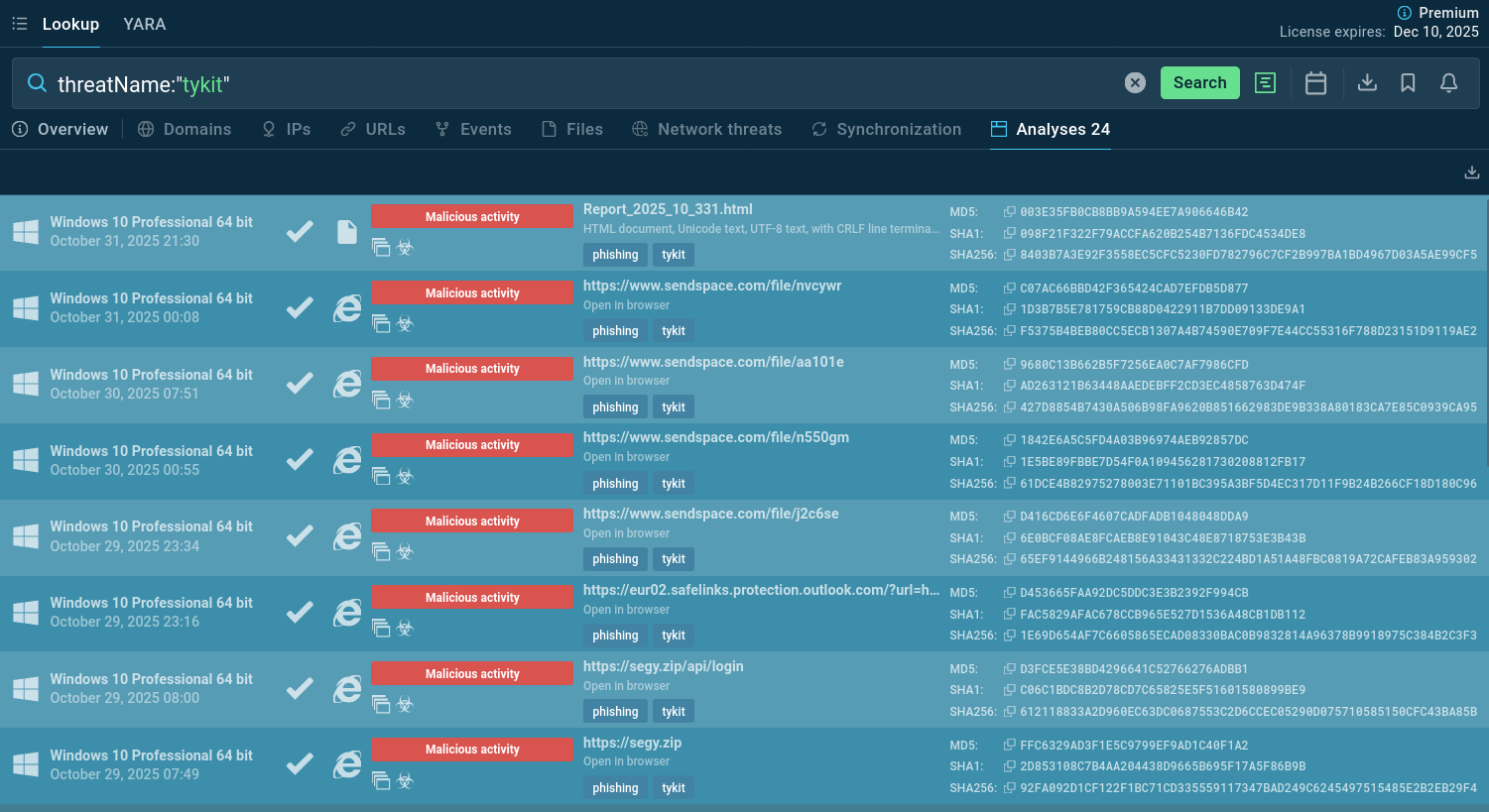
Detection of Tykit is challenging because it is a phishing kit (not a file-based payload). But TI solutions like ANY.RUN’s Threat Intelligence Lookup help with connecting indicators of compromise to the phishkit’s activities and mining additional IOCs.
TI helps map the evolution of Tykit (new domains, variant payloads, new redirect patterns), enabling defenders to anticipate new waves or clusters.
Start exploring the threat by looking it up by the name:
Conclusion
Tykit is a rising phishing kit threat that leverages SVG attachments, multi-stage redirects, and obfuscation logic to steal Microsoft 365 credentials. Though it doesn’t drop malware on endpoints itself, its consequences can be severe, enabling email compromise, lateral movement, and further attacks.
Because of its phishing-based nature, the most effective defenses lie in preventative controls (MFA, conditional access, email filtering), behavioral detection, and threat intelligence to rapidly identify new variants.
Sandboxes like ANY.RUN help uncover Tykit’s execution logic and support pivoting, while TI feeds help defenders block known infrastructure and hunt unknown variants. Together, these solutions and strategies form a layered defense against credential-harvesting kits like Tykit.
Start gathering actionable threat intelligence on Tykit by signing up to ANY.RUN’s TI Lookup: protect your business with timely detection and response.
Other malware & phishing threats
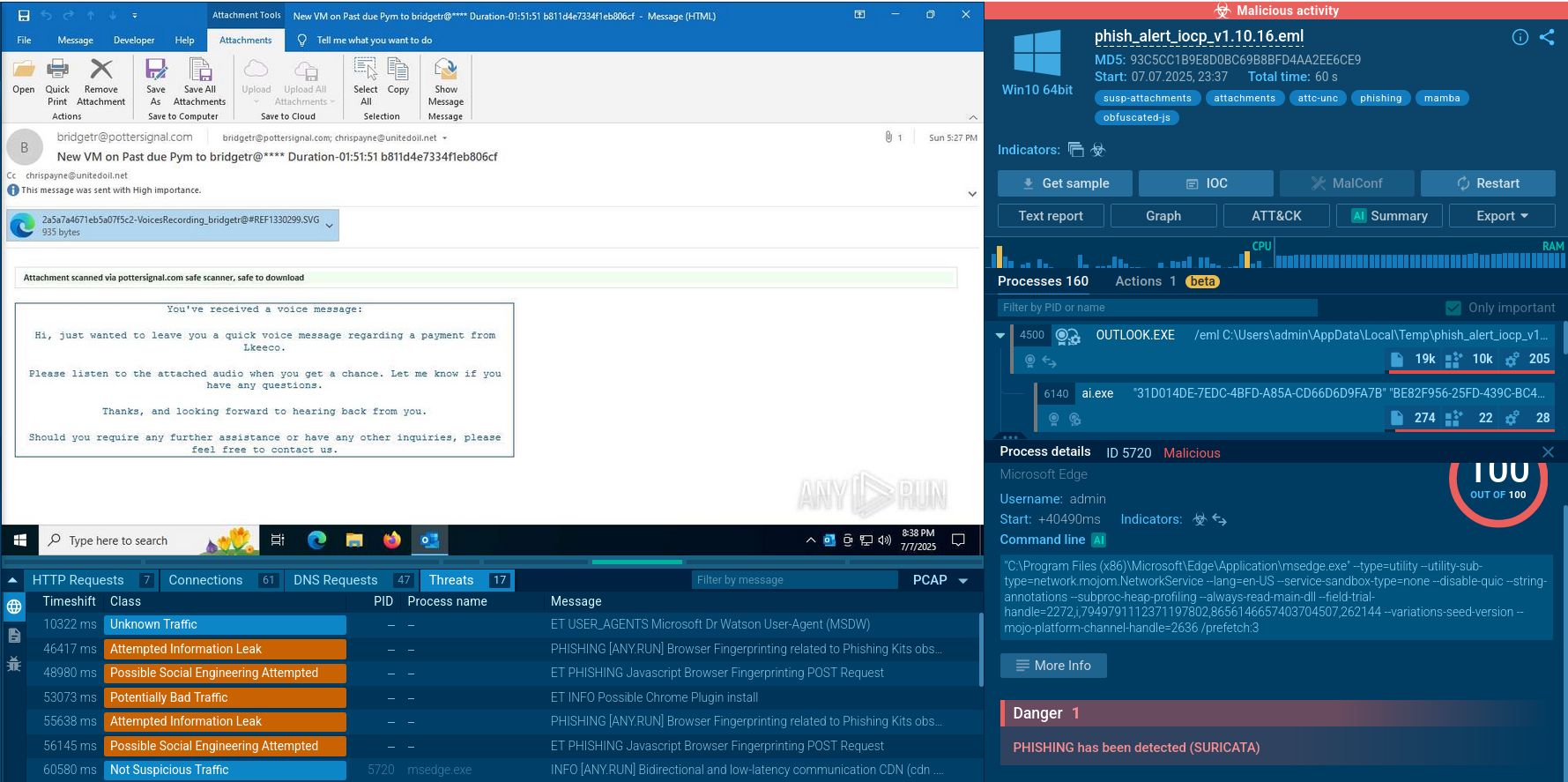 Mamba 2FAMamba 2FA is an advanced phishing-as-a-service (PhaaS) platform designed to bypass multi-factor authentication (MFA) and target Microsoft 365 accounts. It focuses on intercepting authentication flows in real-time and enables threat actors to hijack user sessions and access sensitive systems even when additional security measures are in place.
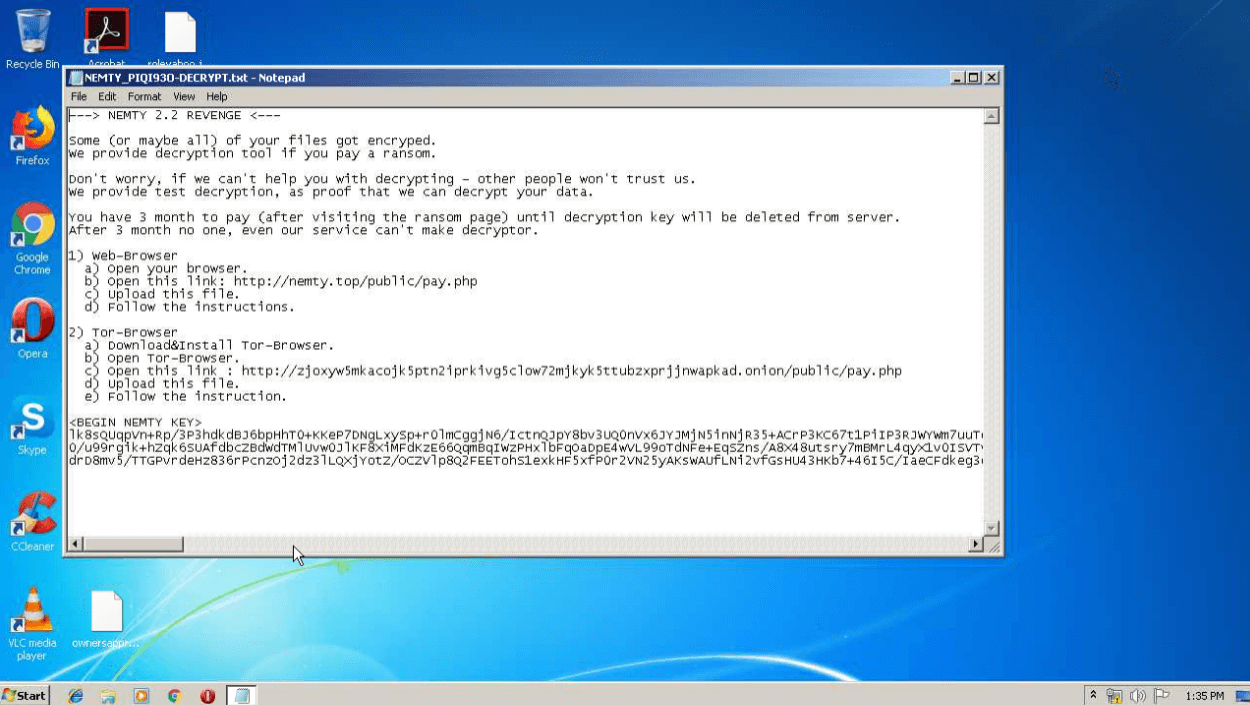 NemtyNemty is ransomware with an unusually complex encryption algorithm. This malware encrypts user files and demands money so that they can be unlocked again. It may be connected to other famous ransomware, but we don’t know for sure.
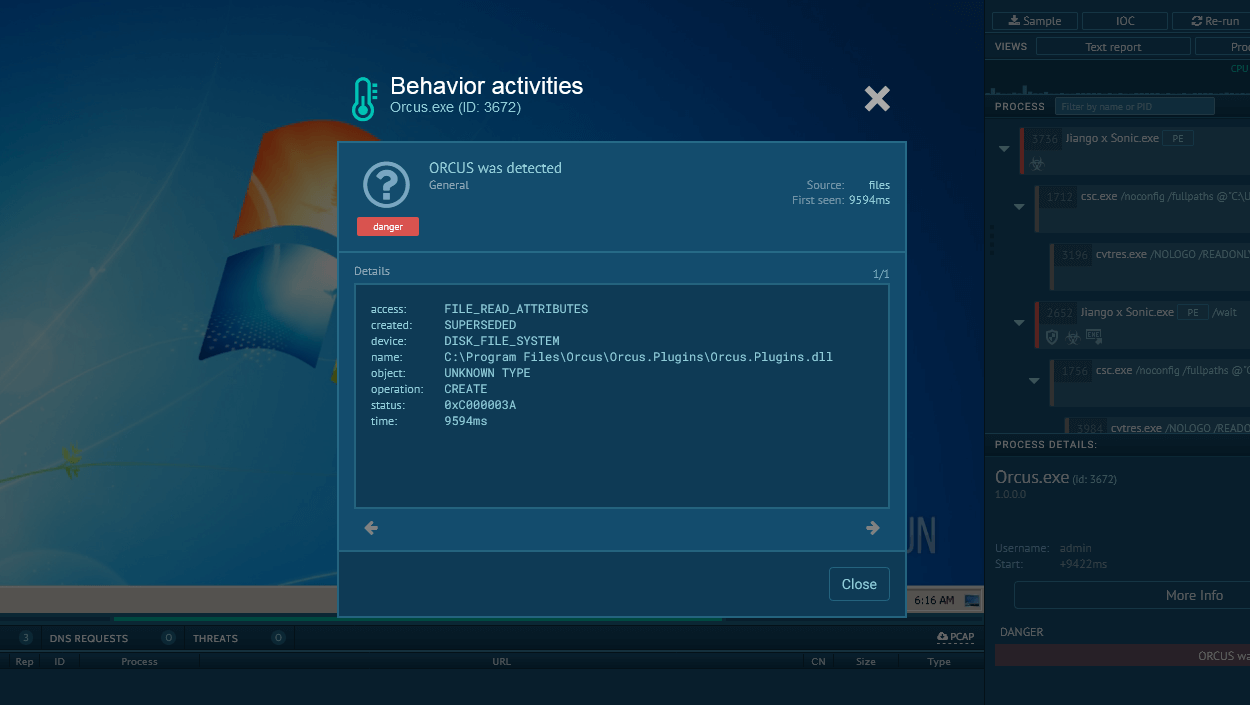 Orcus RATOrcus is a modular Remote Access Trojan with some unusual functions. This RAT enables attackers to create plugins using a custom development library and offers a robust core feature set that makes it one of the most dangerous malicious programs in its class.
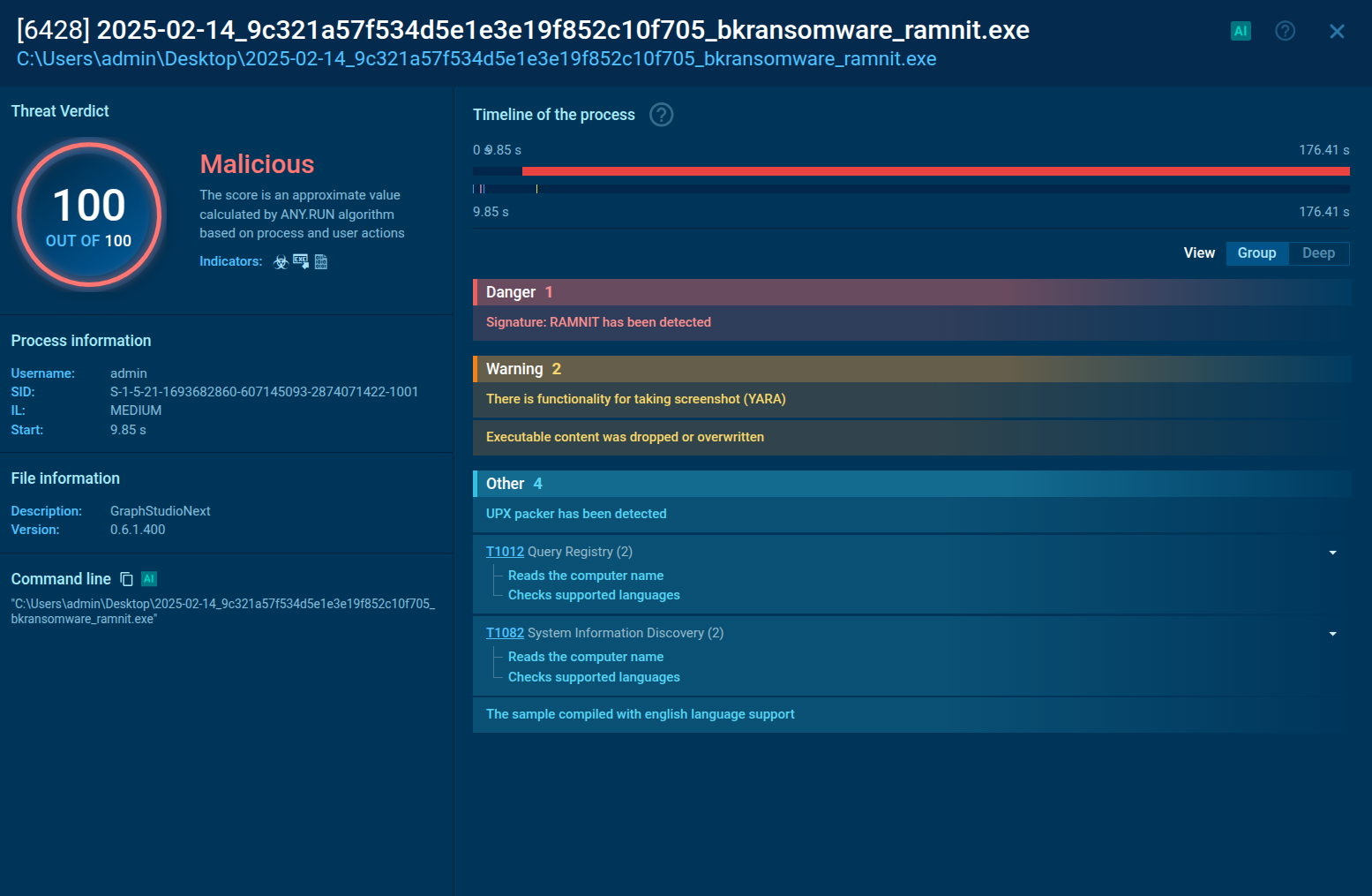 RamnitRamnit is a highly modular banking trojan and worm that evolved from a file-infecting virus into a powerful cybercrime tool. It specializes in financial fraud, credential theft, remote access, and malware delivery, being a serious threat to businesses and individuals. First spotted in 2010, Ramnit became popular after the 2014 takedown of the GameOver Zeus botnet, as cybercriminals sought alternatives for banking fraud.
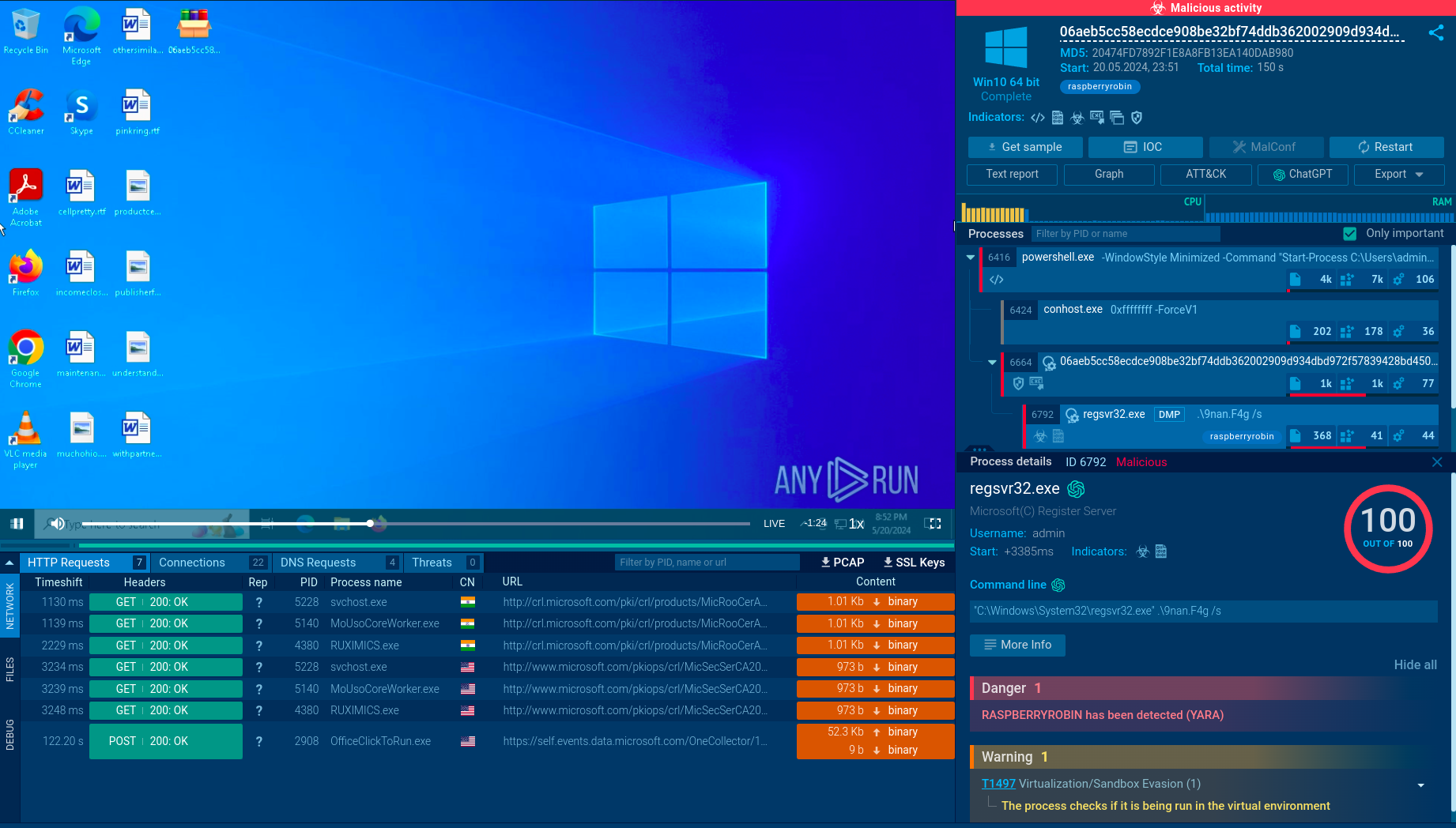 Raspberry RobinRaspberry Robin is a trojan that primarily spreads through infected USB drives and exploits legitimate Windows commands. This malware is known for its advanced obfuscation techniques, anti-debugging mechanisms, and ability to gain persistence on infected systems. Raspberry Robin often communicates with command-and-control servers over the TOR network and can download additional malicious payloads.
 RhadamanthysRhadamanthys is a C++ information-stealing malware that extracts sensitive data from infiltrated machines. Its layered operational chain and advanced evasion tactics make it a major risk in cybersecurity landscapes.