EvilTokens
- 2
- Global rank
- 1
- Month rank
- 2
- Week rank
EvilTokens is a phishing-as-a-service (PhaaS) toolkit that emerged in mid-February 2026. It automates device code phishing attacks against Microsoft 365 and Entra ID environments. Unlike traditional credential-harvesting phishing, EvilTokens tricks users into completing legitimate authentication on Microsoft's own login pages, resulting in the issuance of valid OAuth access and refresh tokens directly to the attacker, effectively bypassing MFA without stealing passwords.
- Phishingkit
- Type
- Unknown
- Origin
- 1 January, 1970
- First seen
- 28 October, 2026
- Last seen
How to analyze EvilTokens with ANY.RUN
IOCs
IP addresses
- 40.70.147.11
- 13.107.246.44
- 162.159.207.0
- 2.19.217.218
- 4.207.44.76
- 104.21.25.114
- 57.153.246.3
- 150.171.109.100
- 48.192.1.65
- 103.187.238.34
- 74.178.240.61
- 74.125.250.129
- 150.171.22.17
- 23.52.181.141
- 20.190.159.73
- 172.211.123.249
- 150.171.28.11
- 23.11.40.157
- 150.171.27.11
- 20.190.160.65
Hashes
- db39694c444ea393569aafb2cd8ec865006f3df9ecbcb7996e7b219b30ec366d
- b9fa2d52a4ffabb438b56184131b893b04655b01f336066415d4fe839efe64e7
- 75da533888189d13fc340d40637b9fc07a3f732e3fcf33ec300f4c7268790a62
- 907f2709d1d3c8fa26294938f4080bc477e62281c4c50a082c22db0195cda663
- 22ca9415e294d9c3ec3384b9d08cdaf5164af73b4e4c251559e09e529c843ea6
- 3d0361a85adfcd35d0de74135723a75b646965e775188f7dcdd35e3e42db788e
- b3ece279943b28c8d855ec86ac1ce53bdfb6a709240d653508764493a75f7518
- 4ecedb9c1f3dd0d0e3aeb86146561b3d7e58656cbdbed1a39b91737b52ec7f2c
- e758273c25fbad804fe884584e2797caefbbd1c2877dfd6f87ab1340cd25252e
- 3377a873db531113d79919e7a89369a79a602bac6ae09b9864b9378dc285f345
- a3eb276fbd19dce2b00db6937578b214b9e33d67487659fe0bf21a86225ece73
- a41670d52423ba69c7a65e7e153e7b9994e8dd0370c584bda0714bd61c49c578
- 54241ebe651a8344235cc47afd274c080abaebc8c3a25afb95d8373b6a5670a2
- bbd37d41b7de6f93948fa2437a7699d4c30a3c39e736179702f212cb36a3133c
- 35872a3343d4b4768fe4702a8dc18b749933e81210db13466ad172bd2880f6eb
- de6d7b7c2427ec4e738407d7834b71941f69166b030355e00f325ff1391df5a1
- cf26310b073b0891996ecd761c6cb53f00193dee524213a9fb34225d636ec4b7
- aa12205b108750cf9fa0978461a6d8881e4e80da20a846d824da4069d9c91847
- 08978a1425dec304483bbb7dd0e55a7d850c4561abd41bac1be5d93d70465174
- 243befbd6b67a21433dcc97dc1a728896d3a070dc20055eb04d644e1bb955fe7
Domains
- activation-v2.sls.microsoft.com
- api.edgeoffer.microsoft.com
- edge-mobile-static.azureedge.net
- aadcdn.msauth.net
- edge.microsoft.com
- stun.cloudflare.com
- www.crestcommercial.com
- config.edge.skype.com
- ecs.office.com
- login.microsoft.com
- stun.l.google.com
- brunhild.challenges.cloudflare.com
- login.live.com
- edge-consumer-static.azureedge.net
- challenges.cloudflare.com
- www.microsoft.com
- ocsp.digicert.com
- login.microsoftonline.com
- kidsdentalcollege.org
- go.microsoft.com
URLs
- http://crl.microsoft.com/pki/crl/products/microoceraut2011_2011_03_22.crl
- http://www.microsoft.com/pkiops/crl/microsoft%20secure%20server%20ca%202026.crl
- http://edge.microsoft.com/browsernetworktime/time/1/current?cup2key=2:tcnz0j-_cns3qygjcuygnv7x_pebjjmjuatl9jmca60&cup2hreq=e3b0c44298fc1c149afbf4c8996fb92427ae41e4649b934ca495991b7852b855
- https://copilot.microsoft.com/c/api/user/eligibility
- https://edge.microsoft.com/serviceexperimentation/v3/?osname=win&channel=stable&osver=10.0.19045&devicefamily=desktop&installdate=1661339457&clientversion=133.0.3065.92&experimentationmode=2&scpguard=0&scpfull=0&scpver=0
- https://api.edgeoffer.microsoft.com/edgeoffer/pb/experiments?appid=edge-extensions&country=us
- https://config.edge.skype.com/config/v1/edge/133.0.3065.92?clientid=4489578223053569932&agents=edge%2cedgeconfig%2cedgeservices%2cedgefirstrun%2cedgefirstrunconfig&osname=win&client=edge&channel=stable&scpfre=0&osarch=x86_64&osver=10.0.19045&wu=1&devicefamily=desktop&uma=0&sessionid=72&mngd=0&installdate=1661339457&edu=0&soobedate=1504771245&bphint=2&fg=1&lbfgdate=1766137499&lafgdate=0
- https://kidsdentalcollege.org/love
- https://config.edge.skype.com/config/v1/edge/133.0.3065.92?clientid=4489578223053569932&agents=edgeruntime%2cedgeruntimeconfig%2cedgedomainactions&osname=win&client=edge&channel=stable&scpfre=0&osarch=x86_64&osver=10.0.19045&wu=1&devicefamily=desktop&uma=0&sessionid=72&mngd=0&installdate=1661339457&edu=0&soobedate=1504771245&bphint=2&fg=1&lbfgdate=1793224196&lafgdate=0
- https://kidsdentalcollege.org/love/
- https://kidsdentalcollege.org/favicon.ico
- https://kidsdentalcollege.org/wp-includes/images/w-logo-gray-white-bg.png
- https://settings-win.data.microsoft.com/settings/v3.0/wsd/updatehealthtools?os=windows&osver=10.0.19041.1.amd64fre.vb_release.191206-&sku=48&deviceclass=windows.desktop&locale=en-us&deviceid=s:bad99146-31d3-4ec6-a1a4-be76f32ba5d4&sampleid=s:95271487&appver=10.0.19041.3626&flightring=retail&telemetrylevel=1&hidovergattreg=c%3a%5cwindows%5csystem32%5cdriverstore%5cfilerepository%5chidbthle.inf_amd64_9610b4821fdf82a5%5cmicrosoft.bluetooth.profiles.hidovergatt.dll&appver=&processoridentifier=amd64%20family%2023%20model%201%20stepping%202&oemmodel=dell&updateoffereddays=4294967295&processormanufacturer=authenticamd&installdate=1661339444&oemmodelbaseboard=&branchreadinesslevel=cb&oemsubmodel=j5cr&isclouddomainjoined=0&deferfeatureupdateperiodindays=30&isdeviceretaildemo=0&flightingbranchname=&osuilocale=en-us&devicefamily=windows.desktop&wuclientver=10.0.19041.3996&uninstallactive=1&isflightingenabled=0&osskuid=48&processorclockspeed=3094&totalphysicalram=6144&securebootcapable=0&app=sedimentpack&processorcores=6¤tbranch=vb_release&installlanguage=en-us&deferqualityupdateperiodindays=0&oemname_uncleaned=dell&tpmversion=0&primarydisktotalcapacity=262144&installationtype=client&attrdataver=186&processormodel=amd%20ryzen%205%203500%206-core%20processor&isedgewithchromiuminstalled=1&osversion=10.0.19045.4046&ismdmenrolled=0&activationchannel=retail&firmwareversion=a.40&trendinstalledkey=1&osarchitecture=amd64&defaultuserregion=244&updatemanagementgroup=2
- https://www.crestcommercial.com/_next/image?url=%2fcrest-shield.png&w=256&q=75&dpl=dpl_htk6xh4hcxu9nunfvc4jrfsafjxp
- https://www.bing.com/bloomfilterfiles/expandeddomainsfilterglobal.json
- https://www.bing.com/api/shopping/v1/user/shoppingsettings?enabledservicefeaturesv2=edgeserverux.shopping.cashbackeumarkets,edgeserverux.shopping.msedgeshoppingcashbackdismisstimeout2s
- https://challenges.cloudflare.com/turnstile/v0/api.js?onload=turnstileready&render=explicit
- https://challenges.cloudflare.com/turnstile/v0/g/c787ce48cf6b/api.js
- https://challenges.cloudflare.com/cdn-cgi/challenge-platform/h/g/turnstile/f/av0/rch/3nm3g/0x4aaaaaafmxkfyfpkabugwt/light/fbe/new/flexible?lang=auto
- https://xpaywalletcdn.azureedge.net/mswallet/expresscheckout/v1/getglobalconfig?edgechannel=stable&edgeversion=133.0.3065.92&configversion=0
Last seen at
EvilTokens: How AI-Powered Device Code Phishing Is Making Business Email Compromise Unstoppable
Key Takeaways
EvilTokens bypasses MFA by abusing Microsoft's own device code OAuth flow, obtaining valid tokens without password theft.
As a PhaaS kit sold on Telegram, it democratizes sophisticated attacks, enabling rapid scaling with minimal technical skill.
AI-powered features generate convincing lures and automate BEC, increasing both volume and success rates.
Persistent refresh tokens allow long-term access, device registration, and silent authentication across M365 services.
Organizations in finance, government, healthcare, and other M365-heavy sectors are prime targets globally.
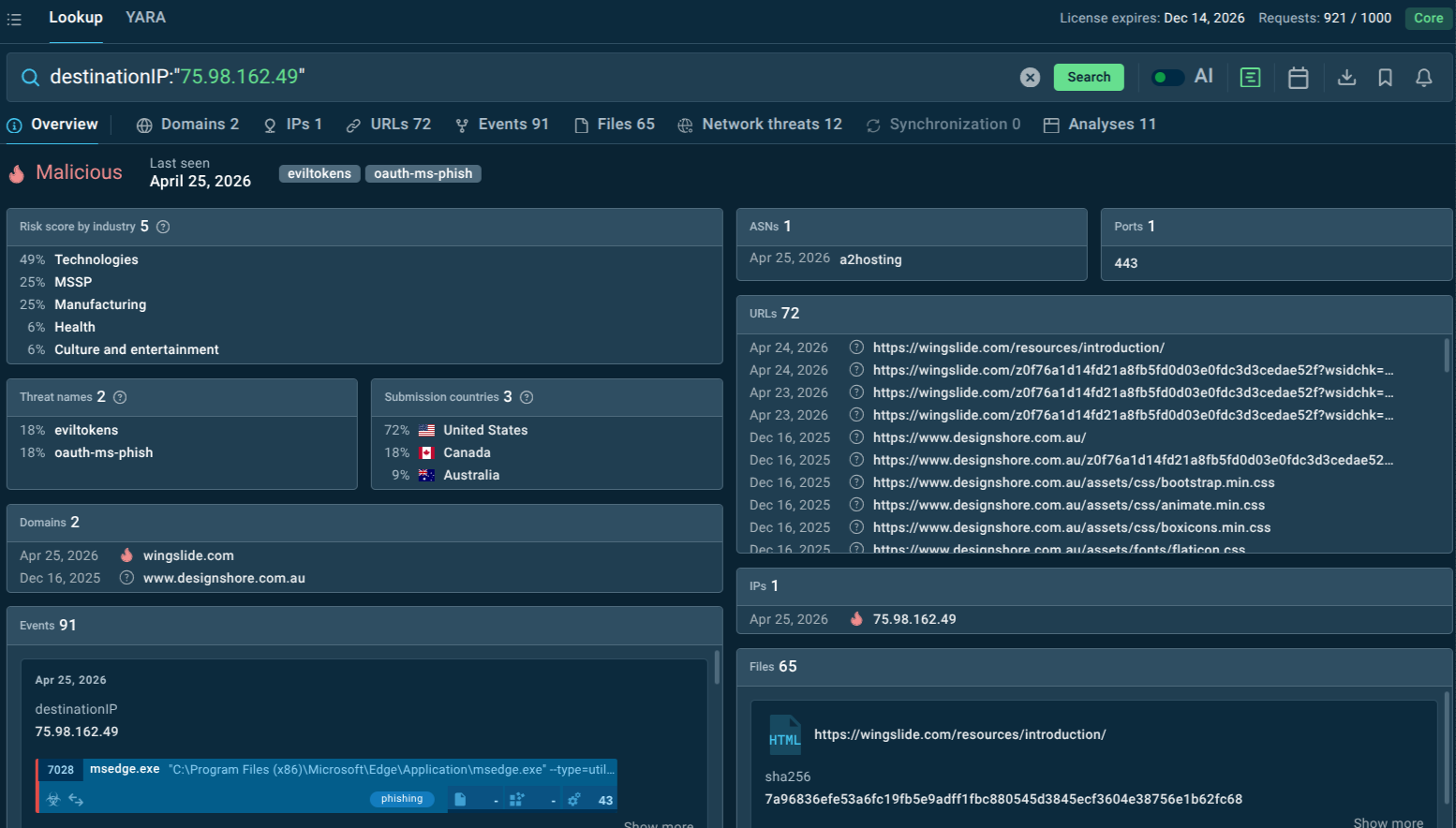
Security teams can query ANY.RUN's Threat Intelligence Lookup for known EvilTokens domains, URLs, and infrastructure indicators in real time — enriching SIEM alerts, hunting for campaign IOCs, and staying ahead of the platform's rapid infrastructure rotation before damage is done.
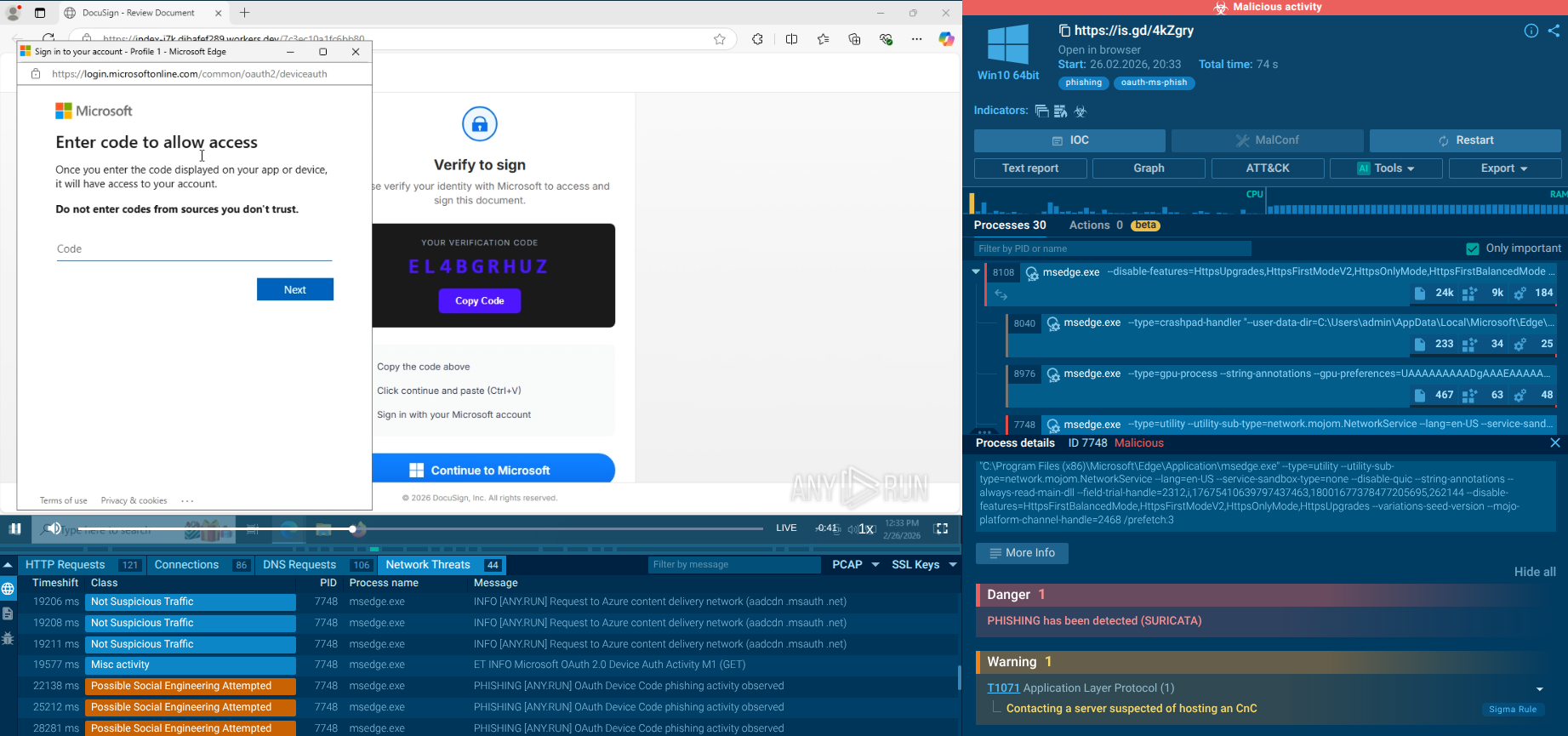
- ANY.RUN's Interactive Sandbox lets analysts safely detonate EvilTokens lures. Submit suspicious PDFs, HTML documents, and phishing URLs from EvilTokens campaigns to observe behavior, capture network IOCs, and generate detection signatures.
What is EvilTokens Malware?
EvilTokens is a turnkey, productized PhaaS platform sold to criminal affiliates via Telegram. Unlike conventional phishing kits that replicate Microsoft login pages or intercept credentials in transit, EvilTokens abuses the legitimate OAuth 2.0 Device Authorization Grant (a Microsoft authentication flow designed for devices with limited input capabilities, such as smart TVs, IoT sensors, and printers) to steal valid OAuth tokens after the victim has completed a fully legitimate MFA challenge on Microsoft's real infrastructure.
First identified by Sekoia's Threat Detection & Research (TDR) team in early March 2026, EvilTokens had already been circulating in underground cybercrime communities since mid-February 2026. Its operator, known as eviltokensadmin, advertised the kit in private Telegram channels frequented by threat actors specializing in Adversary-in-the-Middle (AitM) phishing and BEC fraud.
What sets EvilTokens apart from the crowded phishing kit marketplace is its comprehensive, full-lifecycle attack package. Beyond the core phishing module, the platform provides affiliates with:
Ready-made phishing page templates impersonating services like Adobe Acrobat, DocuSign, SharePoint, OneDrive, and Microsoft itself.
Token weaponization tools to immediately leverage stolen OAuth credentials.
Email harvesting and inbox analysis powered by AI, using Meta's LLaMA model to automatically prioritize high-value conversations.
A built-in webmail client, internally branded "MailVault," styled to mimic Outlook, enabling attackers to read, compose, and send emails directly from compromised inboxes.
Reconnaissance via the Microsoft Graph API, including automatic detection of Exchange and Global Administrator accounts (flagged with a crown icon) to enable privilege escalation.
Keyword alerting via Telegram, so attackers are instantly notified when terms like "invoice," "wire transfer," or "payment" appear in harvested mailboxes.
AI-generated phishing lures, with LLMs crafting personalized and contextually convincing social engineering messages at scale.
Multi-tenant SaaS architecture, giving each affiliate their own isolated environment, unique credentials, and a pool of compromised accounts
The platform operates through fully featured Telegram bots and a Vue.js admin panel marketed externally as "MailVault — Enterprise Email Management Platform" to disguise its true nature. It is under continuous development, with the operator publicly announcing plans to expand support to Gmail and Okta phishing in the near future.
Researchers at Abnormal AI assessed with high confidence that EvilTokens' underlying code was likely AI-generated, reflecting a broader and alarming trend of AI accelerating both the development and operation of criminal phishing infrastructure.
How EvilTokens Threatens Businesses and Organizations
EvilTokens targets the identity layer — the very fabric of modern enterprise security —without triggering typical credential-based alerts.
Key risks include:
MFA Bypass: Instead of stealing passwords, attackers obtain valid tokens, effectively sidestepping MFA protections.
Persistent Access: Refresh tokens allow long-term access even after password resets.
Business Email Compromise (BEC): Attackers gain control of corporate email, enabling fraud, invoice manipulation, and executive impersonation.
Data Exfiltration: Access extends to email, cloud storage, Teams, and SSO-connected apps.
Stealth and Evasion: Because authentication occurs through legitimate Microsoft pages, detection becomes significantly harder.
Victimology: Which Industries Are Most at Risk?
EvilTokens is opportunistic, but not random. It gravitates toward roles with access and authority.
Most targeted sectors:
Finance & Banking (payment authorization, fraud potential);
Healthcare (sensitive data + weaker identity controls);
Government & Public Sector (high-value intelligence);
Technology & SaaS companies (cloud-heavy environments);
Logistics & Supply Chain (invoice and partner fraud vectors).
High-risk roles include:
CFOs and finance teams
HR and payroll staff
Executives and decision-makers
Campaigns have already impacted hundreds of organizations globally across industries. The most impacted countries as of late March 2026 include the United States, Australia, Canada, France, India, Switzerland, and the United Arab Emirates — essentially any country with a significant concentration of Microsoft 365 enterprise users and active cross-border financial flows.
EvilTokens’ Malware Infection Vector and Spread
EvilTokens' delivery chain is engineered for maximum deception at every stage.
Stage 1 — Initial lure delivery. Phishing emails are sent from previously compromised legitimate accounts — real Microsoft 365 or Google Workspace mailboxes belonging to other victims. This means the sender passes all standard email authentication checks: SPF PASS, DKIM PASS, and DMARC PASS. The lure emails impersonate routine business communications: shared document notifications from OneDrive or SharePoint, DocuSign signing requests, invoice approvals, calendar invites, or HR announcements.
Attachments may be PDF, HTML, DOCX, XLSX, or SVG files containing either a QR code or a hyperlink leading to the phishing infrastructure.
Stage 2 — Bot filter gate. Links in lure emails point not to EvilTokens infrastructure directly but to compromised legitimate websites where a PHP bot filter validates whether the visitor is a real browser executing JavaScript. Automated sandbox crawlers and security scanners that lack JavaScript are trapped in a meta refresh loop and never reach the payload, providing a layer of detection evasion.
Stage 3 — Identity verification gate page. Legitimate visitors are redirected to a gate page (versioned, branded "Identity Verification") that collects the target's email address and passes it to a Cloudflare Worker, further obscuring the backend infrastructure.
Stage 4 — Phishing page. The victim is presented with a page impersonating a trusted service (Adobe Acrobat, DocuSign, Microsoft). The page displays a legitimate Microsoft device code generated in real time by EvilTokens' C2 server calling Microsoft's /devicecode endpoint alongside instructions to "verify identity" by visiting Microsoft's real device login page and entering the displayed code.
Stage 5 — Token harvest. When the victim authenticates on Microsoft's genuine login page (completing real MFA in the process), EvilTokens' C2 simultaneously polls Microsoft's /token endpoint to collect the resulting OAuth access token and refresh token. The attacker now controls the session.
Stage 6 — Lateral spread. With access to the victim's mailbox and contacts, attackers identify further high-value targets within the organization and among its business partners, launching new lure campaigns from the now-compromised legitimate account, perpetuating the cycle.
How Does EvilTokens Function?
Once tokens are harvested, EvilTokens provides a full post-compromise operational suite delivered through the MailVault admin panel.
Token weaponization. The short-lived access token (valid 60–90 minutes) is used immediately to extract emails from Exchange Online, documents from SharePoint and OneDrive, and conversation history from Microsoft Teams. The refresh token (valid 90 days, rolling) is used to silently obtain new access tokens, maintaining persistent access to the account without re-authentication.
Privilege escalation detection. JWT claim parsing within the MailVault panel automatically identifies whether the compromised account holds Exchange Administrator or Global Administrator roles flagging these high-privilege accounts so affiliates know to prioritize them for deeper exploitation.
AI-powered email analysis. Using Meta's LLaMA model integrated into the platform, EvilTokens automatically analyzes harvested emails to surface high-value threads: financial conversations, invoice chains, payment instructions, and sensitive business discussions.
Keyword alerting. A Telegram-integrated keyword scanner notifies affiliates in real time when target terms appear in harvested mailboxes, enabling rapid exploitation of time-sensitive financial transactions.
BEC operations via MailVault. The built-in webmail client allows attackers to read all emails in a compromised inbox, download attachments, and compose and send messages that genuinely originate from the victim's account. Attackers can insert themselves into ongoing financial threads, redirect payments, impersonate executives, or exfiltrate sensitive documents without any technical complexity.
Persistence and device registration. Refresh tokens can be used to register an attacker-controlled device in Entra ID, granting even more durable access that persists beyond password resets unless explicitly revoked at the device level.
AI-generated lures. LLMs integrated into the platform generate contextually tailored phishing messages for new targets, varying content across recipients to evade signature-based detection and reduce campaign fatigue.
How Can Businesses Proactively Protect Against EvilTokens Malware?
Defending against a threat as technically sophisticated and rapidly evolving as EvilTokens requires moving from reactive incident response to proactive, intelligence-driven security.
ANY.RUN's Threat Intelligence Lookup gives security teams direct, real-time access to threat data collected from millions of malware analysis sessions in ANY.RUN's Interactive Sandbox. For EvilTokens specifically, TI Lookup enables organizations to:
Query known EvilTokens indicators of compromise and instantly determine whether any of these indicators have appeared in their environment or email logs.
Track infrastructure evolution in real time. TI Lookup surfaces newly observed indicators as they are processed, enabling defenders to stay ahead of infrastructure changes rather than chasing yesterday's IOCs.
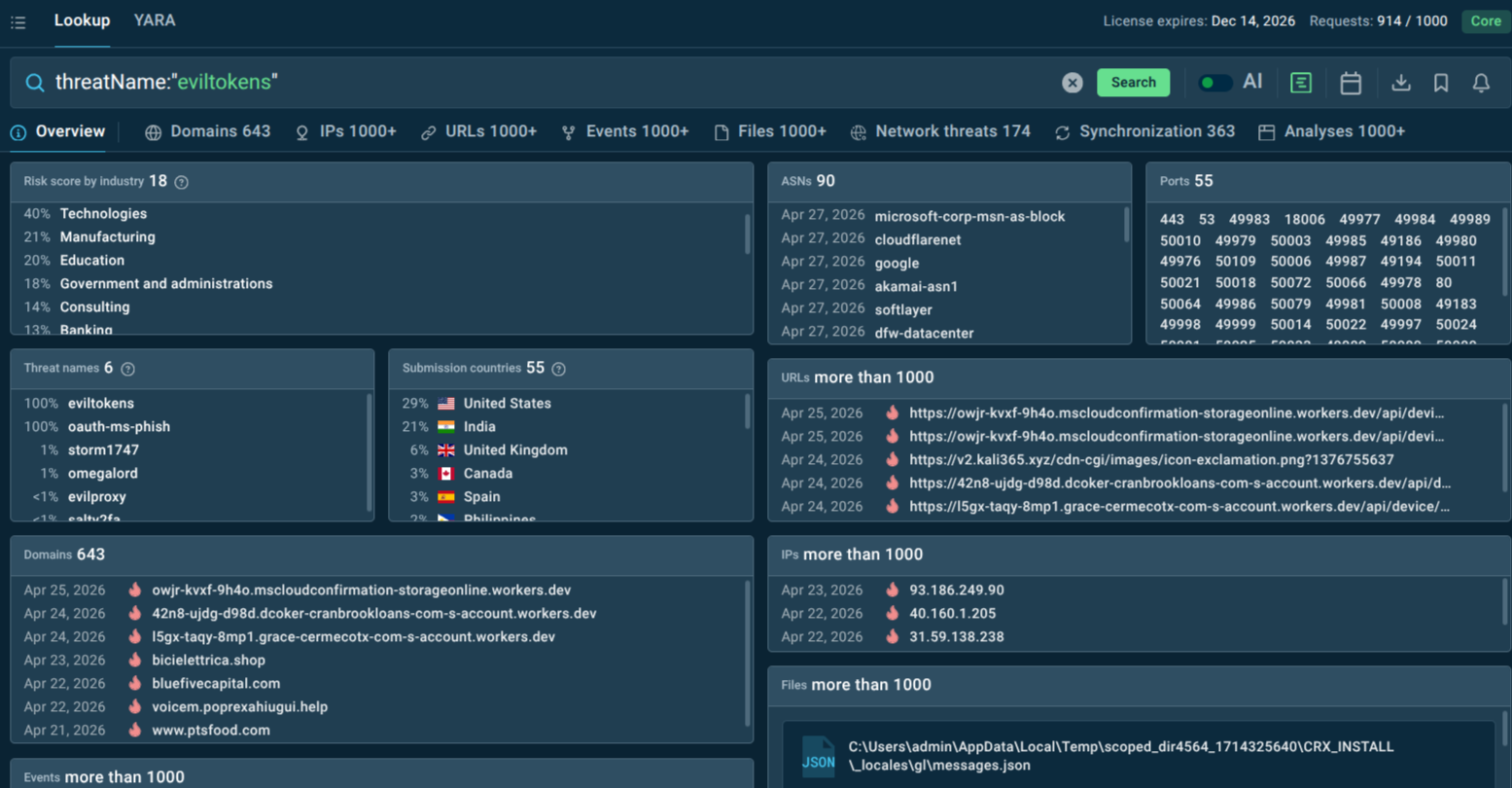
Hunt for EvilTokens-linked network artifacts — such as requests to Microsoft's /devicecode and /token endpoints combined with suspicious referral chains — that may indicate active campaigns targeting the organization.
Contextualize alerts. When a SIEM or EDR fires on a suspicious domain or URL, TI Lookup provides immediate context: is this known EvilTokens infrastructure? What campaigns is it linked to? What was observed in sandbox analysis?
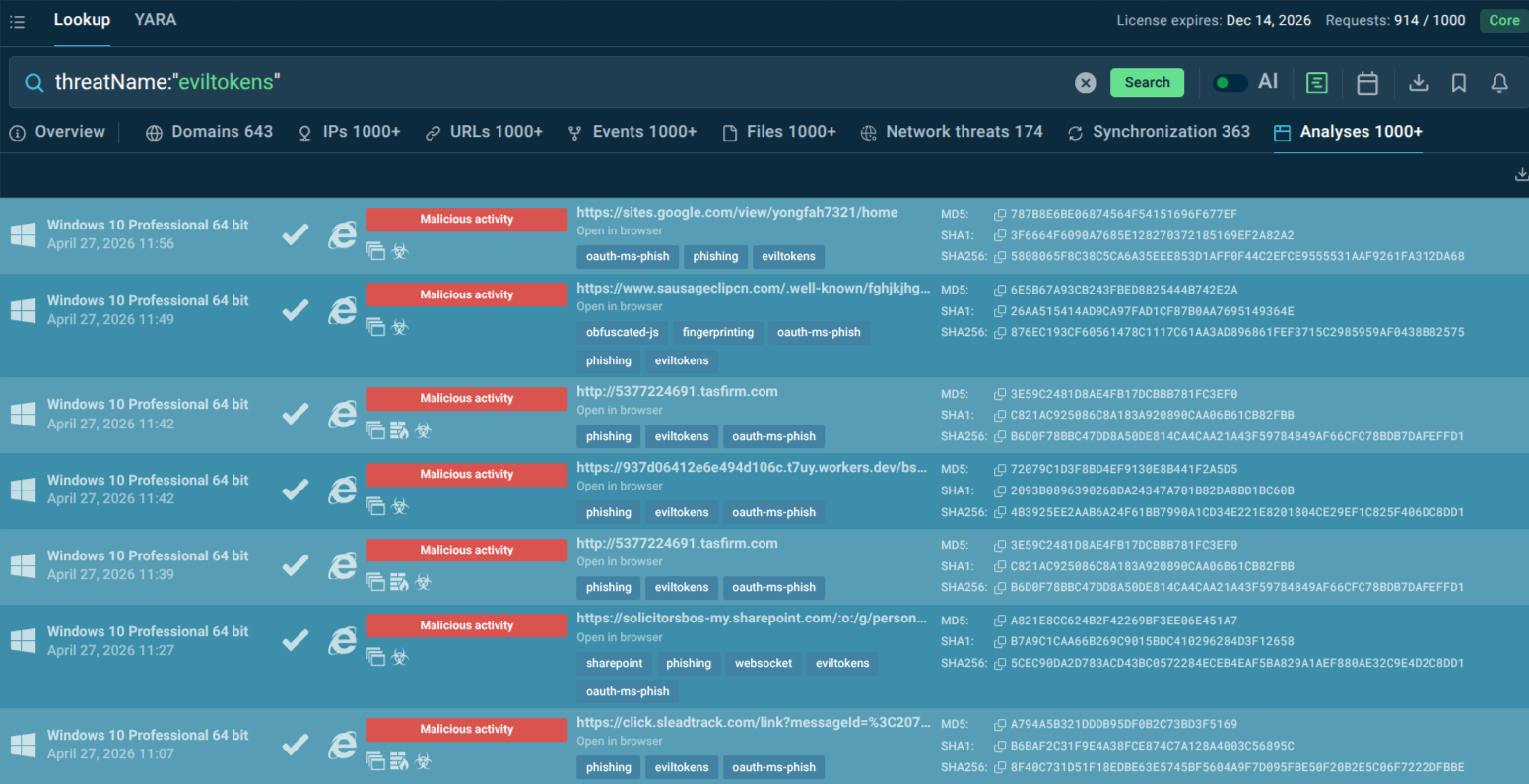
You can start from looking up the threat by name to get a selection of recent sandbox analysis sessions featuring EvilTokens attacks and pivot your research and hunting from there:
Additional Measures:
Enforcing Conditional Access policies to restrict or monitor device code flows.
User education on unusual "enter code on Microsoft login" requests.
Monitoring for anomalous token usage or new device registrations in Entra ID.
Advanced email filtering for AI-generated lures and attachment-based phishing.
Implementing least-privilege access and regular token reviews.
Behavioral analytics to detect post-compromise activity like unusual Graph API calls.
Sandbox Analysis of EvilTokens Sample
See the detonation of an EvilTokens sample
The attack often begins with a landing page impersonating DocuSign, prompting the user to “Review Document.” The victim is shown a verification code and instructed to copy it.
Key red flag: this is not a real DocuSign signing workflow. It is a scripted sequence:
Copy the verification code,
Click “Continue to Microsoft”,
Paste the code into Microsoft’s device login page.
The address bar typically shows a *.workers.dev domain instead of a legitimate DocuSign domain.
A Microsoft window then opens at login.microsoftonline.com/…/deviceauth, showing the form “Enter code to allow access.” The user enters the same code they were shown on the fake page. This action takes place on a legitimate Microsoft domain, even displaying Microsoft’s own warning: “Do not enter codes from sources you don’t trust.”
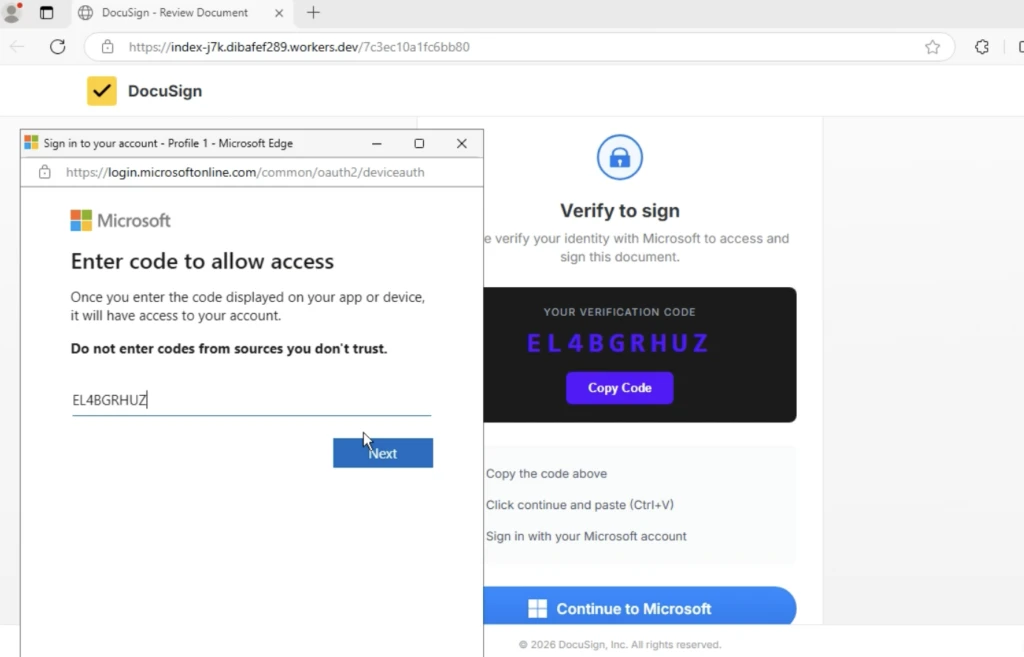
The following screen states: “You’re signing in to Microsoft Office on another device…” From the victim’s perspective, the process still appears legitimate. In reality, they are approving access for an external client controlled by the attacker, not verifying the document they originally clicked.
The key point is: the user never enters their password on a fake site. Instead, they are guided through legitimate Microsoft infrastructure and manually transfer a code.
How Automatic SSL Decryption Ensures Instant Detection
From an investigation standpoint, these phishing pages often rely on JavaScript loaders and encrypted HTTPS traffic to hide the real workflow from traditional scanners.
This is where SSL decryption in the ANY.RUN Sandbox becomes critical. By extracting TLS encryption keys directly from process memory and decrypting HTTPS traffic during execution, the sandbox reveals the hidden scripts, API requests, and attacker infrastructure involved in the phishing flow.
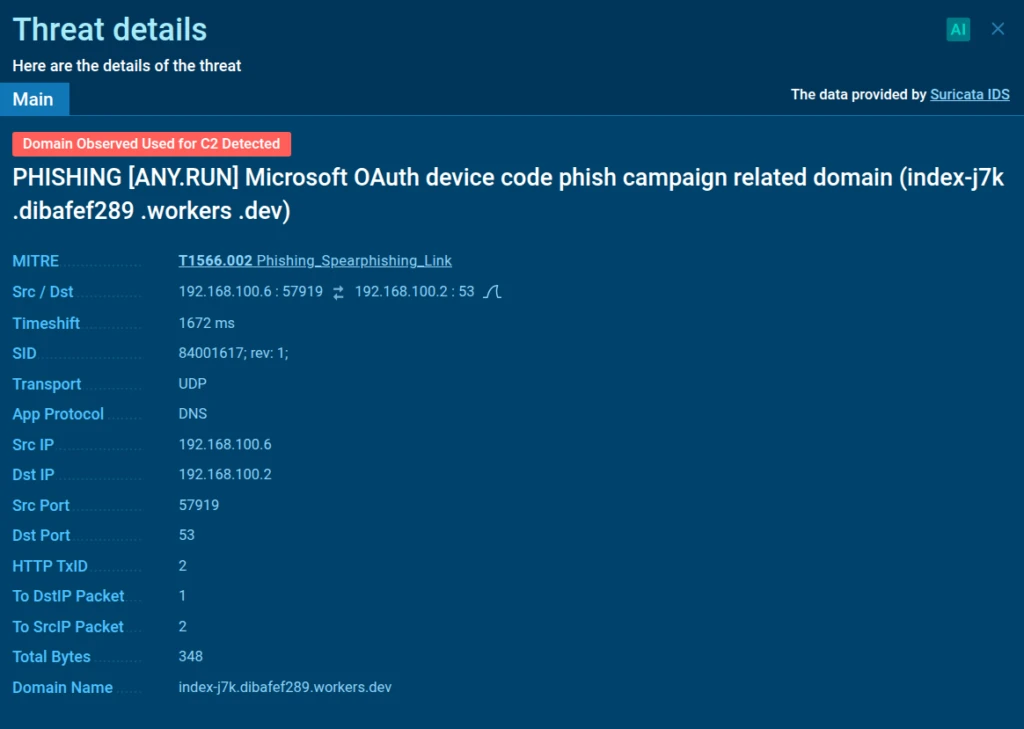
In this case, SSL decryption exposed the malicious JavaScript responsible for orchestrating the device authorization process and revealed high-confidence network indicators used by the phishing kit. Among them were specific API requests such as /api/device/start and /api/device/status/, along with a distinctive X-Antibot-Token header used in communication with the backend.
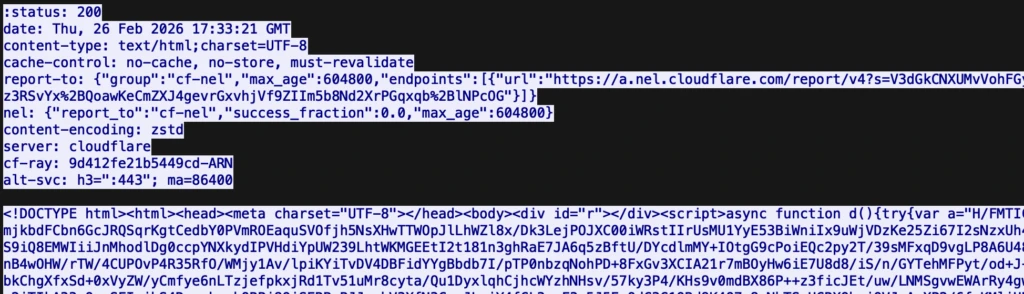

When these artifacts appear in HTTP requests to non-legitimate hosts, they become high-signal network IOCs that analysts can use to detect related phishing infrastructure and pivot to other campaign assets during investigation.
Conclusion
EvilTokens signals a shift from credential theft to token exploitation at scale. By abusing trusted authentication flows, it dissolves the traditional boundaries of phishing detection. Its PhaaS accessibility, AI enhancements, and BEC integration amplify risks for Microsoft 365-dependent organizations. Proactive threat intelligence, policy hardening, and user awareness are essential to counter this stealthy threat before it leads to significant breaches.
Identity must be continuously verified, monitored, and contextualized.
Trial TI Lookup to start gathering actionable threat intelligence on the malware that threatens your business sector and region: just sign up to ANY.RUN.
Other malware & phishing threats
 RansomwareRansomware is a type of malicious software that locks users out of their system or data using different methods to force them to pay a ransom. Most often, such programs encrypt files on an infected machine and demand a fee to be paid in exchange for the decryption key. Additionally, such programs can be used to steal sensitive information from the compromised computer and even conduct DDoS attacks against affected organizations to pressure them into paying.
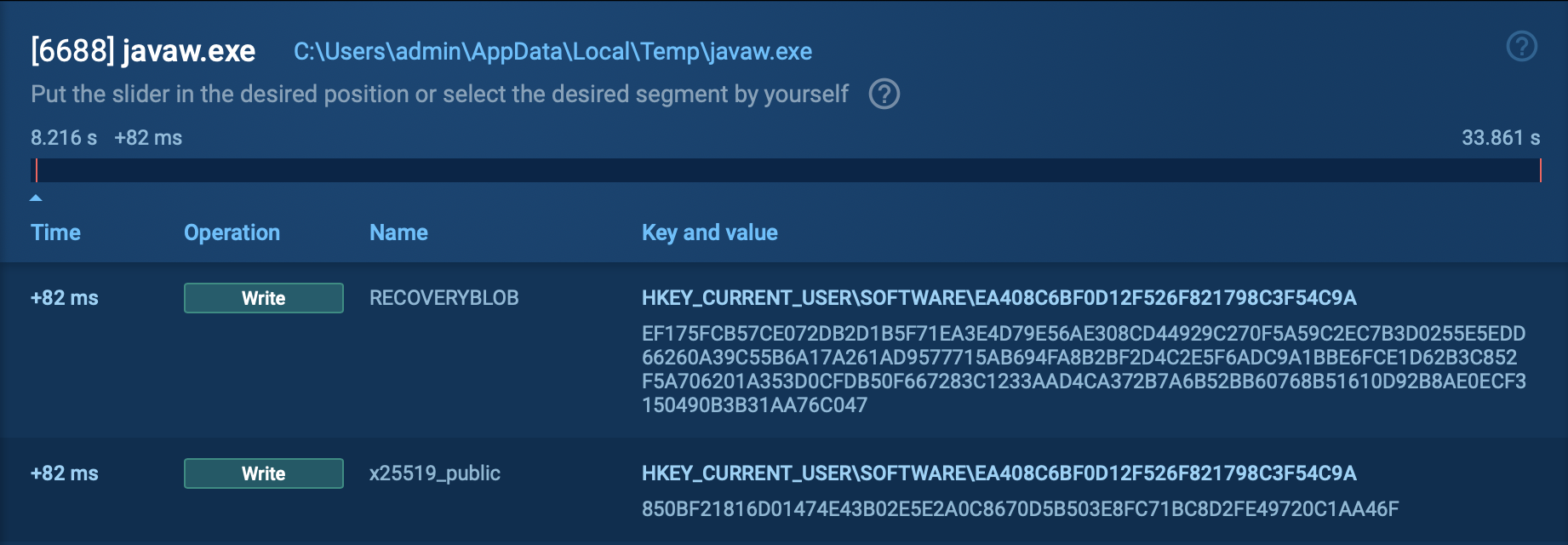 Bluesky RansomwareBlueSky ransomware, first identified in June 2022, shares code similarities with other well-known ransomware families like Conti and Babuk. It primarily spreads via phishing emails and malicious links and can propagate through networks using SMB protocols. BlueSky uses advanced evasion techniques, such as hiding its processes from debuggers via the NtSetInformationThread API, making it difficult for analysts to detect and mitigate its attacks.
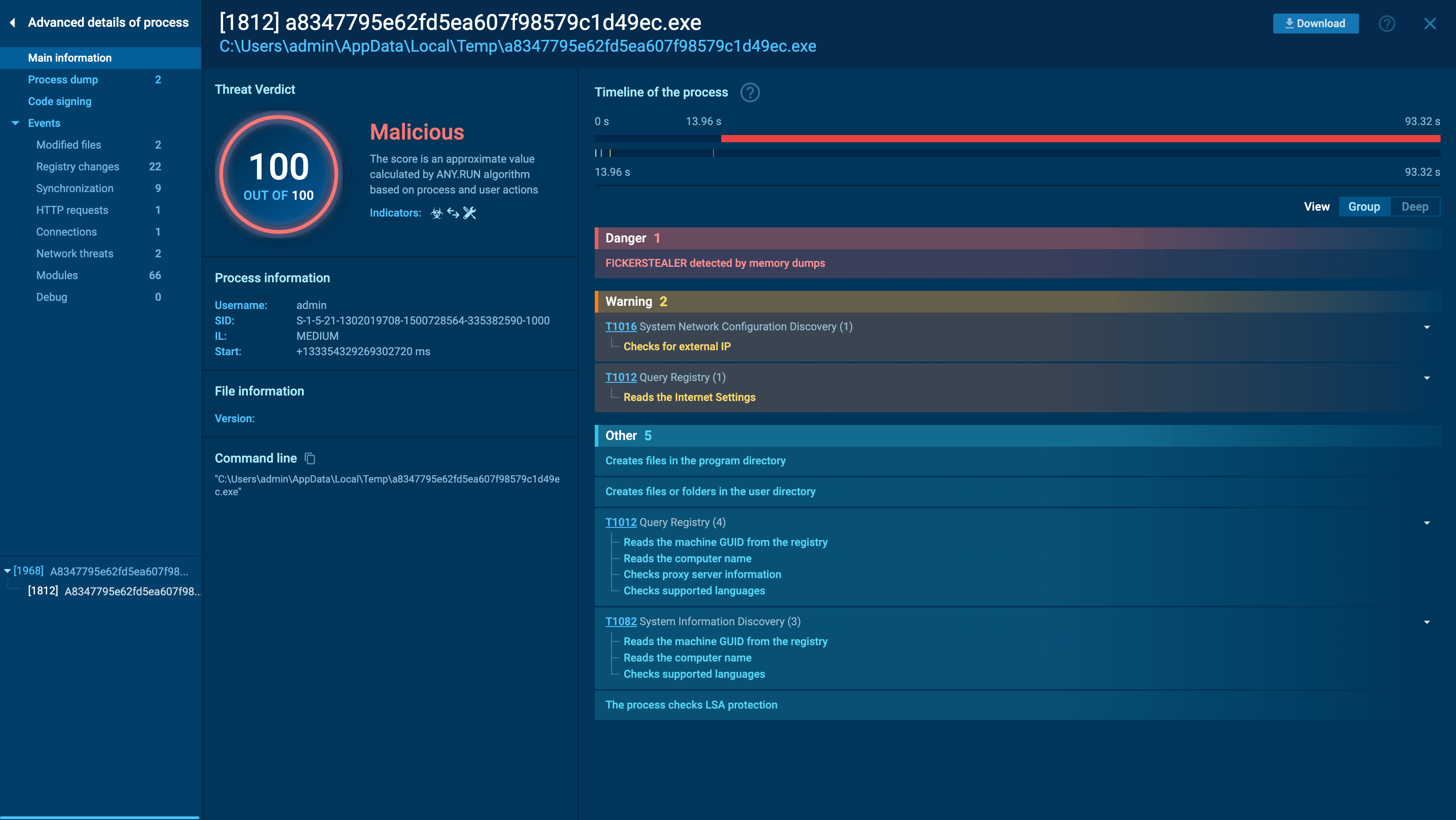 Ficker StealerFicker Stealer is a malware that steals passwords, files, credit card details, and other types of sensitive information on Windows systems. It is most often distributed via phishing emails and can perform keylogging, process injection, and browser tracking.
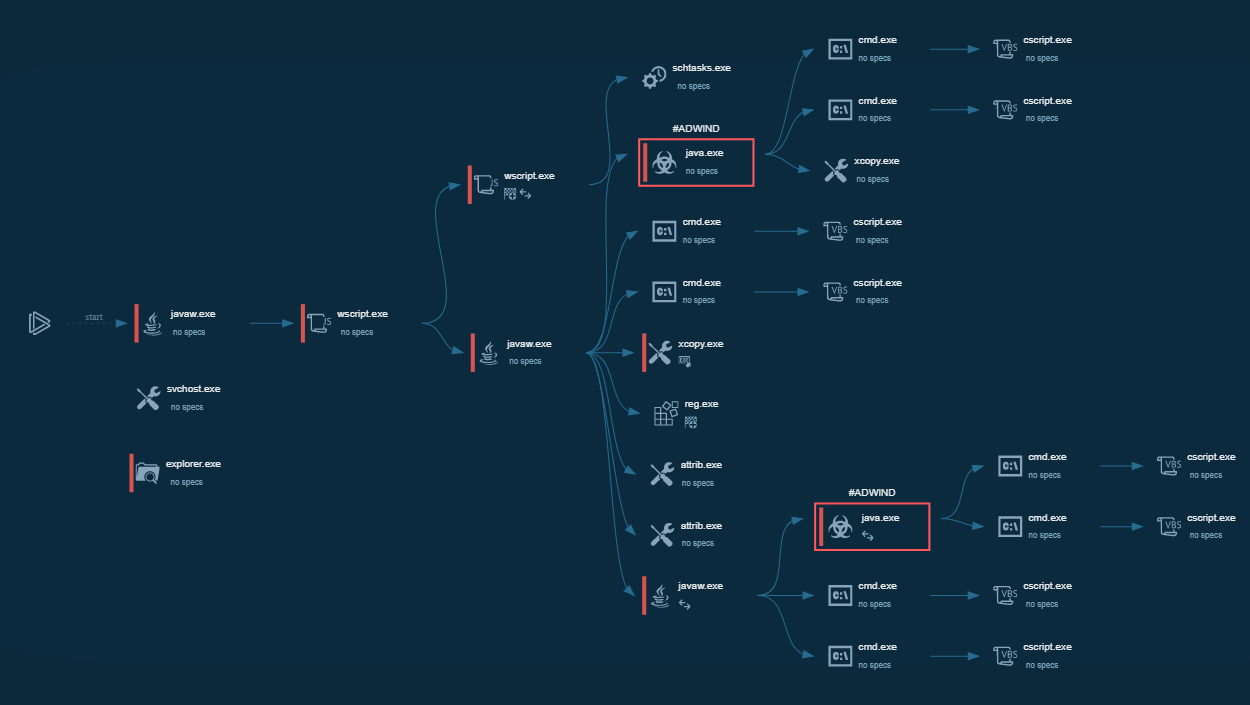 AdwindAdwind RAT, sometimes also called Unrecom, Sockrat, Frutas, jRat, and JSocket, is a Malware As A Service Remote Access Trojan that attackers can use to collect information from infected machines. It was one of the most popular RATs in the market in 2015.
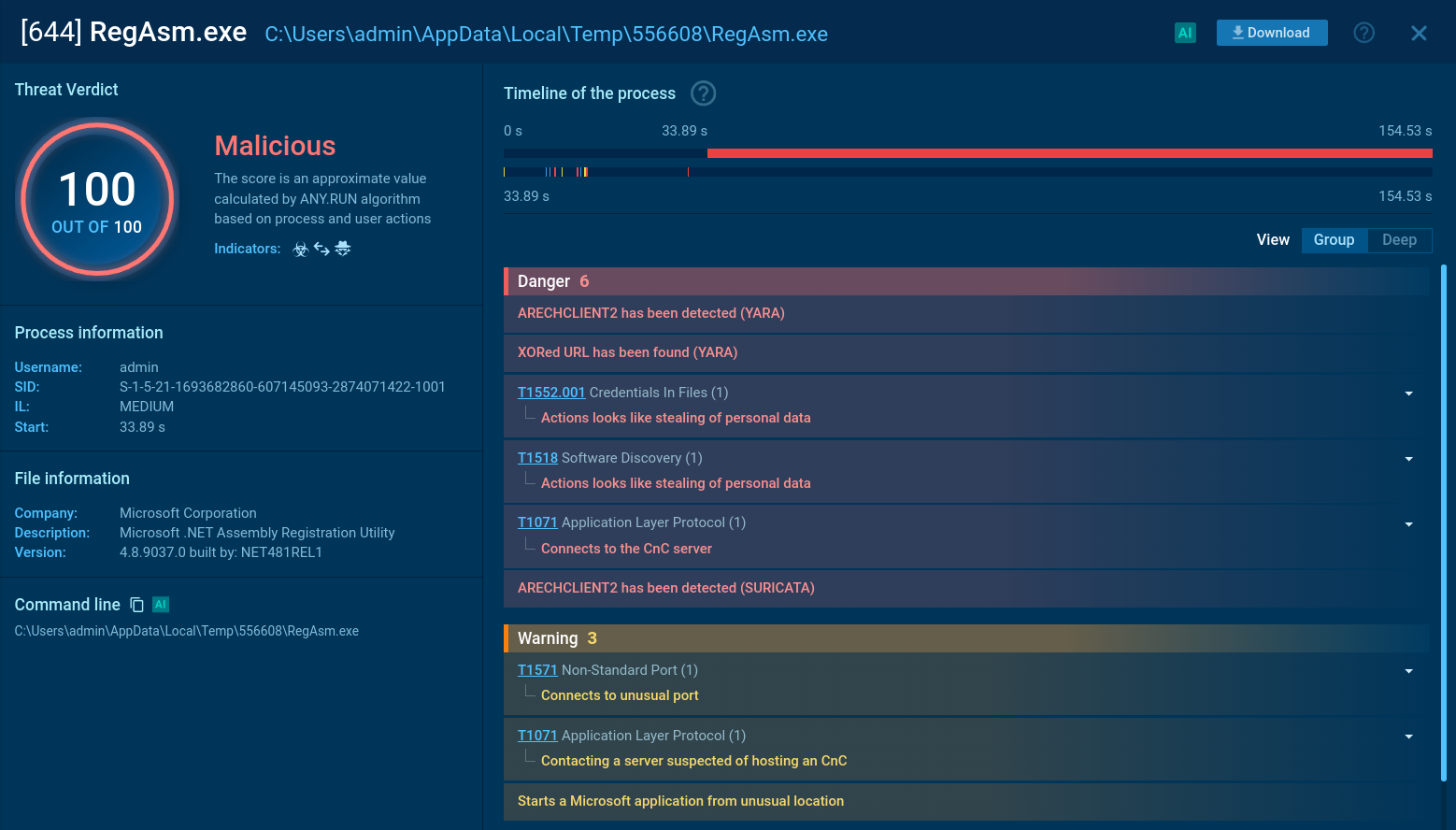 Arechclient2The Arechclient2 malware is a sophisticated .NET-based Remote Access Trojan (RAT) that collects sensitive information, such as browser credentials, from infected computers. It employs various stealth techniques, including Base64 encoding to obscure its code and the ability to pause activities to evade automated security tools. The malware also can adjust Windows Defender settings and uses code injection to manipulate legitimate processes.
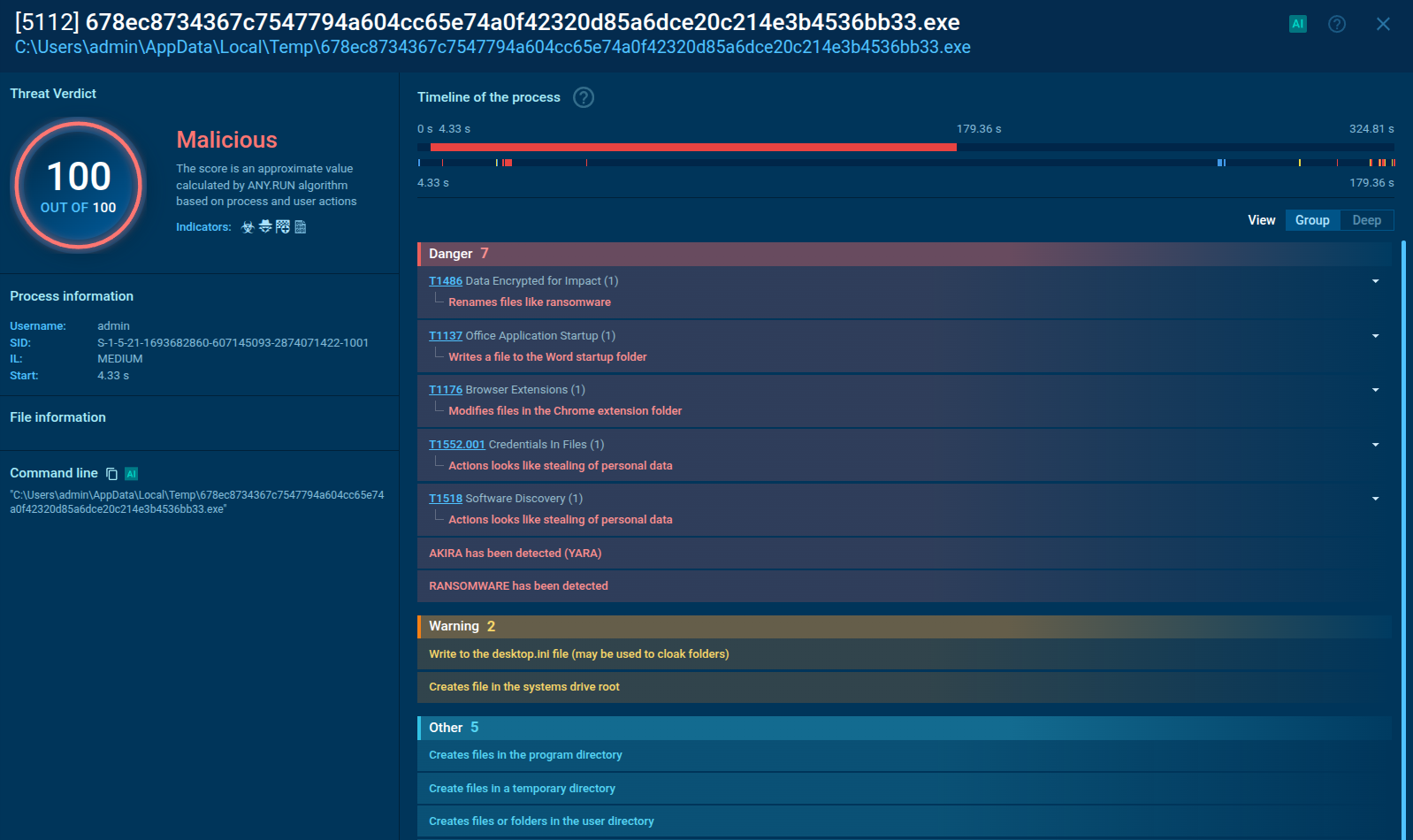 Akira RansomwareAkira Ransomware emerged in March 2023 and compromised over 250 organizations by January 2024 with approximately $42 million in ransom payments. It employs double extortion tactics exfiltrating data before encryption and threatening to publish it on a dedicated website.