GREENBLOOD
- 161
- Global rank
- 136
- Month rank
- 125
- Week rank
GREENBLOOD is a Go-based ransomware that uses concurrent ChaCha8 encryption to lock entire Windows environments in under a minute while systematically destroying backups, disabling defenses, and threatening double extortion through a Tor-based data leak site.
- Ransomware
- Type
- Unknown
- Origin
- 1 February, 2026
- First seen
- 22 October, 2026
- Last seen
How to analyze GREENBLOOD with ANY.RUN
IOCs
IP addresses
- 23.36.162.71
- 23.52.181.212
- 40.126.32.140
- 23.11.40.157
- 20.165.94.63
- 172.211.123.248
- 150.171.109.106
- 74.178.240.51
- 48.209.6.48
- 204.79.197.203
- 48.209.138.189
- 23.53.42.179
- 48.192.1.64
- 20.190.159.64
- 2.16.204.138
- 23.59.18.102
- 20.42.65.84
- 2.21.239.138
- 52.110.17.44
- 74.178.240.61
Hashes
- 35147f2a4beef6e075291a724524bc18ead278c431a386e8192ee0df13a93ef3
- 12bba7161d07efcb1b14d30054901ac9ffe5202972437b0c47c88d71e45c7176
- 7bce0eb45fceb4e7fea333e93feb3769665b1cf8216607c9b973804afe0ea22a
- 4b9d687ac625690fd026ed4b236dad1cac90ef69e7ad256cc42766a065b50026
- b029393ea7b7cf644fb1c9f984f57c1980077562ee2e15d0ffd049c4c48098d3
- 88856962cef670c087eda4e07d8f78465beeabb6143b96bd90f884a80af925b4
- a45e345556901cd98b9bf8700b2a263f1da2b2e53dbdf69b9e6cfab6e0bd3464
- 5ad8f52071d25165e7e68064ab194ec27a074a3846149ed0689af23e7f7f2d00
- 77db69049c1c45d24a5aa88ad5cefaff181a882ff42173f5fed02ab146a37f0e
- 231a08caba1f9ba9f14bd3e46834288f3c351079fcedda15e391b724ac0c7ea8
- 4615f3be18c265ac93efbde0d7af8a1d888e79252a05e5a62e5caf49f00bb270
- d9ed13fa77118ef6be954165ef67f4978009cf975284a0a02e51a64753fe2e16
- 936efa88ef4744e2a47e0c17b0b2370dc1d5156166c8aef47747c3e8033a9390
- 527ea8818671ee1f598d58a30252d85fa6e41f85ba1be9d8c779e63ecc64912c
- 28bf04c5451332f4c8955206c38633b49f6a57557c65b153c183859d615994ed
- 92027423aa1dbaed6eb5ca616b675ad72640cac582c1277f6e522f996c28ac8f
- 6034f27b0823b2a6a76fe296e851939fd05324d0af9d55f249c79af118b0eb31
- 90c8e5e1357deb6dbe661e00e866a5c89e79b1ed2c4ddc3a29c1f7b83723bbfa
- c4acdc1ab12e3e108de77fe929493e662baa43aa58ed8fde0122185412a8cdc9
- b875dc4dff70cd329ac5a2bc34de29b202325f73e4924ca00d2c1854ab5da177
Domains
- www.microsoft.com
- oneocsp.microsoft.com
- crl.microsoft.com
- th.bing.com
- settings-win.data.microsoft.com
- activation-v2.sls.microsoft.com
- slscr.update.microsoft.com
- login.live.com
- ecs.office.com
- google.com
- fe3cr.delivery.mp.microsoft.com
- ocsp.digicert.com
- self.events.data.microsoft.com
- www.bing.com
- omex.cdn.office.net
- officeclient.microsoft.com
- nexusrules.officeapps.live.com
- client.wns.windows.com
- messaging.engagement.office.com
- messaging.lifecycle.office.com
URLs
- http://ocsp.digicert.com/mfewtzbnmeswstajbgurdgmcgguabbq50otx%2fh0ztl%2bz8sipi7wewvxdlqqutijuibiv5unu5g%2f6%2brks7qyxjzkceaz1vqyrvgl0erhqlcpm8gy%3d
- http://crl.microsoft.com/pki/crl/products/microoceraut2011_2011_03_22.crl
- http://www.microsoft.com/pkiops/crl/microsoft%20secure%20server%20ca%202026.crl
- http://ocsp.digicert.com/mfewtzbnmeswstajbgurdgmcgguabbtrjrydryt%2bapf3gspypfhbxr5xtqqus9tippmhxdiunkhmewnpyim8s8yceajtxtab8my1oj8mfwpz%2f7y%3d
- http://oneocsp.microsoft.com/ocsp/mfqwujbqme4wtdajbgurdgmcgguabbq3l3%2f%2fa6adk8nray2gxzvayrhg4aqub6t%2b2v%2bxq3lso2d33ojhnyhhqoucezmaaaafuwohyjguzpcaaaaaaau%3d
- https://settings-win.data.microsoft.com/settings/v3.0/wsd/waasassessment?os=windows&osver=10.0.19041.1.amd64fre.vb_release.191206-&ring=retail&sku=48&deviceclass=windows.desktop&locale=en-us&deviceid=bad99146-31d3-4ec6-a1a4-be76f32ba5d4&flightring=retail&telemetrylevel=1&hidovergattreg=c%3a%5cwindows%5csystem32%5cdriverstore%5cfilerepository%5chidbthle.inf_amd64_9610b4821fdf82a5%5cmicrosoft.bluetooth.profiles.hidovergatt.dll&appver=10.0&processoridentifier=amd64%20family%2023%20model%201%20stepping%202&oemmodel=dell&updateoffereddays=4294967295&processormanufacturer=authenticamd&installdate=1661339444&oemmodelbaseboard=&branchreadinesslevel=cb&oemsubmodel=j5cr&isclouddomainjoined=0&deferfeatureupdateperiodindays=30&isdeviceretaildemo=0&flightingbranchname=&osuilocale=en-us&devicefamily=windows.desktop&wuclientver=10.0.19041.3996&uninstallactive=1&isflightingenabled=0&osskuid=48&processorclockspeed=3094&totalphysicalram=6144&securebootcapable=0&app=waasassessment&processorcores=6¤tbranch=vb_release&installlanguage=en-us&deferqualityupdateperiodindays=0&servicingbranch=cb&oemname_uncleaned=dell&tpmversion=0&primarydisktotalcapacity=262144&installationtype=client&attrdataver=186&processormodel=amd%20ryzen%205%203500%206-core%20processor&isedgewithchromiuminstalled=1&osversion=10.0.19045.4046&ismdmenrolled=0&activationchannel=retail&honorwufbdeferrals=0&firmwareversion=a.40&trendinstalledkey=1&osarchitecture=amd64&defaultuserregion=244&updatemanagementgroup=2
- https://settings-win.data.microsoft.com/settings/v3.0/flightsettings/fsservice?processorclockspeed=3094&isretailos=1&oemmanufacturername=dell&flightingpolicyvalue=3&enablepreviewbuilds=4294967295&osversionfull=10.0.19045.4046.amd64fre.vb_release.191206-1406&managepreviewbuilds=3&branchreadinesslevelsource=0&attrdataver=186&processorcores=6&branchreadinesslevelraw=16&totalphysicalram=6144&tpmversion=0&oemmodelnumber=dell&systemvolumetotalcapacity=260281&deviceid=s%3abad99146-31d3-4ec6-a1a4-be76f32ba5d4&app=fss&appver=10.0&smartactivehoursstate=1&activehoursstart=20&securebootcapable=0&activehoursend=13&devicefamily=windows.desktop
- http://www.microsoft.com/pkiops/crl/microsoft%20ecc%20update%20secure%20server%20ca%202.1.crl
- https://slscr.update.microsoft.com/sls/%7b522d76a4-93e1-47f8-b8ce-07c937ad1a1e%7d/x64/10.0.19045.4046/0?ch=686&l=en-us&p=&pt=0x30&wua=10.0.19041.3996&mk=dell&md=dell
- https://fe3cr.delivery.mp.microsoft.com/clientwebservice/ping
- https://slscr.update.microsoft.com/sls/ping
- https://slscr.update.microsoft.com/sls/%7be7a50285-d08d-499d-9ff8-180fdc2332bc%7d/x64/10.0.19045.4046/0?ch=686&l=en-us&p=&pt=0x30&wua=10.0.19041.3996&mk=dell&md=dell
- https://activation-v2.sls.microsoft.com/slactivateproduct/slactivateproduct.asmx?configextension=retail
- https://settings-win.data.microsoft.com/settings/v3.0/wsd/waasassessment?os=windows&osver=10.0.19041.1.amd64fre.vb_release.191206-&ring=retail&sku=48&deviceclass=windows.desktop&locale=en-us&deviceid=bad99146-31d3-4ec6-a1a4-be76f32ba5d4&flightring=retail&telemetrylevel=1&hidovergattreg=c%3a%5cwindows%5csystem32%5cdriverstore%5cfilerepository%5chidbthle.inf_amd64_9610b4821fdf82a5%5cmicrosoft.bluetooth.profiles.hidovergatt.dll&appver=10.0&processoridentifier=amd64%20family%2023%20model%201%20stepping%202&oemmodel=dell&updateoffereddays=4294967295&processormanufacturer=authenticamd&installdate=1661339444&oemmodelbaseboard=&branchreadinesslevel=cb&oemsubmodel=j5cr&isclouddomainjoined=0&deferfeatureupdateperiodindays=30&isdeviceretaildemo=0&flightingbranchname=&osuilocale=en-us&devicefamily=windows.desktop&wuclientver=10.0.19041.3996&uninstallactive=1&isflightingenabled=0&osskuid=48&processorclockspeed=3094&totalphysicalram=6144&securebootcapable=0&app=waasassessment&processorcores=6¤tbranch=vb_release&installlanguage=en-us&deferqualityupdateperiodindays=0&servicingbranch=cb&oemname_uncleaned=dell&tpmversion=0&primarydisktotalcapacity=262144&installationtype=client&attrdataver=186&processormodel=amd%20ryzen%205%203500%206-core%20processor&isedgewithchromiuminstalled=1&osversion=10.0.19045.4046&ismdmenrolled=0&activationchannel=retail&honorwufbdeferrals=1&firmwareversion=a.40&trendinstalledkey=1&osarchitecture=amd64&defaultuserregion=244&updatemanagementgroup=2
- https://login.live.com/ppsecure/deviceaddcredential.srf
- http://ocsp.digicert.com/mfewtzbnmeswstajbgurdgmcgguabbq50otx%2fh0ztl%2bz8sipi7wewvxdlqqutijuibiv5unu5g%2f6%2brks7qyxjzkceasmayxgarewr3pgr9svwmg%3d
- http://oneocsp.microsoft.com/ocsp/mfqwujbqme4wtdajbgurdgmcgguabbr0tbevyklx7a9ylold9hqmcwdxfgqu3pggslehmvkx8utfb6ncihnaqhycezmaaaale%2bvmfuqbvyaaaaaaaas%3d
- https://www.bing.com/threshold/xls.aspx?t=5&dl=1&f=9&wsbc=1
- https://th.bing.com/th?id=obtq.btd3251c3c679853e0859b99aac273c89b2f26d20ada599c4608a4e1ee16d768c7&w=190&h=154&c=1&rs=1&p=0
- https://th.bing.com/th?id=ocge.9npxcz4n8jw7_v3_main&w=86&h=86&c=1&rs=1&p=0
Last seen at
- 12bba7161d07efcb1b14d30054901ac9ffe5202972437b0c47c88d71e45c7176.zip
- 12bba7161d07efcb1b14d30054901ac9ffe5202972437b0c47c88d71e45c7176.exe
- 12bba7161d07efcb1b14d30054901ac9ffe5202972437b0c47c88d71e45c7176.exe
- 05294c9970f365c92e0b0f1250db678dc356dbf418dba27bdd5eeb68487a7199.zip
- npp.8.9.8.Installer.x64.zip
- GreenBlood.zip
- 05294c9970f365c92e0b0f1250db678dc356dbf418dba27bdd5eeb68487a7199.zip
- 05294c9970f365c92e0b0f1250db678dc356dbf418dba27bdd5eeb68487a7199.zip
- 05294c9970f365c92e0b0f1250db678dc356dbf418dba27bdd5eeb68487a7199.zip
- 05294c9970f365c92e0b0f1250db678dc356dbf418dba27bdd5eeb68487a7199.exe
GREENBLOOD Ransomware: The Go-Powered Threat That Encrypts, Extorts, and Erases Its Tracks
Key Takeaways
GREENBLOOD is built for speed: Its Go-based ChaCha8 encryption engine can lock an entire Windows environment in minutes, collapsing the detection-to-impact window to near zero for signature-based defenses.
Double extortion doubles the damage: GREENBLOOD combines file encryption with data exfiltration and Tor-based leak site pressure, turning a ransomware incident into a simultaneous data breach with regulatory and reputational consequences.
Recovery is systematically blocked: Before encrypting a single file, GREENBLOOD deletes shadow copies, removes backup catalogs, disables WinRE, kills Defender, and turns off the firewall.
Self-deletion complicates forensics: The cleanup_greenblood.bat script removes the executable post-encryption, deliberately limiting the artifacts available for post-incident analysis and attribution.
Behavioral detection is the only viable pre-encryption defense. ANY.RUN's Interactive Sandbox captures the full GREENBLOOD attack chain, including shadow copy deletion, Defender disabling, and encryption, giving teams a clear verdict in under 60 seconds and enabling containment before downtime begins.
Observe GREENBLOOD detonated in the sandbox
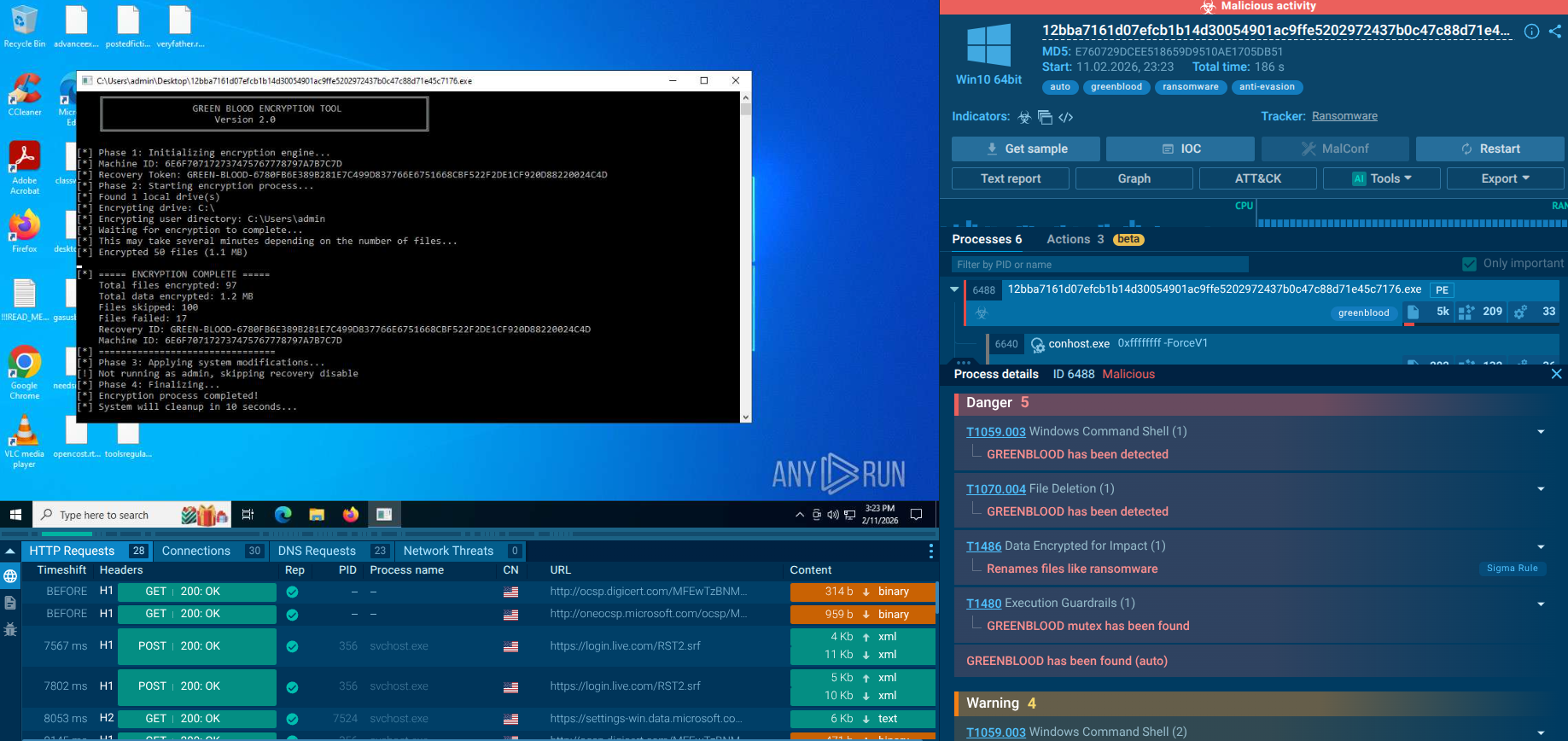
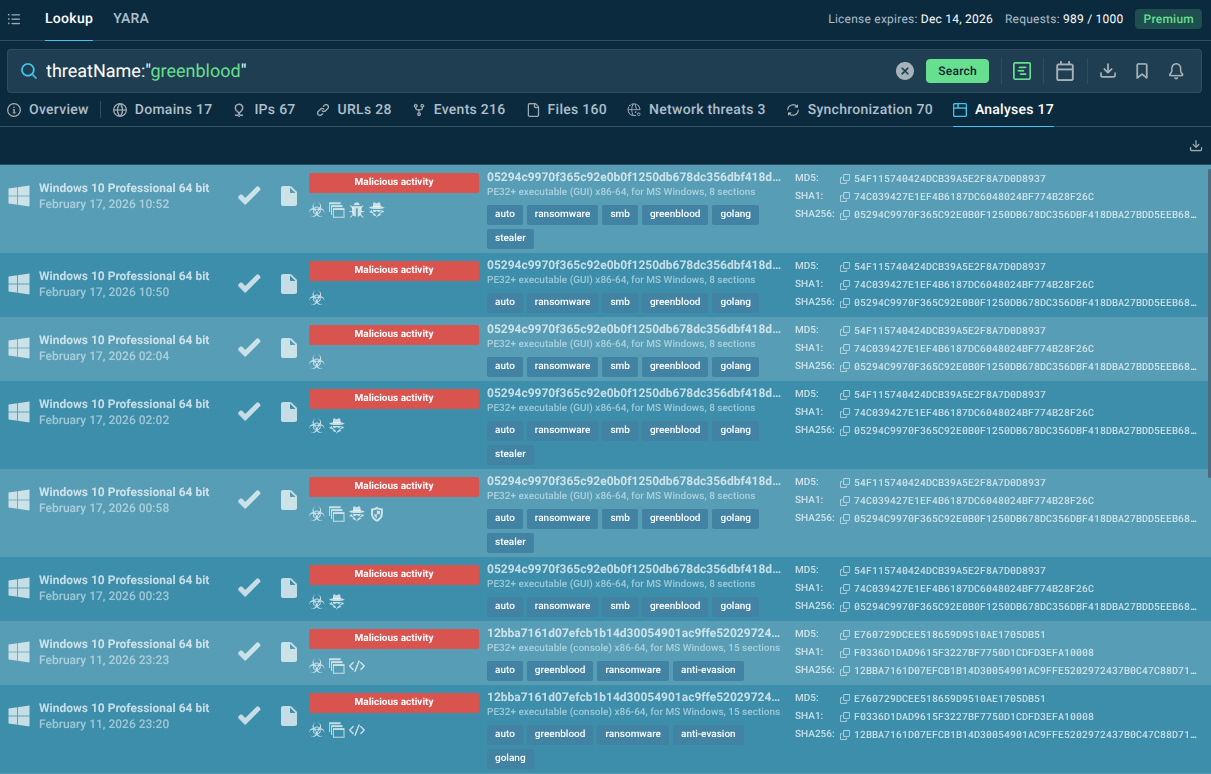
- ANY.RUN’s TI Lookup is your pivot engine: By searching for GREENBLOOD IOCs, command-line strings, mutexes, and behavioral patterns across millions of sandbox analyses, SOC and MSSP teams can uncover variants, enrich alerts, and harden detections faster than any manual process.
Start your research with the threat name and browse sandbox analyses to watch behavior and gather indicators:
What is GREENBLOOD Malware?
GREENBLOOD is an emerging ransomware family first identified in early 2026, operated by a threat actor group calling itself The Green Blood Group. Written in Go (Golang) and compiled as a Windows x64 executable, it is engineered for one overriding purpose: maximum disruption in minimum time.
Unlike older ransomware strains that limit themselves to file encryption, GREENBLOOD combines high-speed ChaCha8 encryption with aggressive defense evasion, systematic destruction of recovery options, and double-extortion pressure through a Tor-based data leak site. The result is a threat that transforms a technical security incident into a full-blown business crisis: downtime, regulatory exposure, reputational damage, and mounting ransom costs, within minutes of execution.
The ransomware follows a structured, multi-phase attack pattern. Before a single file is encrypted, it profiles the victim machine, collects a unique hardware identifier (system UUID), and then systematically dismantles the defenses and recovery mechanisms that would allow an organization to recover without paying.
Volume Shadow Copies are deleted, the Windows Backup catalog is purged, the Windows Recovery Environment is disabled, the Windows Firewall is turned off, and Microsoft Defender's real-time protection is killed via registry modification. Only after this preparation phase does the encryption engine engage.
Encryption itself is driven by a concurrent, routine-based engine that walks the filesystem in parallel — traversing all logical drives and shell folders such as Desktop, Documents, and Downloads — and queues files for rapid locking using ChaCha8, a modern stream cipher known for its speed. Encrypted files receive the .tgbg or .gblood extension, and a ransom note (READ_ME_TO_RECOVER_FILES.txt or !!!READ_ME_TO_RECOVER_FILES!!!.txt) is deposited in every affected directory. Each ransom note contains a unique victim Recovery ID, demands payment in Bitcoin within seven days (with escalating price thereafter and a 21-day key destruction deadline), and provides contact emails at Proton and OnionMail addresses.
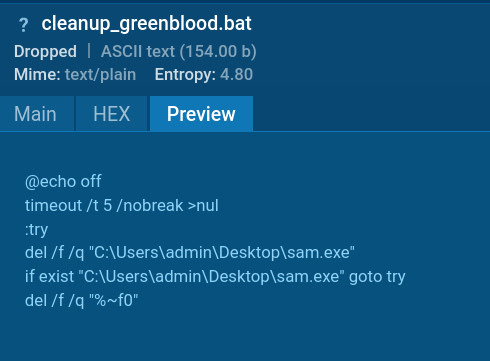
Once encryption finishes, GREENBLOOD launches a cleanup batch script (cleanup_greenblood.bat) from the %LOCALAPPDATA%\Temp directory, which deletes the ransomware executable itself and scrubs artifacts — a deliberate attempt to reduce forensic visibility and complicate post-incident analysis. The entire execution chain, from initial profiling to self-deletion, can complete in a matter of minutes.
How GREENBLOOD Threatens Businesses and Organizations
GREENBLOOD doesn’t just compromise endpoints, it compromises decision-making time.
Key risks include:
Credential theft → lateral movement across systems;
Access resale → initial access brokers monetize your network;
Data exfiltration → intellectual property, financial data, customer records;
Ransomware staging → prepares infrastructure for high-impact attacks.
The real danger is delayed detection. By the time alerts fire, the attacker may already have mapped your environment.
Victimology: Which Industries Are Most at Risk?
The sectors most structurally vulnerable to GREENBLOOD’s type of attack include:
Healthcare: Patient data commands premium prices on dark markets, downtime is life-critical, and disclosure requirements are stringent. Healthcare led all industries in January 2026 ransomware incidents.
Financial services: High-value data, strict regulatory environments, and significant reputational stakes make payment more likely.
Manufacturing and industrial operations: Operational technology environments where downtime means immediate production and revenue loss.
Government and public sector: High-sensitivity data, often under-resourced security teams, and strong public pressure to restore services quickly.
Technology companies and IT service providers: Supply chain leverage — compromising one IT provider can cascade to dozens of downstream clients.
Education and research institutions: Large attack surfaces, valuable intellectual property, and historically limited security budgets.
Any organization running Windows environments with limited behavioral detection capability — particularly those relying on signature-based antivirus as a primary defense — is structurally at risk from GREENBLOOD.
How Can Businesses Proactively Protect Against GREENBLOOD malware
Proactive defense against a threat like GREENBLOOD requires moving beyond reactive, signature-based detection. ANY.RUN provides two complementary tools designed specifically for this purpose.
ANY.RUN Threat Intelligence Lookup
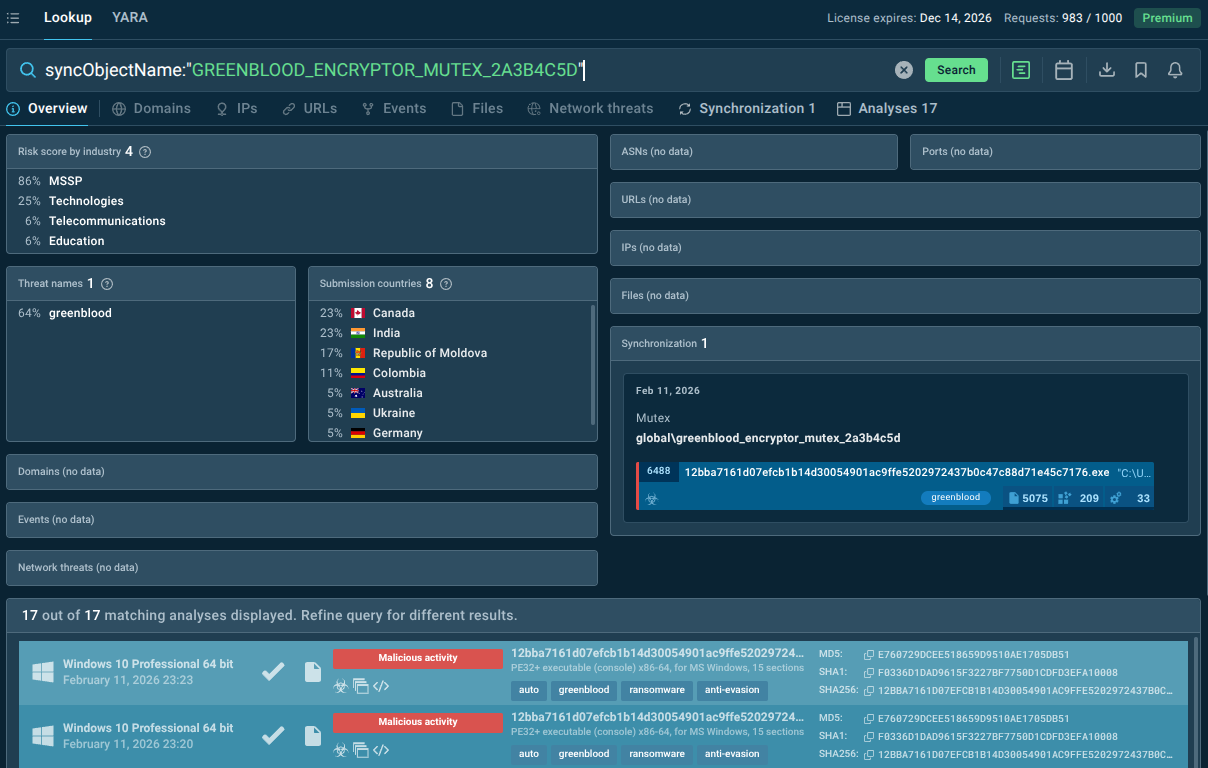
TI Lookup allows security teams to search across millions of sandbox analyses using rich, contextual queries — command-line strings, file hashes, mutex names, network indicators, and more. This pivoting capability allows analysts to find related variants, track infrastructure reuse, and expand detection coverage across the environment — going far beyond what a single IOC or signature can offer.
TI Lookup also highlights the regions and industry recently targeted by the malware.
syncObjectName:"GREENBLOOD_ENCRYPTOR_MUTEX_2A3B4C5D"
ANY.RUN Threat Intelligence Feeds
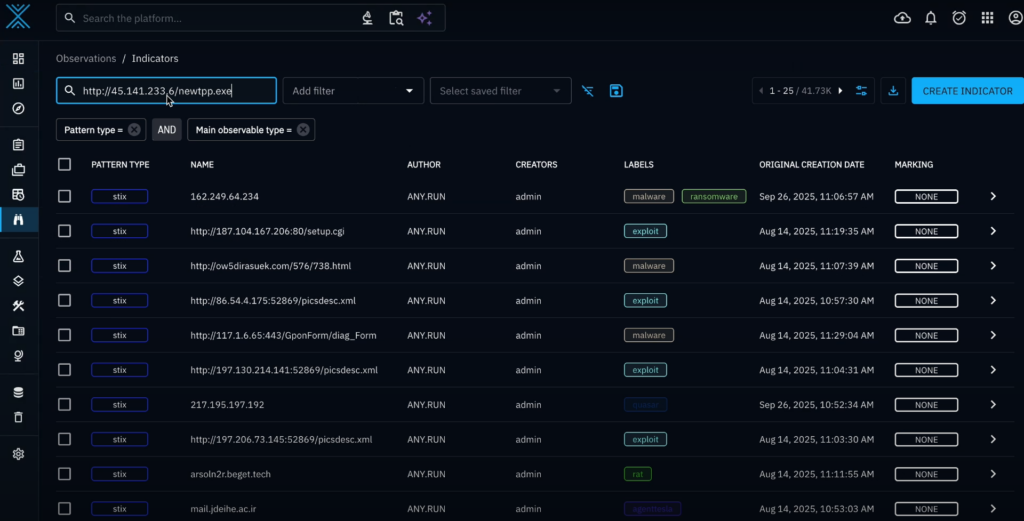
TI Feeds deliver continuously updated, machine-readable threat intelligence — IP addresses, domains, URLs, and behavioral indicators associated with active threats including GREENBLOOD — directly into your existing security stack (SIEMs, firewalls, EDR, SOAR platforms). This means:
GREENBLOOD-associated infrastructure is automatically blocked at the perimeter before malware can establish communication or exfiltrate data.
Detection rules in your SIEM are continuously enriched with fresh IOCs, reducing the dwell time window.
Threat hunting teams have a structured, up-to-date dataset to search for compromised hosts or lateral movement indicators.
Additional Protective Measures
Behavioral detection: Deploy EDR solutions capable of flagging shadow copy deletion, Defender disabling via registry, and rapid file rename events — all GREENBLOOD hallmarks — regardless of the malware's specific hash.
Immutable backups: Maintain offline or air-gapped backups that cannot be reached by a compromised Windows process. GREENBLOOD specifically targets recoverable backups, so only truly isolated backups provide meaningful protection.
Privilege restriction: Limit the number of accounts with local Administrator rights. GREENBLOOD's most destructive capabilities — disabling recovery, killing Defender, wiping shadow copies — only activate when running with admin privileges.
Network segmentation: Limit lateral movement capability by segmenting internal networks and enforcing least-privilege access between segments.
Employee security awareness: Phishing and malicious attachments remain primary delivery vectors for ransomware. Regular, realistic training and phishing simulations reduce the likelihood of initial access.
How GREENBLOOD Gets in the System and Functions
GREENBLOOD's operators, consistent with modern professional ransomware groups, are not believed to rely on a single access vector. Based on observed behavior and infrastructure analysis, likely initial access methods include:
Phishing emails;
Exploitation of public-facing vulnerabilities;
Credential compromise;
Initial access brokers.
Once inside the network, GREENBLOOD's primary objective is to maximize the scope of encrypted systems before detection. The ransomware's concurrent, goroutine-based architecture means it does not process files sequentially — it spreads its encryption activity across multiple threads simultaneously, dramatically shortening the time required to impact the entire environment.
GREENBLOOD's execution flow breaks into several distinct phases:
Phase 1: Privilege and System Profiling
The binary checks for local Administrator group membership at runtime. If admin rights are confirmed, GREENBLOOD proceeds with its full recovery-inhibition and defense-suppression routine. It then collects the system UUID using Windows Management Instrumentation (wmic csproduct get uuid), generating a unique identifier per victim for key management and campaign tracking.
Phase 2: Recovery Destruction and Defense Suppression
Before encryption begins, GREENBLOOD executes a series of destructive commands:
vssadmin delete shadows /All /quiet — deletes all Volume Shadow Copies;
wmic shadowcopy delete — secondary shadow copy deletion;
wbadmin delete catalog -quiet — removes the Windows Backup catalog;
bcdedit /set {default} recoveryenabled No — disables Windows Recovery Environment;
bcdedit /set {default} bootstatuspolicy ignoreallfailures — suppresses boot failure warnings;
netsh advfirewall set allprofiles state off — disables Windows Firewall;
reg add ... DisableRealTimeMonitoring ... /d 1 — kills Defender real-time protection
Phase 3: Filesystem Traversal and Encryption
The EncryptionEngine — a developer-defined Go abstraction visible in the binary's preserved symbol names — uses a walkAndQueue method to traverse the filesystem. All logical drives and user shell folders are enumerated. A shouldEncryptFile function gates which files are processed. Qualifying files are encrypted using ChaCha8 and renamed with the .tgbg or .gblood extension. Ransom notes (READ_ME_TO_RECOVER_FILES.txt or !!!READ_ME_TO_RECOVER_FILES!!!.txt) are deposited in every directory containing encrypted files, with dynamically generated, per-victim Recovery IDs.
Phase 4: Extortion Infrastructure
Victims are directed to contact the operators via thegreenblood@proton[.]me or thegreenblood@onionmail[.]org, or to access the group's Tor-based leak site. Bitcoin payment is demanded within 7 days, with price escalation thereafter and a 21-day key destruction threat. The double-extortion model means non-payment results in stolen data being published on the leak site.
Phase 5: Self-Cleanup
Post-encryption, a batch script (cleanup_greenblood.bat) is executed from %LOCALAPPDATA%\Temp. This script deletes the ransomware executable and removes artifacts, deliberately hindering forensic analysis and incident reconstruction.
Sandbox Analysis of GREENBLOOD Malware Sample
See full execution chain of GREENBLOOD
The ransomware creates a mutex at launch to ensure running a single copy in the system.

When the encryption process begins, GREENBLOOD recursively scans directories and creates a queue of files to be encrypted. It filters out files from the predefined exclusion list (notably executables and critical system paths) to keep the system functional. Simultaneously, a ransom note is deployed.

Finally, a batch script is executed to delete the ransomware executable.
Conclusion
GREENBLOOD is not loud, flashy malware. It’s disciplined, adaptable, and patient. That combination makes it dangerous in modern environments where alert fatigue already clouds visibility.
Defending against it requires more than tools, it requires context. And context is exactly what strong threat intelligence delivers.
For businesses and security teams, the key lesson from GREENBLOOD is timing. The only effective defenses are those that operate before or during the early execution phase: behavioral detection, proactive threat intelligence, immutable backups, and a security architecture that assumes compromise and contains its blast radius.
Trial TI Lookup to start gathering actionable threat intelligence on the malware that threatens your business sector and region: just sign up to ANY.RUN.
Other malware & phishing threats
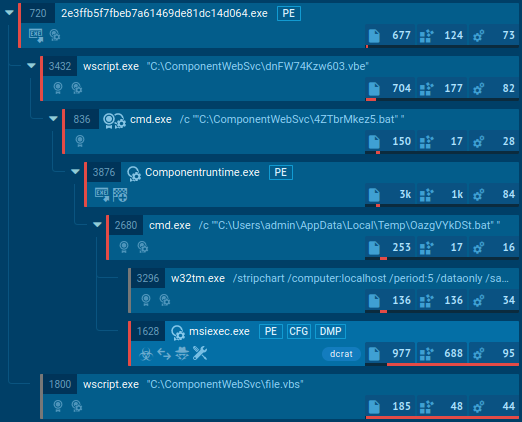 DCRatDCrat, also known as Dark Crystal RAT, is a remote access trojan (RAT), which was first introduced in 2018. It is a modular malware that can be customized to perform different tasks.
For instance, it can steal passwords, crypto wallet information, hijack Telegram and Steam accounts, and more. Attackers may use a variety of methods to distribute DCrat, but phishing email campaigns are the most common.
DCRatDCrat, also known as Dark Crystal RAT, is a remote access trojan (RAT), which was first introduced in 2018. It is a modular malware that can be customized to perform different tasks.
For instance, it can steal passwords, crypto wallet information, hijack Telegram and Steam accounts, and more. Attackers may use a variety of methods to distribute DCrat, but phishing email campaigns are the most common.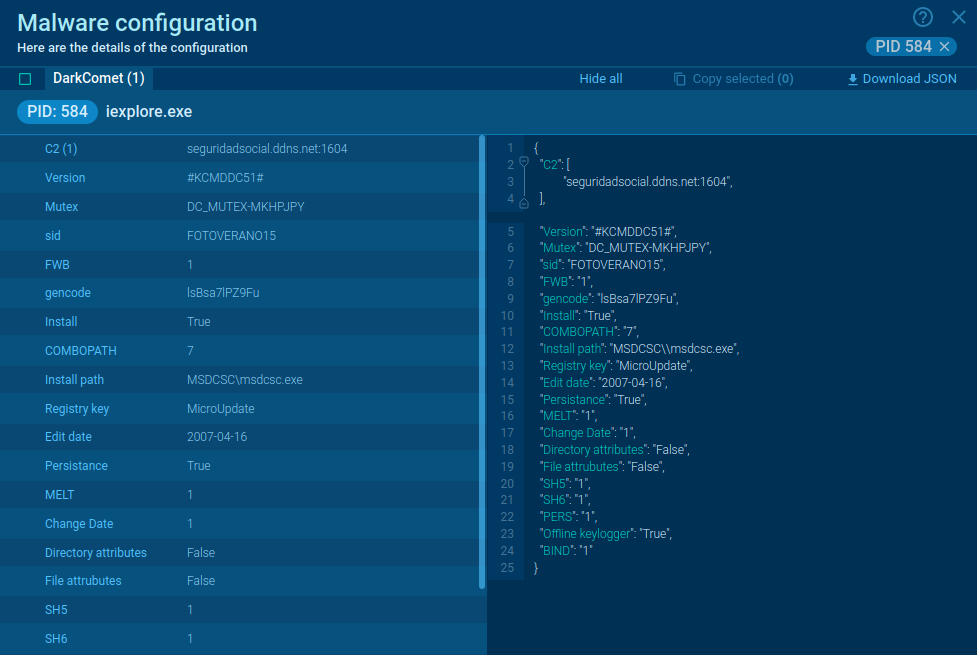 DarkCometDarkComet RAT is a malicious program designed to remotely control or administer a victim's computer, steal private data and spy on the victim.
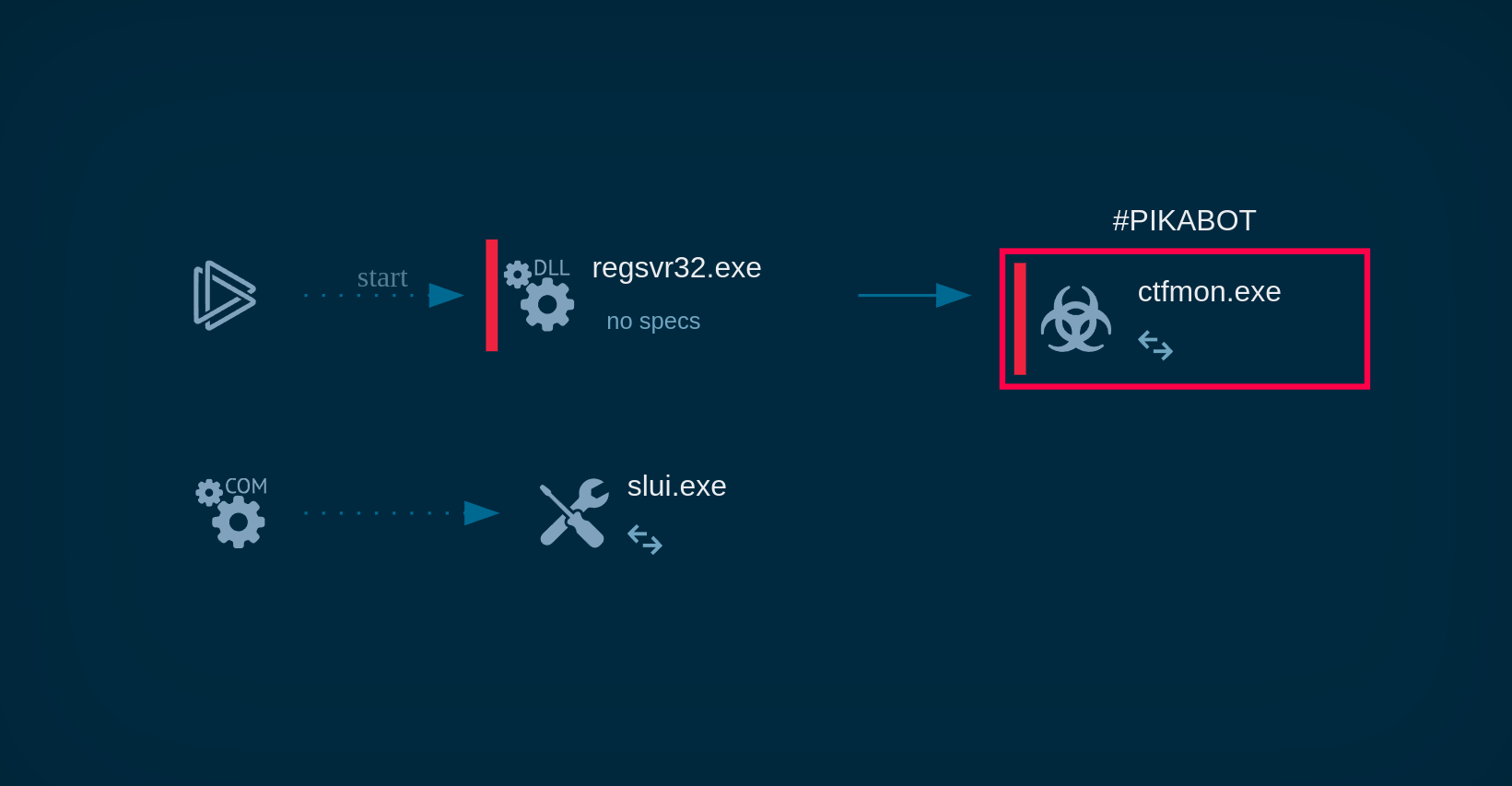 PikabotPikabot is a trojan malware with a focus on loader capabilities. Pikabot is also used for other activities, such as executing commands on the infected system. The earlier versions of the malware made use of extensive code obfuscation to evade detection. Upon infection, it collects system information and sends it to command-and-control servers.
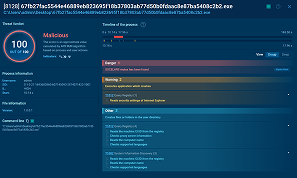 SocelarsSocelars is an information-stealing Trojan (often categorized as spyware/stealer) that focuses on collecting sensitive data from Windows systems, with standout reporting around Facebook Ads Manager and session cookie theft.
Unlike “noisy” malware that immediately breaks something, Socelars quietly converts a single infected machine into access: logged-in sessions, business account data, and pathways to monetization.
SocelarsSocelars is an information-stealing Trojan (often categorized as spyware/stealer) that focuses on collecting sensitive data from Windows systems, with standout reporting around Facebook Ads Manager and session cookie theft.
Unlike “noisy” malware that immediately breaks something, Socelars quietly converts a single infected machine into access: logged-in sessions, business account data, and pathways to monetization.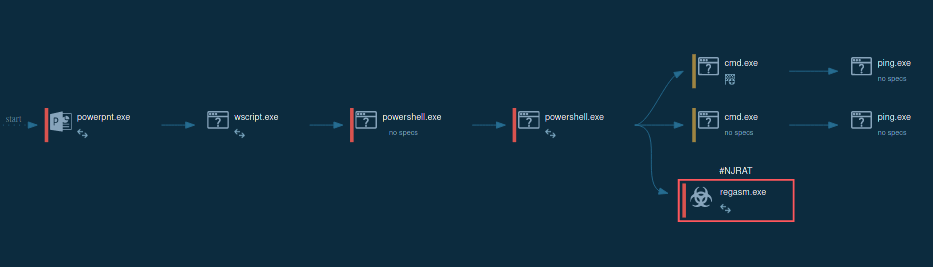 Remote Access TrojanRemote access trojans (RATs) are a type of malware that enables attackers to establish complete to partial control over infected computers. Such malicious programs often have a modular design, offering a wide range of functionalities for conducting illicit activities on compromised systems. Some of the most common features of RATs include access to the users’ data, webcam, and keystrokes. This malware is often distributed through phishing emails and links.
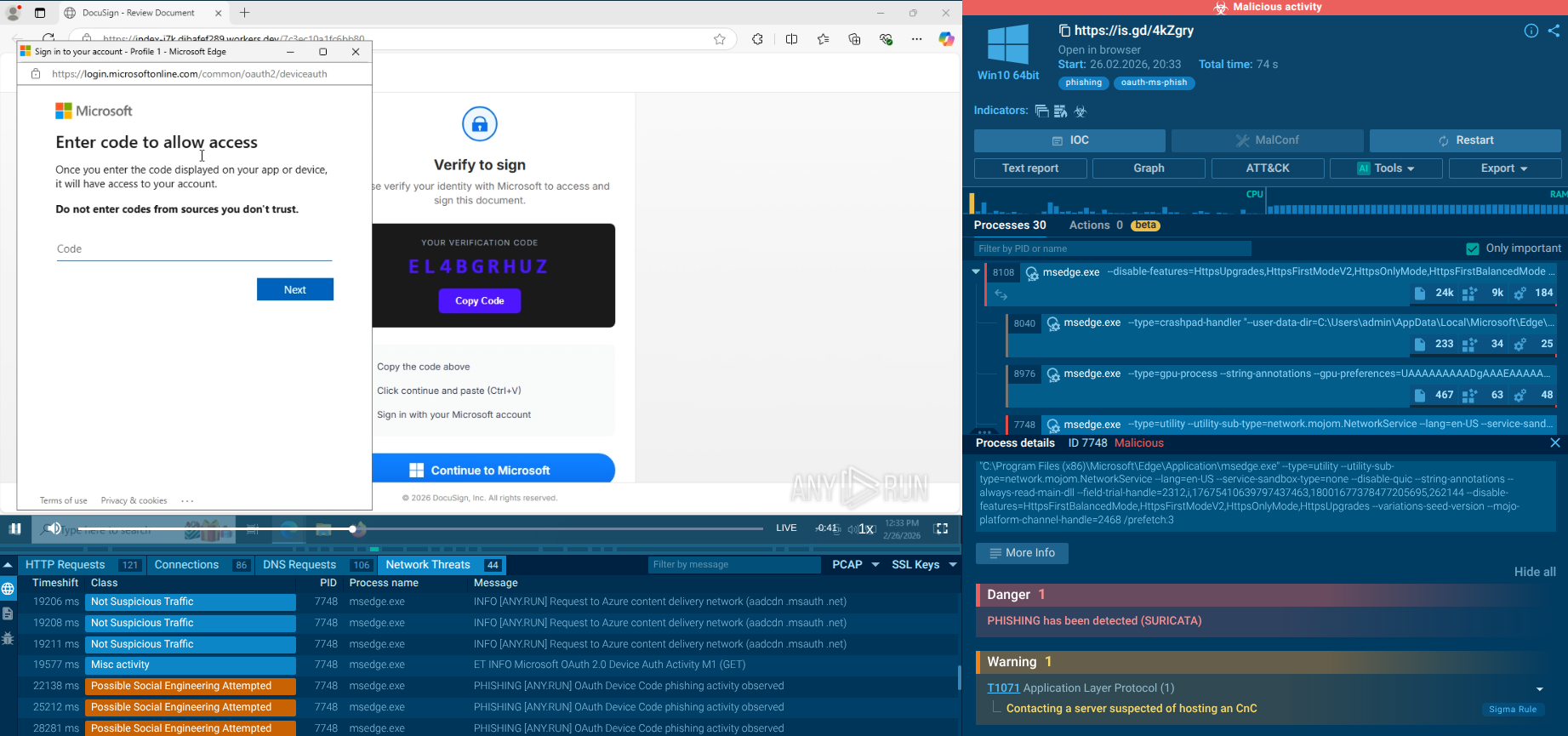 EvilTokensEvilTokens is a phishing-as-a-service (PhaaS) toolkit that emerged in mid-February 2026. It automates device code phishing attacks against Microsoft 365 and Entra ID environments. Unlike traditional credential-harvesting phishing, EvilTokens tricks users into completing legitimate authentication on Microsoft's own login pages, resulting in the issuance of valid OAuth access and refresh tokens directly to the attacker, effectively bypassing MFA without stealing passwords.