
Recent posts

Threat intelligence feeds give SOCs and MSSPs the data they need to detect malicious activity, enrich alerts, investigate threats, and respond faster. Depending on the platform, this may include malicious IPs, domains, URLs, file hashes, malware behavior, threat actor activity, vulnerabilities, phishing infrastructure, and geopolitical risk.
This guide covers several commercial and open-source threat intelligence solutions used by cybersecurity professionals. It is not intended as a ranking or an exhaustive list of available platforms. Instead, it provides a concise overview of how different solutions collect, structure, and deliver threat intelligence.
Commercial Threat Intelligence Feeds and Platforms
Commercial threat intelligence solutions often combine continuously updated threat data with search, enrichment, investigation, and integration capabilities. They can help SOCs and MSSPs bring relevant intelligence into existing detection and response workflows.
ANY.RUN Threat Intelligence Feeds
ANY.RUN’s Threat Intelligence Feeds deliver malicious IP addresses, domains, and URLs extracted from malware and phishing investigations performed in the Interactive Sandbox. Teams can bring this data into their security stack to support threat detection, alert enrichment, incident investigation, and threat hunting.
More than 15,000 organizations and 600,000 security professionals use ANY.RUN’s Interactive Sandbox to investigate malware and phishing threats. This activity creates a continuously updated stream of indicators connected to attacks that security teams are actively analyzing.
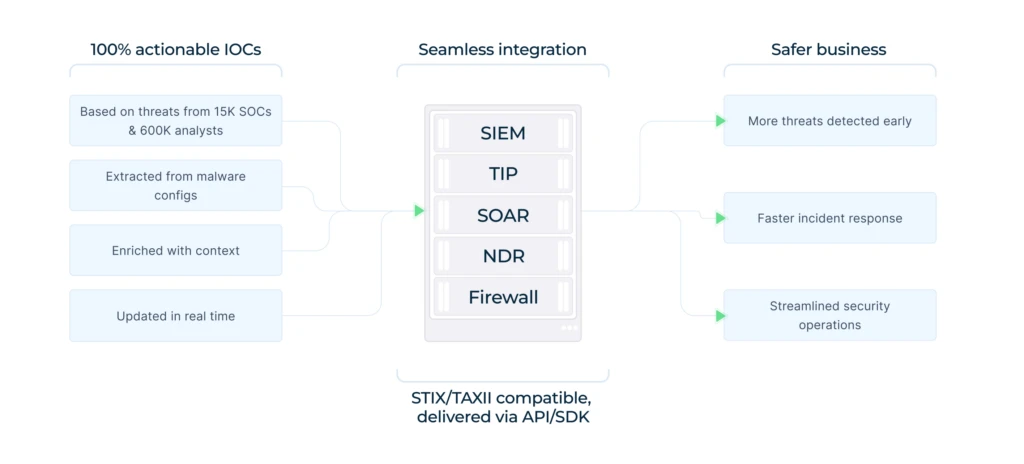
Key benefits of ANY.RUN’s feeds for threat hunting and SOC operations include:
- Fresh intelligence from active investigations: New IOCs can enter the feeds as malware and phishing threats are analyzed.
- Reduced noise: Indicators are processed and selected to limit outdated, irrelevant, and low-value data.
- Rich threat context: Each IOC includes additional details and a link to the related sandbox session.
- Behavioral evidence: Analysts can review connected processes, network activity, malware behavior, and attacker techniques.
- Automation-ready data: The feeds can be integrated with SIEM, TIP, SOAR, and other security systems.
- Broader investigation capabilities: TI Lookup allows teams to search across IP addresses, domains, URLs, hashes, files, processes, threat names, signatures, and TTPs.
ANY.RUN continues to develop its threat intelligence capabilities, with additional data sources and analytical features expected over time.
Google Threat Intelligence IoC Stream
Google Threat Intelligence IoC Stream turns the incoming VirusTotal data flow into IOC feeds for files, URLs, domains, and IP addresses. Teams can subscribe to sources such as threat actor profiles, IOC collections, hunting rulesets, and Retrohunt jobs, then view matching indicators separately or in one aggregated stream.
Indicators can be filtered, reviewed, exported, or accessed through the Google Threat Intelligence API. The feed can also be connected to security platforms such as Splunk, Cortex XSOAR, and MISP to bring matching IOCs into detection and investigation workflows.
Recorded Future Threat Intelligence Feeds
Recorded Future distributes indicator data through configurable Risk Lists. These feeds cover IP addresses, domains, URLs, file hashes, and vulnerabilities associated with defined threat activity and risk rules.
Organizations can retrieve the lists through the Recorded Future Connect API or STIX/TAXII and ingest them into SIEM, SOAR, TIP, and other security tools. Integrations can use the data to identify and enrich indicators associated with activity such as phishing, malware delivery, and command-and-control infrastructure.
Feedly AI Feeds
Feedly AI Feeds are customizable OSINT feeds that continuously collect information from security publications, research blogs, advisories, and other online sources. Teams can create feeds around specific threat actors, malware families, vulnerabilities, campaigns, industries, or attacker techniques.
Feedly extracts structured intelligence from the collected content, including IOCs, malware names, threat actors, and TTPs. The data can be delivered to security tools through the Feedly API or exported in formats such as STIX, MISP, and JSON.
CrowdStrike Falcon Adversary Intelligence
CrowdStrike Falcon Adversary Intelligence provides information on threat actors, malware, malicious infrastructure, vulnerabilities, campaigns, and attacker behavior. It includes adversary profiles, real-time IOCs, dark web monitoring, and intelligence tailored to an organization’s industry, technology stack, and risk profile.
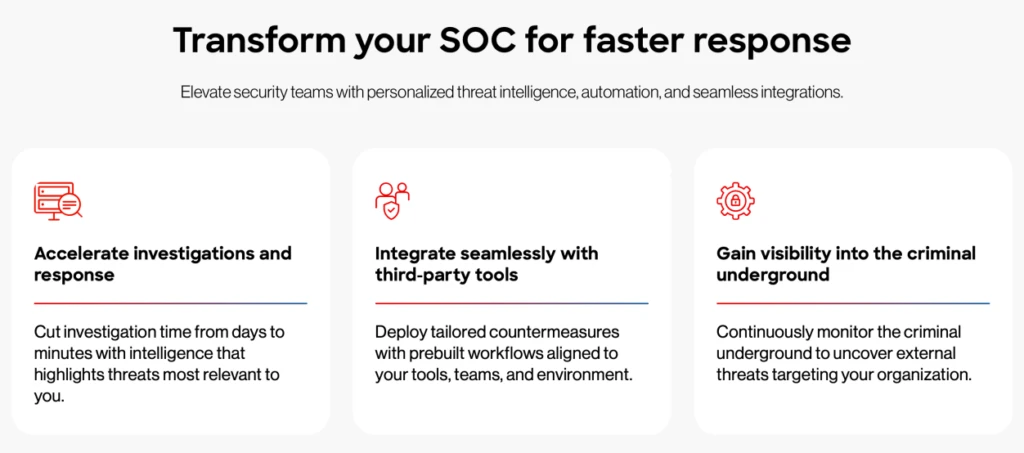
SOCs and MSSPs can use the platform to investigate relationships between adversaries, malware, indicators, and vulnerabilities. It also supports brand and fraud monitoring, malware analysis, and automated workflows for delivering intelligence to the Falcon platform and third-party security tools.
Group-IB Threat Intelligence Feeds
Group-IB provides tactical feeds for threat hunting containing indicators of compromise connected to malware, phishing, command-and-control infrastructure, vulnerabilities, and threat actor activity. The data is collected from sources including malware analysis, dark web monitoring, sensors, vulnerability research, open-source intelligence, and Group-IB investigations.
Organizations can filter the intelligence based on their threat landscape and deliver it to SIEM, SOAR, EDR, and other security tools through the Group-IB REST API or STIX/TAXII 2.0 and 2.1. Group-IB also provides export utilities and native integrations for bringing the feed data into existing workflows.
Open-Source IOC Feeds for Threat Hunting and Detection
Open-source and community-driven feeds give security teams access to indicators and threat data that can support detection, enrichment, and investigation. Their coverage and delivery formats vary, so organizations may use several sources together based on their security needs.
MalwareBazaar Malware Feeds
MalwareBazaar, operated by abuse.ch, provides continuously updated malware samples and related file intelligence. Security teams can retrieve recent samples, search by file hash, malware family, tag, signature, file type, imphash, TLSH, YARA rule, and other attributes.
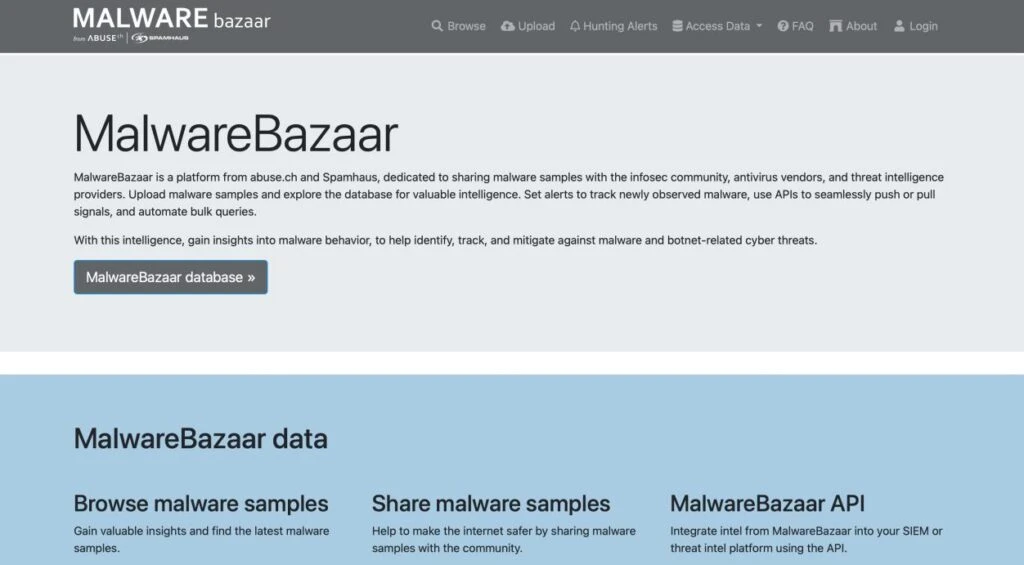
The data is available through the MalwareBazaar API, downloadable hash lists, and hourly or daily malware sample batches. Real-time feeds based on MalwareBazaar data are also available through Spamhaus. These resources can support malware research, file-based detection, threat hunting, and automated analysis pipelines.
AlienVault Open Threat Exchange
AlienVault Open Threat Exchange, or OTX, distributes community-contributed threat intelligence through Pulses. Each Pulse groups information about a threat with related indicators, including IP addresses, domains, URLs, and file hashes.
Users can subscribe to relevant Pulses and retrieve their data through the OTX DirectConnect API. Pulse content can also be downloaded in CSV, OpenIOC, or STIX format, while DirectConnect agents support delivery to tools such as TAXII and Suricata.
URLhaus
URLhaus, operated by abuse.ch and Spamhaus, shares URLs that are actively used to distribute malware. Its database focuses on direct malware download locations and links them with details such as the host, URL status, malware tags, associated payloads, and reporting history.
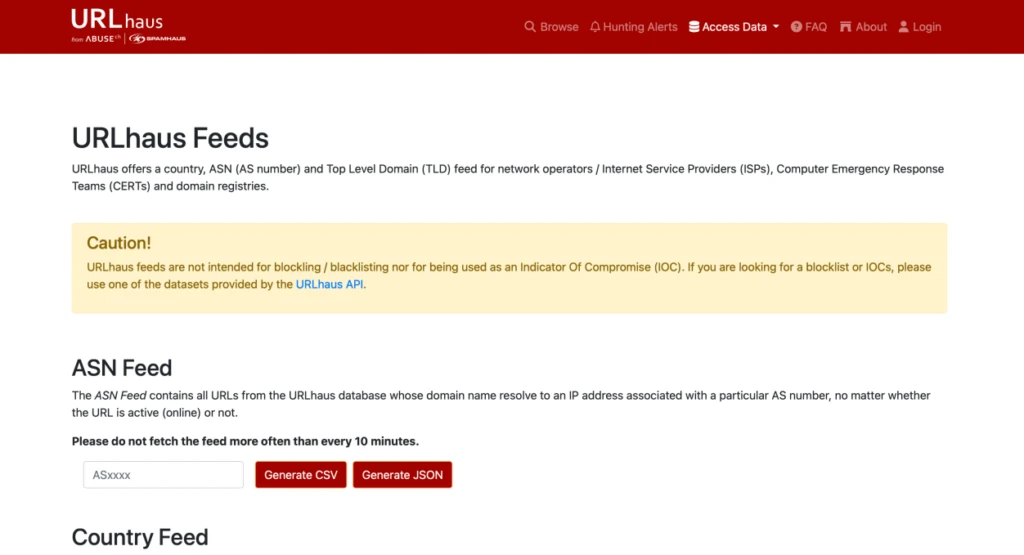
Security teams can retrieve the data through the URLhaus Community API and downloadable datasets, including plain-text URL lists. These resources can be added to detection, blocking, and threat-hunting workflows. URLhaus also publishes separate country, ASN, and top-level domain feeds, although it states that these specific feeds are intended for network operators, CERTs, and domain registries rather than use as IOC blocklists.
ThreatFox IOC Feeds
ThreatFox provides community-contributed indicators associated specifically with malware infections. Its data includes IP addresses, domains, URLs, email addresses, and file hashes linked to command-and-control servers, payload delivery, botnets, and malware families. Unlike general-purpose threat feeds, ThreatFox does not accept indicators related only to phishing or spam.
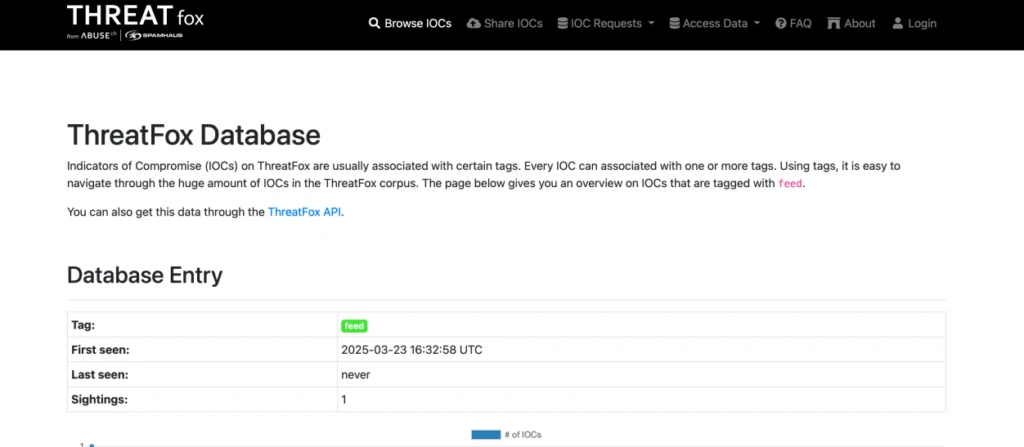
The feeds are available through the ThreatFox API, daily MISP events, Suricata rules, DNS RPZ datasets, host files, and JSON or CSV exports. Indicators older than six months are removed from the API and downloadable datasets to reduce false positives, while remaining searchable in the web interface.
How to Choose a Threat Intelligence Platform
Knowing how to choose a threat intelligence platform starts with understanding how the intelligence will support daily SOC operations. A useful platform should provide more than isolated indicators. It should help analysts understand where the data came from, what behavior was observed, and how the threat relates to a real attack.
1. Prioritize Fresh, Actionable Threat Data
Threat intelligence loses value quickly when indicators are outdated. Look for a platform that continuously collects new malicious IP addresses, domains, URLs, and file hashes from real threat activity.
The data should be ready for use in detection, alert enrichment, threat hunting, and blocking workflows.
2. Look Beyond Standalone IOCs
An IP address or domain alone may not give analysts enough information to make a decision. Strong threat intelligence should connect indicators to malware behavior, network activity, processes, files, screenshots, signatures, and attacker techniques.
This context helps teams understand why an indicator is malicious and how it was used during an attack.
3. Check Whether the Intelligence Is Verifiable
Analysts should be able to review the evidence behind an indicator instead of relying only on a label or risk score. Access to the original analysis, observed behavior, and related artifacts can make validation faster and reduce unnecessary manual research.
4. Consider the Breadth of Data Sources
Solutions drawing on active malware and phishing investigations can provide visibility into emerging threats across industries and regions. Consider whether the underlying sources reflect current attack activity and how the platform filters and validates the resulting data.
5. Review Search and Investigation Capabilities
A threat intelligence platform should allow analysts to search across domains, IP addresses, URLs, hashes, malware families, processes, signatures, and TTPs. It should also make it easy to pivot between related indicators and uncover connected infrastructure.
This is especially useful when investigating phishing campaigns, ransomware activity, loaders, command-and-control servers, and other evolving threats.
6. Check Integration and Delivery Options
Threat intelligence is most useful when it reaches the tools analysts already use. Review support for APIs, SDKs, STIX, TAXII, SIEM, SOAR, TIP, and other security platforms.
Flexible delivery options make it easier to automate enrichment, update detection rules, and bring intelligence directly into existing workflows.
7. Evaluate Support for SOC and MSSP Operations
Enterprises and MSSPs need intelligence that can support high alert volumes, multiple users, and different customer environments. Consider access controls, private investigations, API capacity, data retention, reporting, and team management capabilities.
A practical threat intelligence platforms comparison guide should therefore focus on how quickly each solution can turn raw threat data into evidence analysts can investigate and act on.
Enterprise Threat Intelligence Buying Guide
Once a platform meets the core requirements for data quality, context, search, and integrations, enterprise buyers should look at how well it can support larger teams, higher data volumes, and more complex security environments.
Review Scalability and API Capacity
Enterprise SOCs and MSSPs may process large volumes of alerts, indicators, and automated requests. Check API limits, ingestion capacity, query performance, and whether the platform can support growth without slowing down investigations or automated workflows.
For MSSPs, it is also important to confirm whether the solution can support multiple customer environments without mixing data or workflows.
Check Access and Team Controls
Threat intelligence platforms are often used by analysts, threat hunters, incident responders, engineers, and security managers. Role-based access controls, team workspaces, user permissions, and activity visibility can help organizations manage how different users access and work with intelligence.
These controls are especially important when several teams or customers share the same platform.
Evaluate Privacy and Data Handling
Organizations should understand how submitted files, URLs, search queries, and investigation data are stored and processed. Review options for private investigations, data retention, regional requirements, and controls that prevent sensitive information from becoming publicly accessible.
This is particularly important for regulated industries and teams handling confidential customer or internal data.
Confirm Support for Existing Security Architecture
Enterprise buyers should assess how easily the platform fits into their current security stack. Beyond basic integration support, consider authentication methods, deployment requirements, SDK availability, SIEM and SOAR compatibility, and whether the platform can support automated workflows across several tools.
The goal is to avoid creating another isolated source that analysts must check manually.
Review Reporting and Collaboration Options
Security teams may need to share intelligence with incident response teams, customers, managers, auditors, or other business units. Look for downloadable reports, shareable investigation links, export formats, case documentation, and options for preserving evidence.
For MSSPs, reporting should also make it easier to explain findings and recommended actions to customers.
Assess Vendor Support and Service Reliability
Enterprise teams should review support availability, response times, onboarding assistance, documentation, service-level commitments, and platform availability. Reliable support becomes more important when threat intelligence is connected to automated detection and response processes.
Test the Platform with Real Workflows
A trial or proof of concept should reflect the organization’s actual environment. Teams can use real alerts, indicators, integrations, and investigation scenarios to assess how the platform performs under normal operating conditions.
The test should show whether analysts can work efficiently, whether automation behaves as expected, and whether the platform can support the organization’s scale, privacy, and collaboration requirements.
Frequently Asked Questions
Can threat intelligence help with ransomware and phishing?
Yes. Threat intelligence for ransomware protection 2026 can help teams identify malicious files, delivery infrastructure, loaders, and command-and-control activity. Threat intelligence for phishing detection can provide information on suspicious URLs, domains, redirects, fake login pages, and related infrastructure.
How does threat intelligence support vulnerability management?
Threat intelligence for vulnerability management helps teams understand which vulnerabilities are being discussed, targeted, or actively exploited. This context can support risk-based prioritization alongside technical severity scores and asset importance.
Can threat intelligence support external risk monitoring?
Some platforms provide threat intelligence for brand protection and threat intelligence for fraud detection, including visibility into impersonation domains, phishing websites, leaked credentials, scams, and malicious infrastructure.
What is geopolitical threat intelligence?
Geopolitical threat intelligence examines cyber activity connected to regional conflicts, political events, nation-state groups, and hacktivist campaigns. It can help organizations understand how global developments may affect their industry, locations, suppliers, or digital infrastructure.
About ANY.RUN
ANY.RUN, a leading provider of interactive malware analysis and threat intelligence solutions, helps organizations investigate threats faster andmake response decisions based on clear behavioral evidence.
Its solutions include the Interactive Sandbox for enterprise-scale malware and phishing analysis, along with Threat Intelligence products built on investigationdata from more than 15,000 organizations. This intelligence helps security teams enrich alerts, uncover active threats earlier, and add relevant context to detection, investigation, and response workflows.
ANY.RUN is SOC 2 Type II attested, demonstrating its commitment to strong security controls and customer data protection. For SOCs, MSSPs, and enterprise security teams, the platform helps reduce investigation uncertainty, accelerate triage, and turn threat analysis into actionable findings.


0 comments