SnappyClient
- 74
- Global rank
- 70
- Month rank
- 47
- Week rank
SnappyClient is a sophisticated C++-based command-and-control (C2) implant first identified in December 2025. Delivered primarily via the modular HijackLoader, it functions as a versatile remote access tool with strong information-stealing capabilities, particularly focused on cryptocurrency wallets, browser data, and system control. It employs advanced evasion techniques, encrypted communications, and modular configurations to maintain persistence and evade detection.
- RAT
- Type
- Unknown
- Origin
- 1 December, 2025
- First seen
- 5 November, 2026
- Last seen
How to analyze SnappyClient with ANY.RUN
IOCs
IP addresses
- 48.192.1.65
- 23.11.41.157
- 23.52.181.212
- 48.209.138.168
- 135.232.92.97
- 23.94.252.99
- 104.21.24.243
- 74.179.77.204
- 23.3.89.122
- 204.79.197.203
- 20.190.159.129
- 172.211.123.248
- 150.171.109.100
- 2.23.246.9
- 23.222.81.129
- 20.190.160.14
- 23.59.18.102
- 150.171.109.101
- 104.18.20.213
- 74.178.76.128
Hashes
- 32d83ff113fef532a9f97e0d2831f8656628ab1c99e9060f0332b1532839afd9
- 3db8ee7f2056d79a97fafdcc7369867e7b49ecaa58b7c6ad442be858e1dcc6c2
- f25a275cc00918ab1633f9026e66ff194a43d843d799f3edf52d527f7d3209d8
- b2efd5e0c2f695063a8bce40c8182aa70f33c4b1b77d232b7530d89fb9646f0c
- 27c46f4f186b2168b1d37057378b58667151088cea24c8944d539d251d0b7f6d
- f321194b0b9ff9ab3197102083404f8848d58a592f4046df25d0319232ddd200
- 16a0f74da89fd1c98027627a82b63173e6e7b53dc9ecaee5d325095f353f198f
- a5e7f1970623d39f7a51d512726b0a6a113d8ab0acb117758bfc9a3f407882f7
- a43b0b848910aec87f53675d826fe0595834933e6652f9ea7c7d97e82ddbfed0
- 84be7bceeebf718d7efe41c51425027e86d7cdbbeb3d5c4665bb87a183080bd2
- 3254461647a55dbc8db283866bf6d3351fe14074b58875c94d02e0bf2e227f4a
- fb9bd26b6b164572584c6c9b67bdfc2489d23cedcfa66dfb46ddb6a4a45c2458
- f5f541111a2709694c4c791724378ed17fb27a2a34855ef83c0a06d53ca0805e
- 74cf6e8c147adecd0f51f15dfc736316e978dc7bc6431b86b80cc115189c13e3
- 71022a05cc2ab746f10d4c6f827bd100cf077853f7a4d4bf2a5c45ad3d671213
- aedba43f318ec98546f9cb5f72e331e001dd6abb115d8f196b30bae81443839d
- 7dd5485def22a53c0635efdf8ae900f147ec8c8a22b9ed71c24668075dd605d3
- 2408969599d3953aae2fb36008e4d0711e30d0bc86fb4d03f8b0577d43c649fa
- 97ef7984074775282b68dca5d5a469efdb2b22474ee6669fdfb5197d3f1b3768
- 11b0b9b0f74d01f16db7aa49be9dceeb55fde9da56f17419c4bca159cdcae274
Domains
- service.upgrade.ug
- fe3cr.delivery.mp.microsoft.com
- ocsp.digicert.com
- slscr.update.microsoft.com
- self.events.data.microsoft.com
- crl.microsoft.com
- login.live.com
- oneocsp.microsoft.com
- google.com
- client.wns.windows.com
- github.desktop.ug
- www.microsoft.com
- settings-win.data.microsoft.com
- ecs.office.com
- www.bing.com
- nexusrules.officeapps.live.com
- activation-v2.sls.microsoft.com
- digitjet.top
- ye.c.lencr.org
- x1.c.lencr.org
URLs
- http://crl.microsoft.com/pki/crl/products/microoceraut2011_2011_03_22.crl
- http://www.microsoft.com/pkiops/crl/microsoft%20secure%20server%20ca%202026.crl
- http://www.microsoft.com/pkiops/crl/microsoft%20ecc%20update%20secure%20server%20ca%202.1.crl
- https://slscr.update.microsoft.com/sls/%7b522d76a4-93e1-47f8-b8ce-07c937ad1a1e%7d/x64/10.0.19045.4046/0?ch=686&l=en-us&p=&pt=0x30&wua=10.0.19041.3996&mk=dell&md=dell
- https://fe3cr.delivery.mp.microsoft.com/clientwebservice/ping
- https://slscr.update.microsoft.com/sls/ping
- https://slscr.update.microsoft.com/sls/%7be7a50285-d08d-499d-9ff8-180fdc2332bc%7d/x64/10.0.19045.4046/0?ch=686&l=en-us&p=&pt=0x30&wua=10.0.19041.3996&mk=dell&md=dell
- https://activation-v2.sls.microsoft.com/slactivateproduct/slactivateproduct.asmx?configextension=retail
- http://ocsp.digicert.com/mfewtzbnmeswstajbgurdgmcgguabbtrjrydryt%2bapf3gspypfhbxr5xtqqus9tippmhxdiunkhmewnpyim8s8yceajtxtab8my1oj8mfwpz%2f7y%3d
- http://oneocsp.microsoft.com/ocsp/mfqwujbqme4wtdajbgurdgmcgguabbq3l3%2f%2fa6adk8nray2gxzvayrhg4aqub6t%2b2v%2bxq3lso2d33ojhnyhhqoucezmaaaafuwohyjguzpcaaaaaaau%3d
- https://www.bing.com/threshold/xls.aspx?t=5&dl=1&f=9&wsbc=1
- https://login.live.com/rst2.srf
- http://ocsp.digicert.com/mfewtzbnmeswstajbgurdgmcgguabbq50otx%2fh0ztl%2bz8sipi7wewvxdlqqutijuibiv5unu5g%2f6%2brks7qyxjzkceaz1vqyrvgl0erhqlcpm8gy%3d
- https://login.live.com/ppsecure/deviceaddcredential.srf
- http://ocsp.digicert.com/mfewtzbnmeswstajbgurdgmcgguabbq50otx%2fh0ztl%2bz8sipi7wewvxdlqqutijuibiv5unu5g%2f6%2brks7qyxjzkceasmayxgarewr3pgr9svwmg%3d
- http://oneocsp.microsoft.com/ocsp/mfqwujbqme4wtdajbgurdgmcgguabbr0tbevyklx7a9ylold9hqmcwdxfgqu3pggslehmvkx8utfb6ncihnaqhycezmaaaale%2bvmfuqbvyaaaaaaaas%3d
- https://settings-win.data.microsoft.com/settings/v3.0/wsd/waasassessment?os=windows&osver=10.0.19041.1.amd64fre.vb_release.191206-&ring=retail&sku=48&deviceclass=windows.desktop&locale=en-us&deviceid=bad99146-31d3-4ec6-a1a4-be76f32ba5d4&flightring=retail&telemetrylevel=1&hidovergattreg=c%3a%5cwindows%5csystem32%5cdriverstore%5cfilerepository%5chidbthle.inf_amd64_9610b4821fdf82a5%5cmicrosoft.bluetooth.profiles.hidovergatt.dll&appver=10.0&processoridentifier=amd64%20family%2023%20model%201%20stepping%202&oemmodel=dell&updateoffereddays=4294967295&processormanufacturer=authenticamd&installdate=1661339444&oemmodelbaseboard=&branchreadinesslevel=cb&oemsubmodel=j5cr&isclouddomainjoined=0&deferfeatureupdateperiodindays=30&isdeviceretaildemo=0&flightingbranchname=&osuilocale=en-us&devicefamily=windows.desktop&wuclientver=10.0.19041.3996&uninstallactive=1&isflightingenabled=0&osskuid=48&processorclockspeed=3094&totalphysicalram=6144&securebootcapable=0&app=waasassessment&processorcores=6¤tbranch=vb_release&installlanguage=en-us&deferqualityupdateperiodindays=0&servicingbranch=cb&oemname_uncleaned=dell&tpmversion=0&primarydisktotalcapacity=262144&installationtype=client&attrdataver=186&processormodel=amd%20ryzen%205%203500%206-core%20processor&isedgewithchromiuminstalled=1&osversion=10.0.19045.4046&ismdmenrolled=0&activationchannel=retail&honorwufbdeferrals=1&firmwareversion=a.40&trendinstalledkey=1&osarchitecture=amd64&defaultuserregion=244&updatemanagementgroup=2
- https://officeclient.microsoft.com/config16/?lcid=1033&syslcid=1033&uilcid=1033&build=16.0.16026&crev=3
- https://ecs.office.com/config/v2/office/word/16.0.16026.20146/production/cc?&clientid=%7bd61ab268-c26a-439d-bb15-2a0dedfca6a3%7d&application=word&platform=win32&version=16.0.16026.20146&msoversion=16.0.16026.20002&sdx=fa000000002.2.0.1907.31003&sdx=fa000000005.1.0.1909.30011&sdx=fa000000006.1.0.1909.13002&sdx=fa000000008.1.0.1908.16006&sdx=fa000000009.1.0.1908.6002&sdx=fa000000016.1.0.1810.13001&sdx=fa000000029.1.0.1906.25001&sdx=fa000000033.1.0.1908.24001&sdx=wa104381125.1.0.1810.9001&processname=winword.exe&audience=production&build=ship&architecture=x64&language=en-us&subscriptionlicense=false&perpetuallicense=2019&licensecategory=6&licensesku=professional2019retail&osversion=10.0&osbuild=19045&channel=cc&installtype=c2r&sessionid=%7b3f2f781a-d178-4adf-a648-049c8d7ae3a0%7d&labmachine=false
- https://roaming.svc.cloud.microsoft/rs/roamingsoapservice.svc
Last seen at
SnappyClient Exposed: Remote Access, Data Theft, and a Blind Spot for Defenders
Key Takeaways
- SnappyClient is a C++-based C2 implant first identified in December 2025, delivered through the HijackLoader malware loader.
- It combines remote access (terminal, process control, file management) with data theft (keylogging, screenshots, browser and crypto wallet credentials) in a single tool.
- Its primary goal appears to be cryptocurrency theft, including real-time clipboard hijacking that swaps copied wallet addresses for attacker-controlled ones.
- Heavy use of AMSI bypass, Heaven's Gate, direct system calls, and transacted hollowing makes SnappyClient difficult for signature-based and API-hooking security tools to detect.
- Delivery has relied on social engineering — including a fake site impersonating a telecom brand and a ClickFix-based chain — rather than software exploits, making user training a critical defense layer.
- Reverse proxy support for FTP, VNC, SOCKS5, and RLOGIN lets attackers pivot from a single infected machine into the wider network.
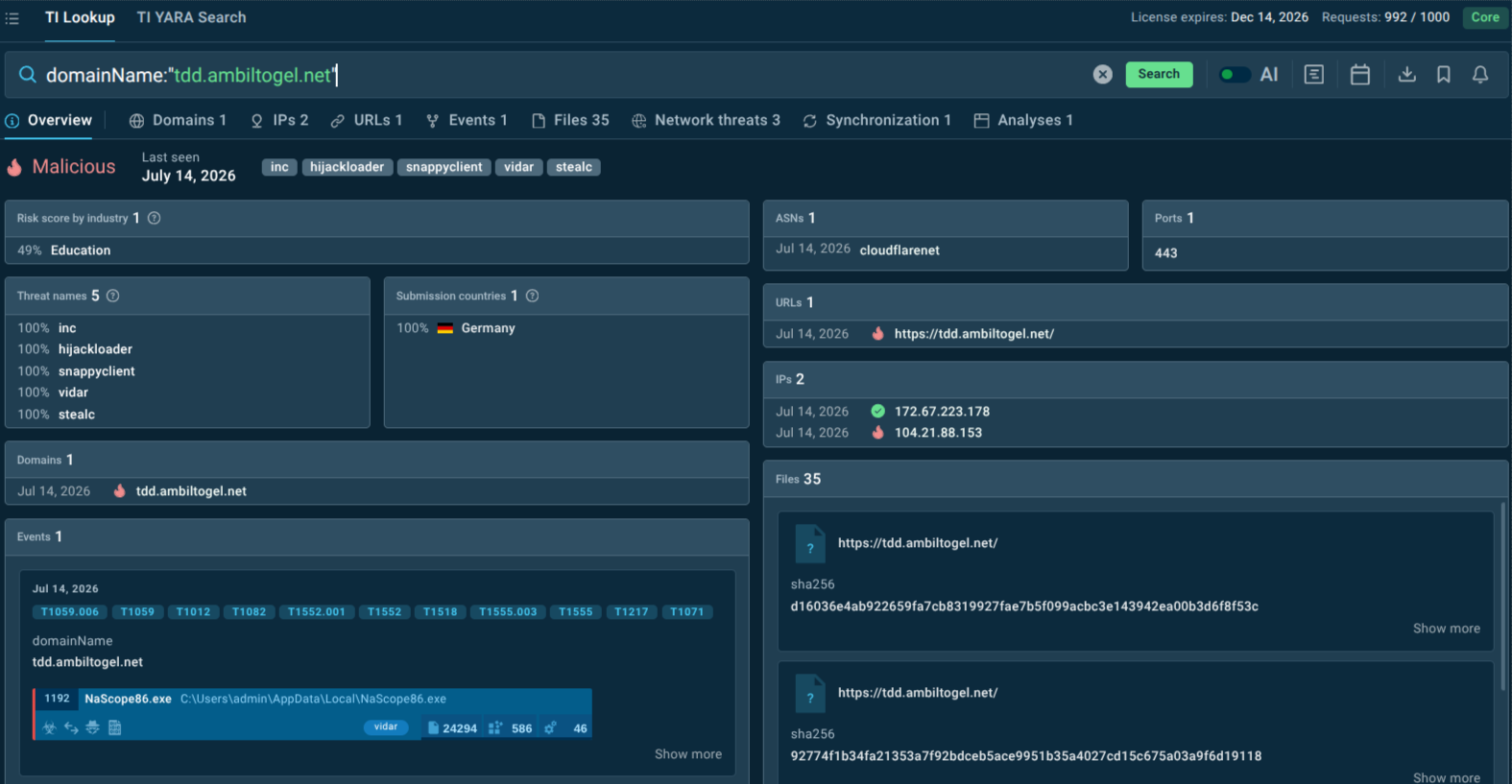
- Businesses can move from reactive to proactive defense by combining ANY.RUN Threat Intelligence Lookup, for confirming whether indicators are tied to SnappyClient and related infrastructure, with Threat Intelligence Feeds, for streaming fresh malicious IPs, domains, and URLs directly into existing security tools.
domainName:"tdd.ambiltogel.net"
What is SnappyClient Malware?
SnappyClient is a compact but feature-rich C2 framework implant written in C++. Unlike single-purpose stealers that grab one batch of credentials and disappear, SnappyClient is designed for sustained, flexible access to a compromised host. Once deployed, it pulls two encrypted configuration files from its C2 server — commonly referred to in research as an EventsDB and a SoftwareDB — which tell the implant what to watch for and what to steal.
The malware can capture full-resolution screenshots, log every keystroke, open a remote terminal, and manipulate running processes: listing, suspending, resuming, or killing them at will, and injecting its own code into legitimate processes to blend in. Its file-management module can browse, copy, move, rename, delete, compress, or extract files and folders, including password-protected archives, and it can download and execute additional payloads on demand.
SnappyClient's defining trait is its evasion toolkit. It uses AMSI bypass techniques to slip past Windows' built-in scanning interface, leverages the Heaven's Gate technique to move between 32-bit and 64-bit execution contexts, calls system functions directly rather than through hooked API calls, and uses transacted hollowing to inject code into processes without leaving the usual forensic footprint. Network communications are encrypted with ChaCha20-Poly1305 over a custom protocol, which frustrates traditional traffic inspection. Code-level overlaps with HijackLoader — shared API structures and syscall-mapping logic — suggest the two projects may share developers or infrastructure.
Delivery has so far relied on social engineering rather than exploited vulnerabilities: a fake website impersonating telecom provider Telefónica served HijackLoader to German-speaking visitors, and a separate campaign chained the ClickFix technique with the GhostPulse loader to drop HijackLoader, which in turn decrypted and loaded SnappyClient directly into memory.
View SnappyClient sample analysis in ANY.RUN Sandbox
How SnappyClient Threatens Businesses and Organizations
Snappyclient poses severe risks by enabling long-term persistence and targeted data exfiltration. Attackers can steal credentials, session cookies, browser profiles, and crypto assets, leading to financial losses, account takeovers, and intellectual property theft. Remote access features allow lateral movement, network reconnaissance, and deployment of additional payloads (e.g., ransomware).
In-memory operation and evasion tactics reduce detection windows, while clipboard manipulation and wallet targeting can result in immediate cryptocurrency theft. For businesses, this translates to disrupted operations, regulatory compliance violations (e.g., data breach notifications), remediation costs, and reputational damage—especially in sectors handling sensitive financial or customer data.
Victimology: Who Is Most at Risk?
SnappyClient's observed lures and capabilities point to a few sectors with elevated exposure:
- Cryptocurrency and fintech businesses — direct targeting of wallet software (MetaMask, Phantom, Coinbase Wallet, Exodus, Ledger Live, Atomic Wallet, Trezor Suite) and clipboard-based transaction hijacking make any organization handling digital assets a high-value target.
- Telecommunications customers and telecom-adjacent brands — the impersonation of a major telecom provider suggests threat actors see telecom brand trust as an effective lure, putting telecom customers and lookalike-vulnerable brands at risk of being spoofed.
- German-speaking markets and European enterprises — the earliest documented campaign specifically targeted German-speaking users, indicating a regional focus that could expand to other European markets.
- Organizations with weaker endpoint monitoring of browser and process activity — because SnappyClient leans heavily on AMSI bypass, syscall evasion, and process injection, businesses without behavioral or memory-level detection are more likely to miss it.
- Any business relying on browser-stored credentials for SaaS access — with ten browsers in scope for data theft, companies with lax credential hygiene (password reuse, unmanaged password managers) face a wider blast radius if a single machine is compromised.
The Evolution of SnappyClient and Notable Activity
SnappyClient's public history is still short, but it has already shown signs of active development and diversified delivery:
- December 2025 — Zscaler ThreatLabz first identifies SnappyClient as a distinct malware family, delivered via HijackLoader.
- Campaign via fake Telefónica site — a spoofed page impersonating the telecom company automatically served a HijackLoader download to German-speaking visitors; running the file triggered HijackLoader to decrypt and load SnappyClient directly into memory, avoiding disk-based detection.
- Early February 2026 — a second delivery chain surfaces, combining the ClickFix social-engineering technique with the GhostPulse loader alongside HijackLoader, culminating in SnappyClient as the final payload. This shows the operators experimenting with multiple loader and lure combinations rather than relying on a single delivery method.
- Ongoing — researchers note code-level similarities between SnappyClient and HijackLoader itself, suggesting continued collaboration or shared tooling between the two projects, which could mean further joint evolution of both the loader and the implant.
How SnappyClient Gets Into Systems and Spreads
SnappyClient does not rely on exploiting software vulnerabilities. Instead, it depends on convincing a user to run a file:
- Fake or lookalike websites — a spoofed site impersonating a trusted brand (observed: a fake Telefónica page) prompts visitors to download what looks like a legitimate file or update.
- HijackLoader as the delivery mechanism — once downloaded and executed, HijackLoader decrypts its payload and loads SnappyClient directly into memory, minimizing artifacts written to disk.
- ClickFix-style social engineering — a documented alternate chain used the ClickFix technique, which tricks users into manually running attacker-supplied commands (often framed as a "fix" for a fake error), leading to GhostPulse and HijackLoader delivering SnappyClient as the final stage.
- In-memory execution and process injection — after loading, SnappyClient uses transacted hollowing and direct system calls to embed itself in legitimate processes, reducing the chance of detection by tools that rely on API hooking.
There is no confirmed self-propagation (worm-like spreading) mechanism; every documented infection begins with a user interacting with a malicious site or file.
How SnappyClient Malware Functions
Once running on a host, SnappyClient operates as follows:
- Configuration retrieval — the implant contacts its C2 server and downloads two encrypted files: an EventsDB, which defines trigger conditions (such as taking a screenshot when clipboard content matches a cryptocurrency wallet address pattern or when a window title references a crypto platform), and a SoftwareDB, which lists the specific applications and browsers to target for data theft.
- Secure C2 channel — communications are encrypted using ChaCha20-Poly1305 with a key, nonce, and session ID exchanged at connection time, then sent as separate header and compressed-payload packets over a custom protocol.
- Surveillance functions — continuous or triggered keylogging and screenshot capture, with EventsDB rules allowing operators to focus collection specifically around cryptocurrency activity.
- Data theft — extraction of saved passwords, cookies, browsing history, bookmarks, session data, and extension data from at least ten browsers, plus credentials and files from other installed software and crypto wallet applications.
- Clipboard manipulation — real-time detection and replacement of copied cryptocurrency wallet addresses to redirect transactions to attacker-controlled wallets.
- Remote access and control — a remote terminal, process listing/suspension/termination, and file-system management (browse, copy, move, rename, delete, compress/extract, including password-protected archives).
- Network pivoting — reverse proxy support for FTP, VNC, SOCKS5, and RLOGIN, letting attackers tunnel further access through the compromised host.
- Evasion — AMSI bypass, Heaven's Gate for cross-mode execution, direct system calls to avoid hooked APIs, and transacted hollowing for stealthy code injection.
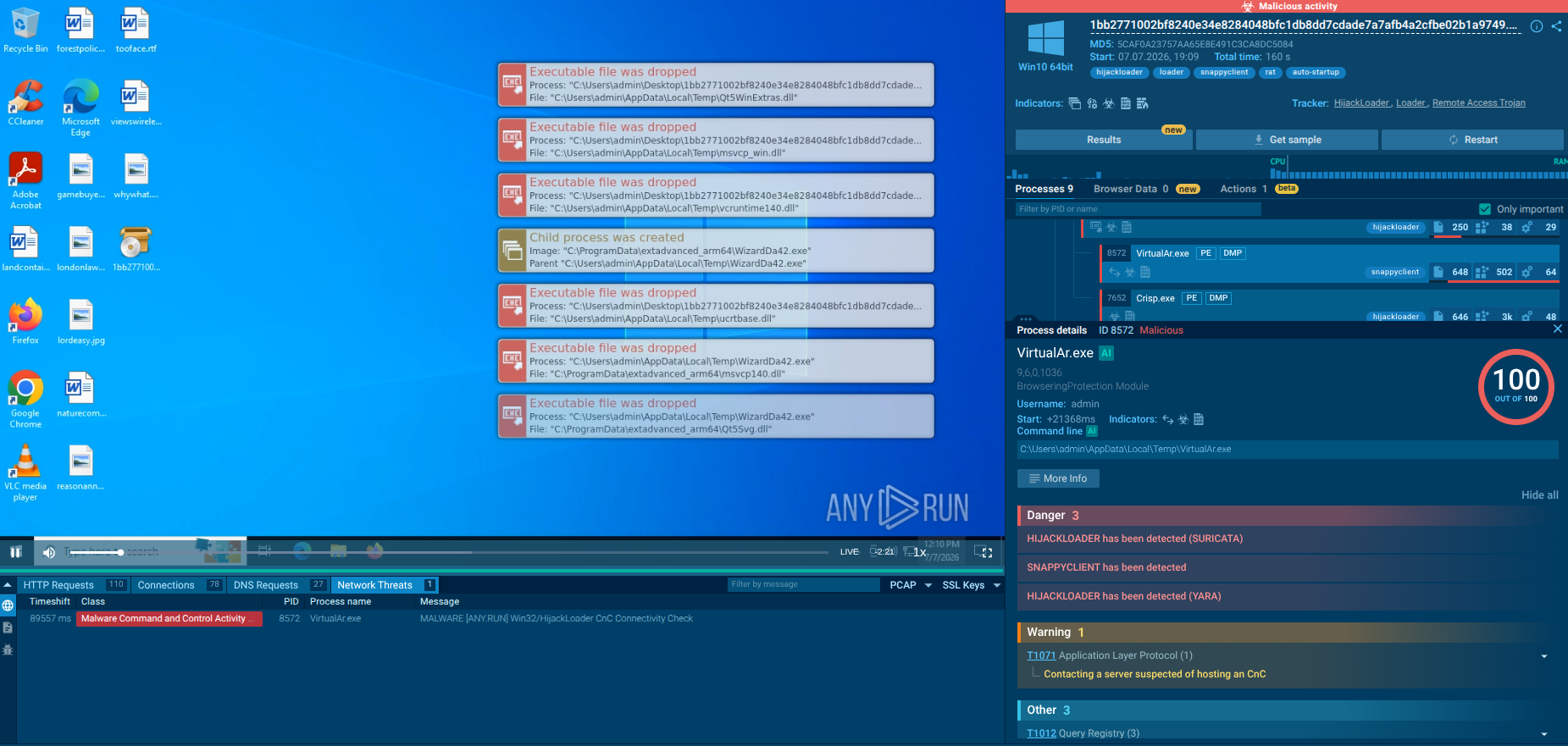
View the attack chain in ANY.RUN Interactive Sandbox:
The analyzed sample starts execution as a 7-Zip SFX executable from the user's Desktop.
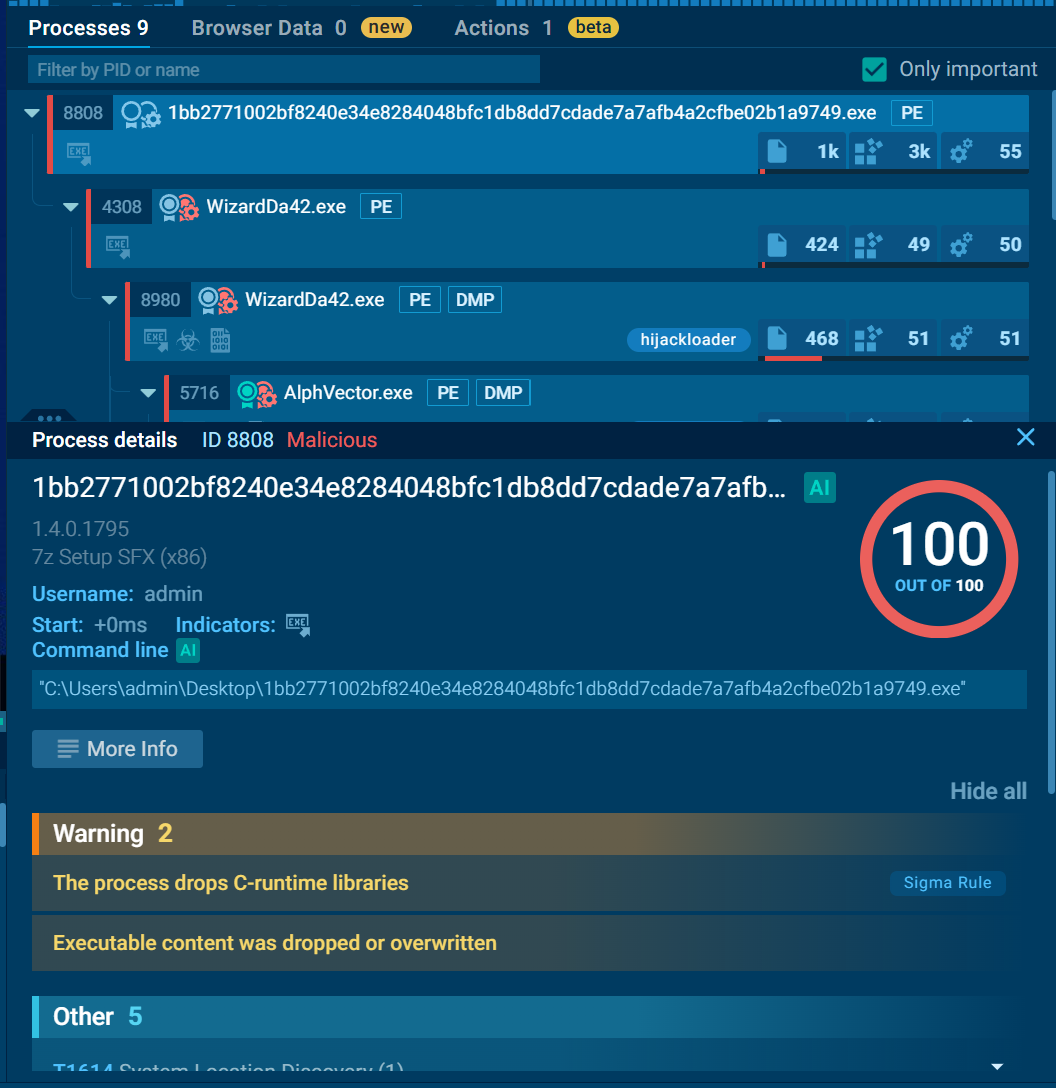
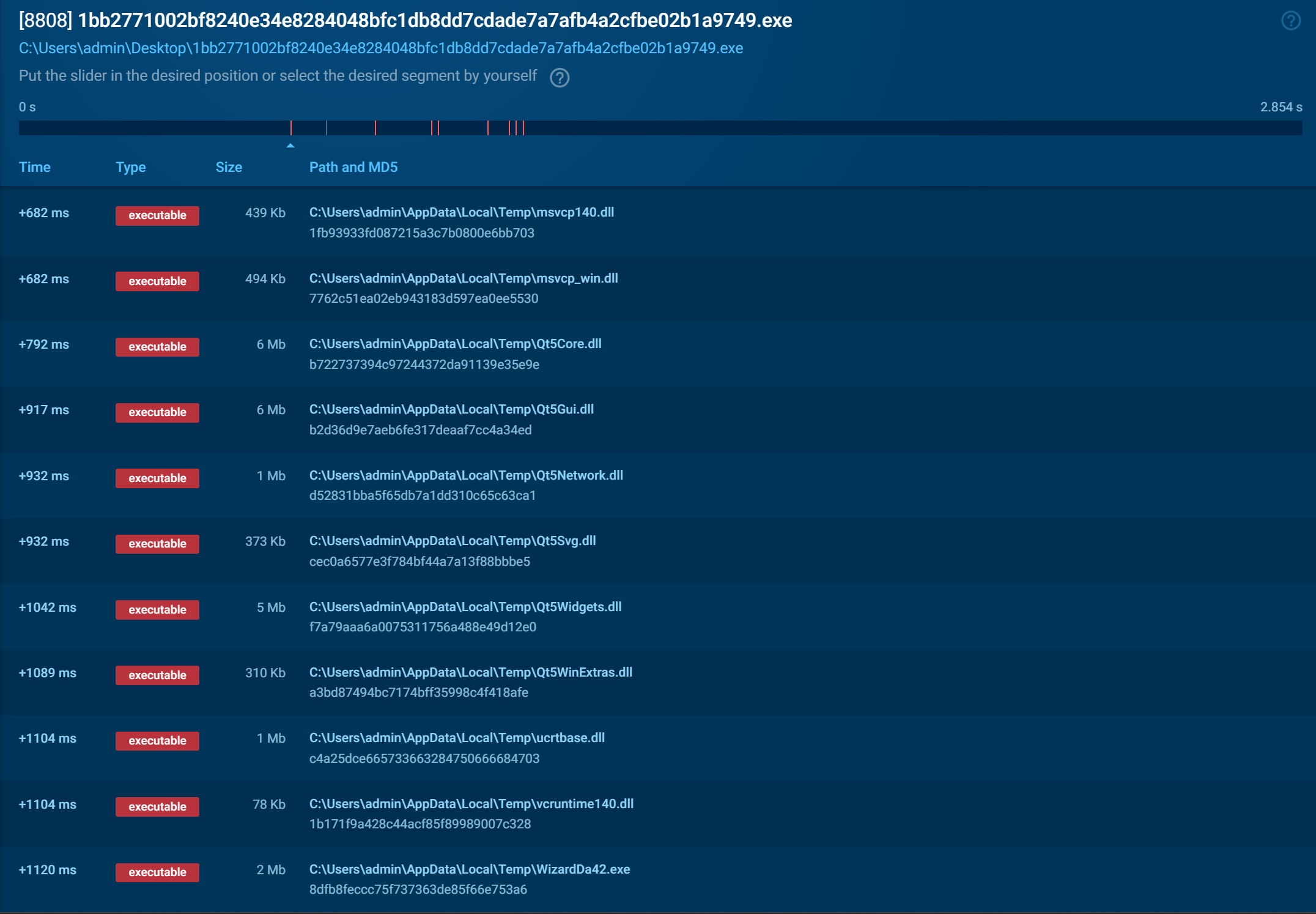
After execution, it drops multiple files into the temporary directory, including required libraries and additional components.
The initial executable launches WizardDa42.exe, which acts as a HijackLoader component and continues the infection chain.
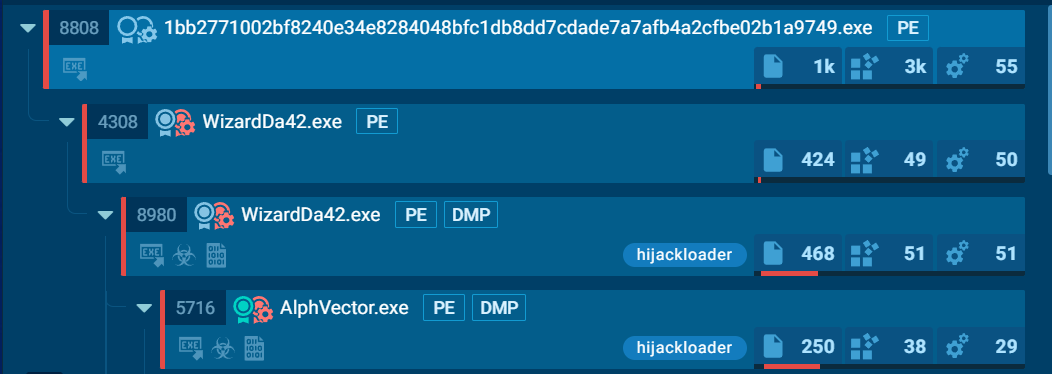
During execution, the loader creates several additional processes disguised as legitimate applications, including AlphVector.exe, Crisp.exe, NeuroManag.exe, and VirtualAr.exe. These files are placed in locations such as C:\ProgramData\extadvanced_arm64 and user AppData directories to blend with normal software.

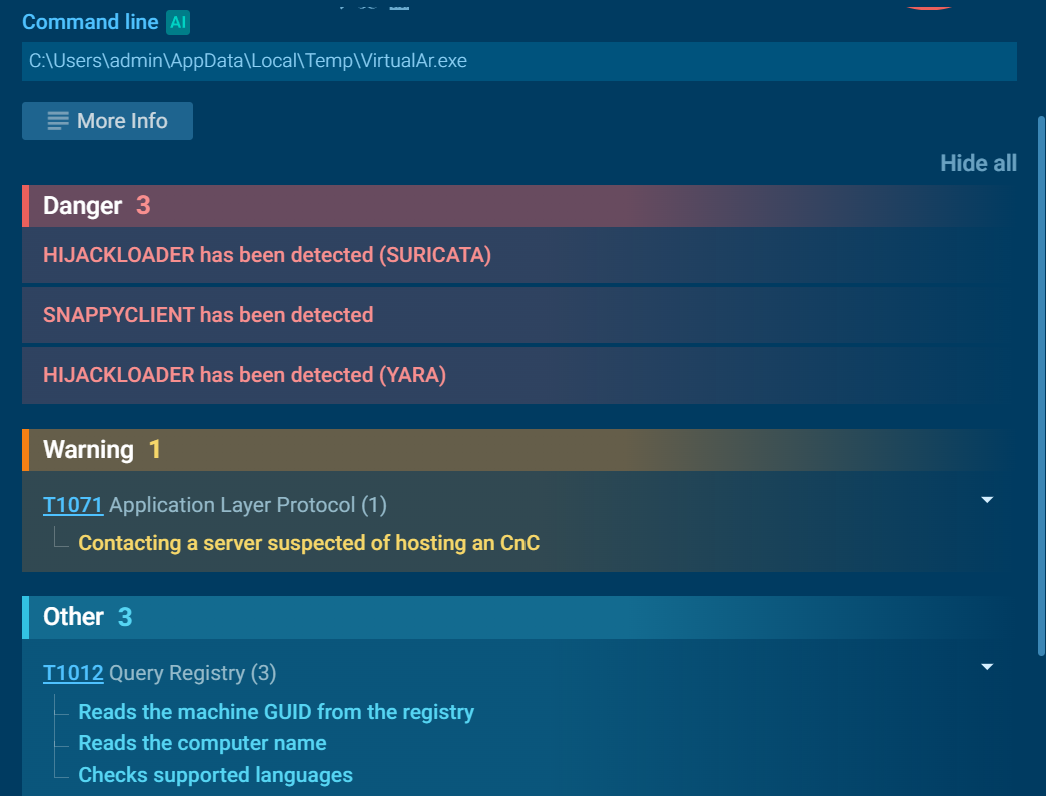
The sandbox detected SnappyClient activity in the VirtualAr.exe process. The malware performs system information collection, including reading the computer name, machine GUID, and checking system location settings. It also contains screenshot functionality according to YARA detection.
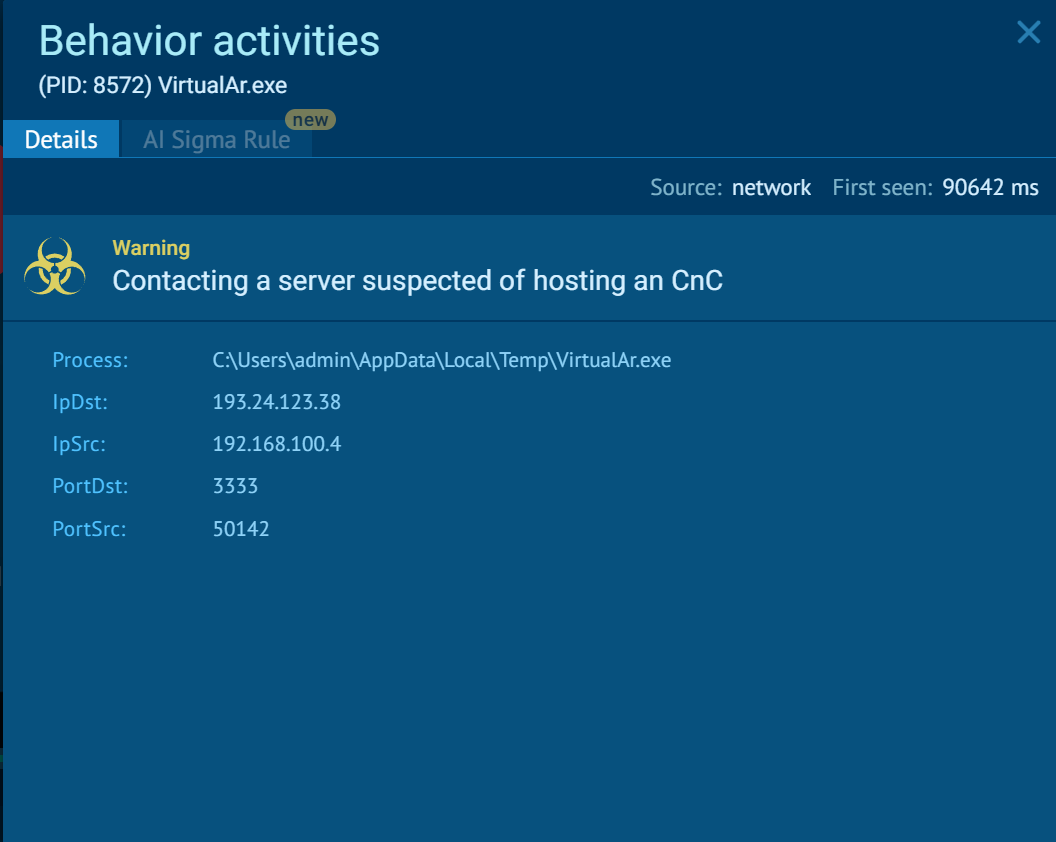
Network activity shows VirtualAr.exe contacting an external server classified as suspicious C2 activity, indicating communication with the malware infrastructure.
How Businesses Can Use ANY.RUN’s Threat Intelligence Solutions Against SnappyClient
Because SnappyClient relies on evasive loaders and in-memory execution, static file scanning alone often isn't enough — security teams need visibility into behavior, network traffic, and fast-moving indicators as they emerge.
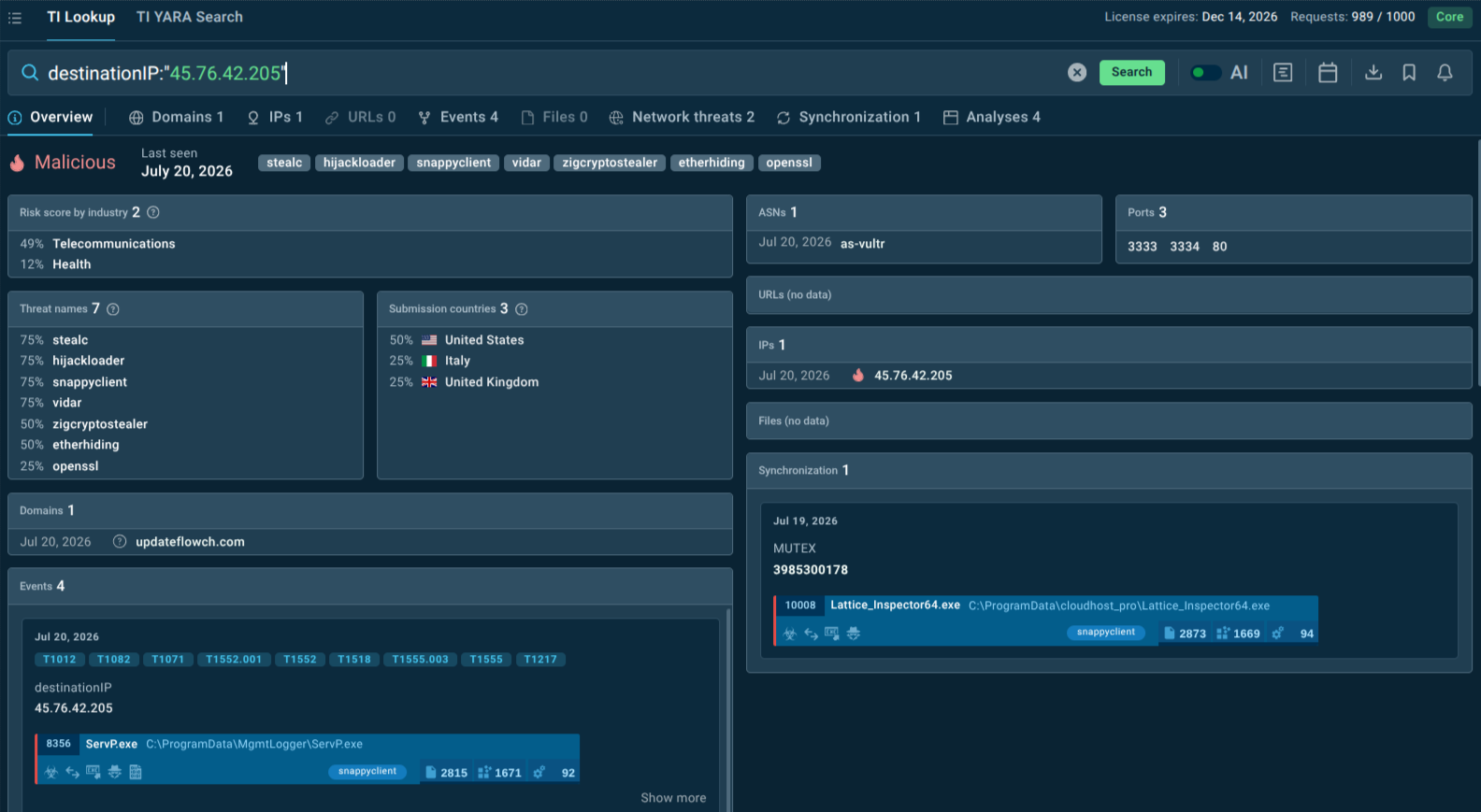
Threat Intelligence Lookup and ANY.RUN Threat Intelligence Feeds together give teams both sides of that picture: TI Lookup lets analysts search across a growing database of sandbox-derived indicators, hashes, and behavioral patterns to confirm whether a suspicious file, domain, or C2 address is tied to SnappyClient, HijackLoader, or related campaigns, while TI Feeds streams freshly observed malicious IPs, domains, and URLs — sourced from live sandbox sessions — directly into SIEM, IDS/IPS, and EDR tools so defenses update automatically as new SnappyClient infrastructure surfaces. Used together, they help SOC teams move from reactive cleanup to catching SnappyClient's fake lure pages and C2 infrastructure before an implant ever reaches memory.
Beyond threat intelligence, businesses can reduce SnappyClient risk with:
- Browser and credential hygiene — enforcing managed password managers instead of browser-saved passwords, and requiring MFA on all SaaS and VPN access so stolen credentials alone aren't enough.
- Behavioral and memory-based endpoint detection — since SnappyClient bypasses AMSI and hides via process injection, EDR tuned to detect Heaven's Gate transitions, unusual syscall patterns, and transacted hollowing offers better odds than signature-based tools alone.
- Clipboard and crypto-transaction verification — training finance and crypto-handling staff to manually verify wallet addresses before confirming transactions, rather than trusting a pasted value.
- User awareness against ClickFix-style lures — since one delivery path relies on tricking users into manually pasting and running commands, staff training should specifically cover this technique, not just generic phishing.
- Egress and DNS monitoring — watching for connections to newly registered or suspicious domains and unusual outbound proxy traffic (FTP/VNC/SOCKS5/RLOGIN) that could indicate SnappyClient's reverse-proxy activity.
- Interactive sandbox analysis — detonating suspicious downloads or ClickFix-style prompts in an interactive sandbox before they reach production endpoints, to catch in-memory loaders like HijackLoader before they execute on a real machine.
Conclusion
SnappyClient shows how far financially motivated malware has moved beyond simple credential stealers. By combining long-term remote access, targeted cryptocurrency theft, and a deep evasion toolkit in one compact implant, it gives attackers both the immediate payoff of drained wallets and the durable foothold needed for repeated exploitation. For businesses, the lesson is that defenses tuned only to known signatures or single-stage phishing won't be enough — visibility into behavior, network infrastructure, and fresh threat intelligence is what closes the gap SnappyClient is built to exploit.
Trial TI Lookup to start gathering actionable threat intelligence on the malware that threatens your business sector and region: just sign up to ANY.RUN.
SnappyClient Malware FAQ
1. What is SnappyClient?
SnappyClient is a C++ C2 implant delivered via HijackLoader. It combines remote access (terminal, process control, file management) with data theft (keylogging, screenshots, credentials, crypto wallet hijacking).
2. How is SnappyClient delivered to targets?
It relies entirely on social engineering—primarily spoofed brand websites (e.g., fake Telefónica sites) and ClickFix-style lures—rather than software exploits.
3. Why is SnappyClient difficult for standard security tools to detect?
It operates in-memory and heavily utilizes advanced evasion techniques: AMSI bypass, Heaven's Gate, direct system calls (bypassing API hooks), transacted hollowing, and ChaCha20-Poly1305 encrypted traffic.
4. What are its primary financial and operational threats?
Its main goal is cryptocurrency theft via real-time clipboard address swapping and targeting wallet software. It also enables long-term persistence, reverse proxying (SOCKS5, VNC, etc.) for lateral movement, and deployment of additional payloads.
5. Who is most at risk from SnappyClient campaigns?
- Fintech and crypto-handling organizations.
- Telecom customers (due to spoofed brand lures).
- Organizations in European markets (initially targeting German speakers).
- Companies relying heavily on browser-stored credentials and lacking behavioral EDR.
6. How can a SOC build defenses against SnappyClient?
To counter its evasion capabilities, a SOC should implement:
- Behavioral & Memory Monitoring: EDR tuned for Heaven’s Gate, direct syscalls, and transacted hollowing (since API hooks/signatures fail).
- Credential & Session Protection: Enforce enterprise password managers and mandatory MFA instead of storing credentials in browsers.
- Egress & DNS Rules: Block/monitor custom proxy protocols (VNC, SOCKS5, RLOGIN) and newly registered domains.
- User Training: Specifically target ClickFix lures and instruct staff to manually verify copied crypto wallet addresses.
7. How do ANY.RUN solutions help SOC teams counter SnappyClient?
SOC and MSSP teams can integrate ANY.RUN's solutions across the entire incident response lifecycle to build a solid system for early detection of SnappyClient:
- Monitoring & Prevention: Threat Intelligence Feeds automatically stream fresh SnappyClient C2 IPs, domains, and URLs directly into SIEM/EDR/IDS perimeter defenses, blocking active delivery campaigns before payloads ever reach endpoints.
- Triage & Response: When suspicious files or ClickFix prompts bypass initial controls, analysts detonate them in the Interactive Sandbox to safely trigger evasive loaders (like HijackLoader) and expose in-memory behavior, C2 traffic, and payloads in real time. Analysts can also use Threat Intelligence Lookup to query extracted hashes, network artifacts, and behavioral patterns against a global threat database, instantly confirming links to SnappyClient infrastructure and scoping the incident.
- Threat Hunting: TI Lookup helps security teams extract additional indicators and behavioral patterns and feed them into local SIEM/EDR rules to hunt across the environment for hidden persistence, proxy activity, or lateral movement.
Other malware & phishing threats
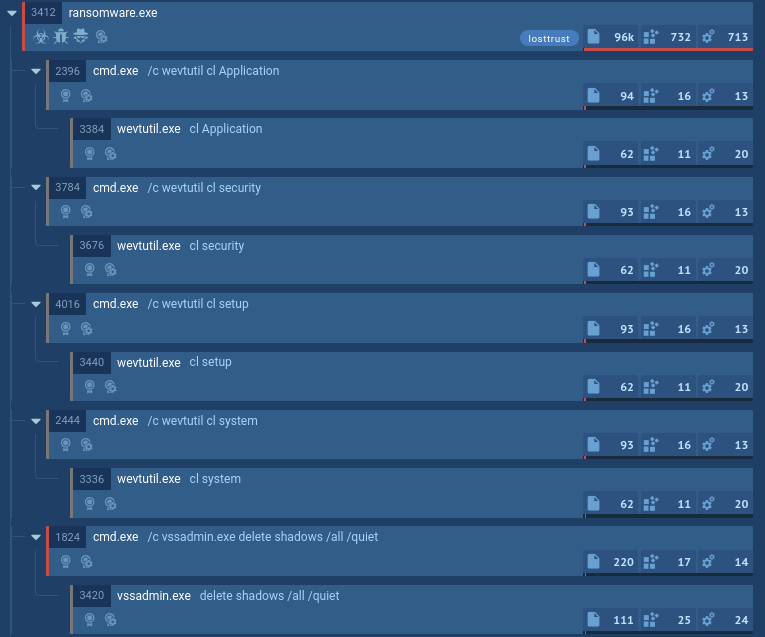 LostTrustLostTrust is a ransomware that has been active since March 2023. It is a multi-extortion malware, meaning that it not only encrypts data on the compromised system and demands a ransom, but also exfiltrates some of the critical files to the attacker. The criminals publish the stolen data on a special website, where dozens of companies are listed as victims of the malware.
 REvilREvil, also called Sodinokibi, is a notorious ransomware strain known for its use of sophisticated encryption techniques, high-profile targeted attacks, and connections to GandCrab.
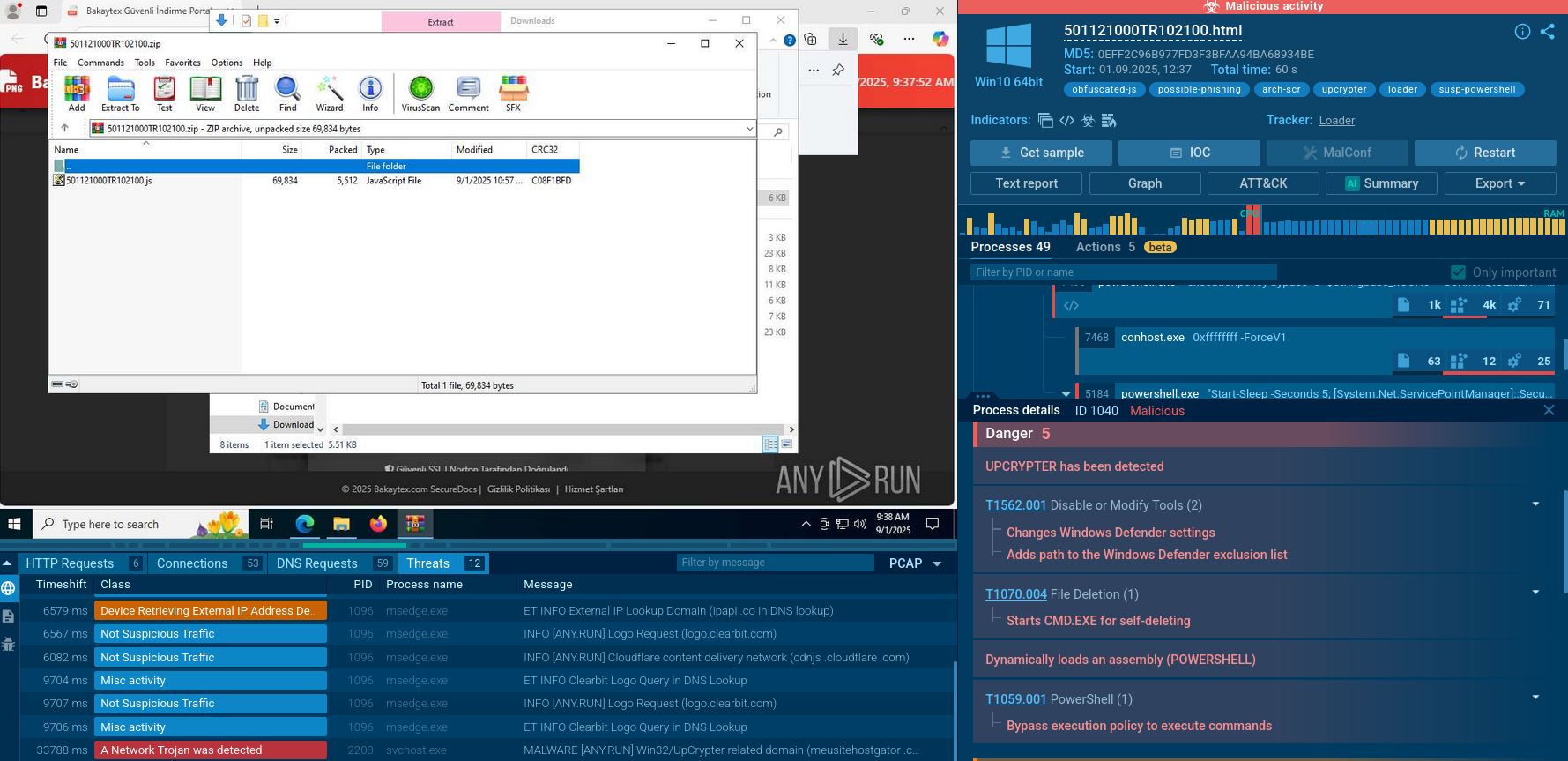 UpCrypterUpCrypter is a sophisticated malware loader that functions as a delivery mechanism for remote access tools. Distributed through global phishing campaigns targeting Windows systems, this actively maintained tool serves as the central framework for deploying various RATs including PureHVNC, DCRat, and Babylon RAT, enabling attackers to establish persistent remote control over compromised systems.
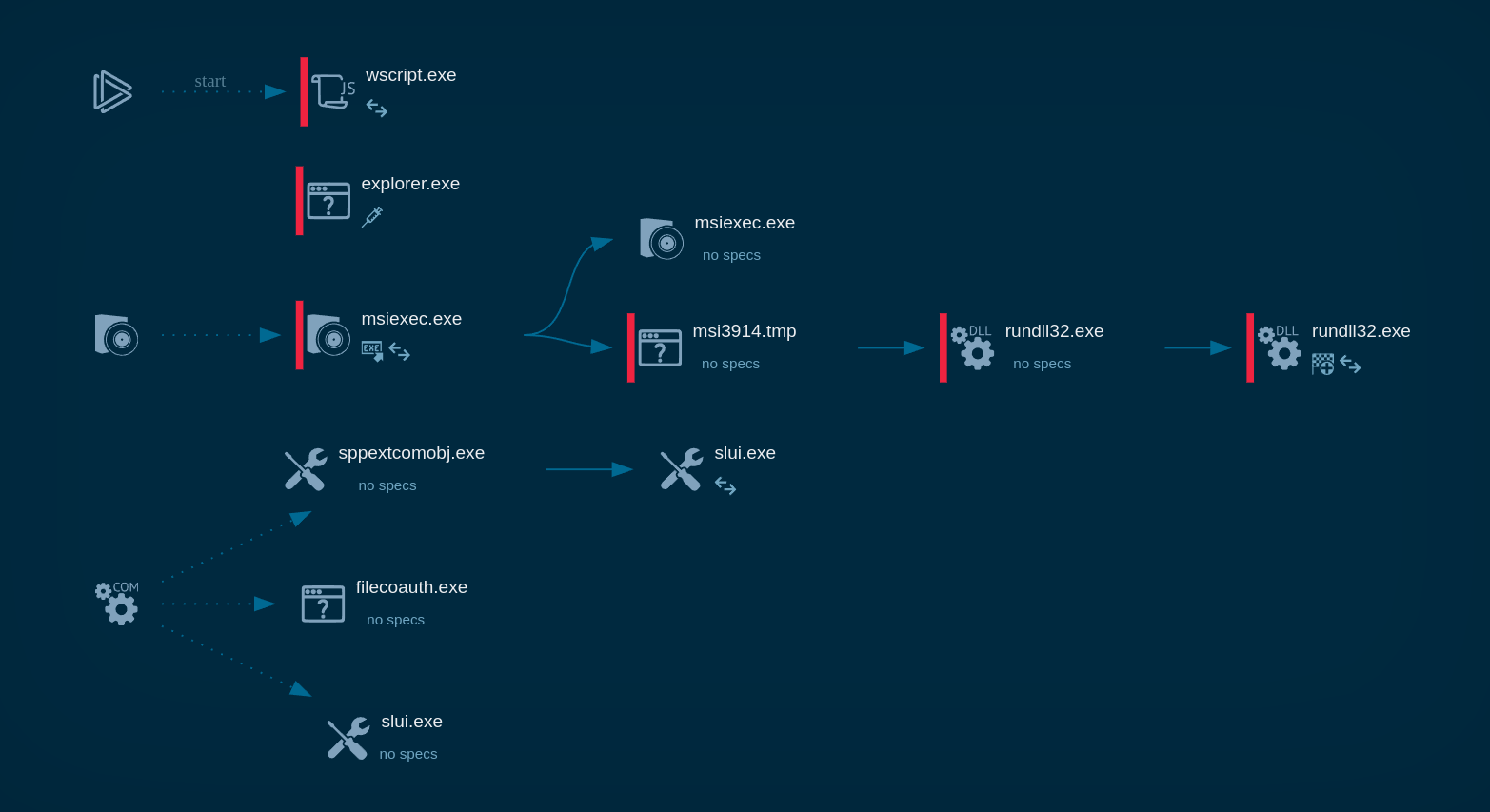 LatrodectusLatrodectus is a malicious loader that is used by threat actors to gain a foothold on compromised devices and deploy additional malware. It has been associated with the IcedID trojan and has been used by APT groups in targeted attacks. The malware can gather system information, launch executables, and detect sandbox environments. It uses encryption and obfuscation to evade detection and can establish persistence on the infected device.
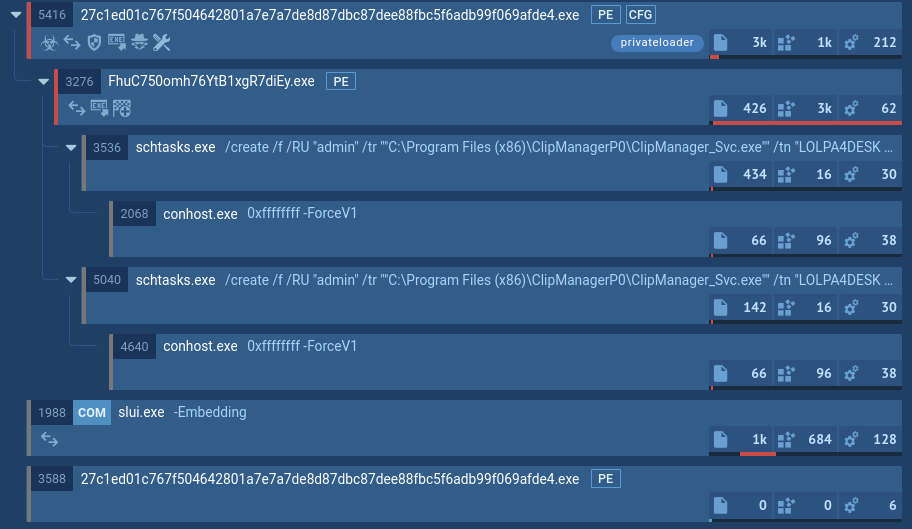 LoaderA loader is malicious software that infiltrates devices to deliver malicious payloads. This malware is capable of infecting victims’ computers, analyzing their system information, and installing other types of threats, such as trojans or stealers. Criminals usually deliver loaders through phishing emails and links by relying on social engineering to trick users into downloading and running their executables. Loaders employ advanced evasion and persistence tactics to avoid detection.
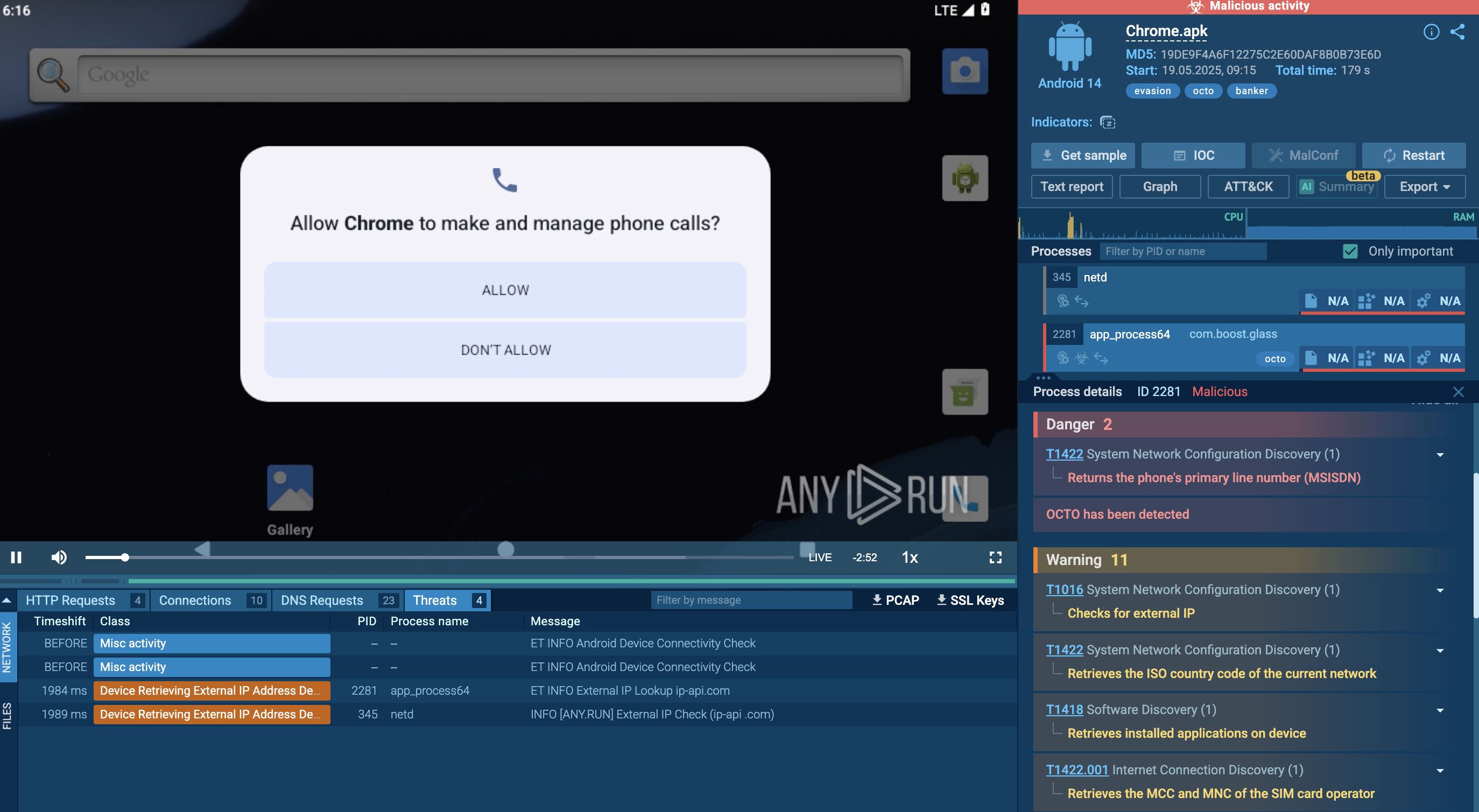 OctoOcto malware, also known as ExobotCompact or Coper, is a sophisticated Android banking trojan that has evolved from earlier malware family Exobot. It poses a significant threat to financial institutions, mobile users, and enterprise networks.